If you find yourself constantly leaning forward, straining to catch dialogue during your favorite evening programs, or turning the living room TV up so high that it bothers family members or neighbors, you are far from alone. Missing words or losing track of the plot can turn what should be a relaxing evening into a frustrating chore.
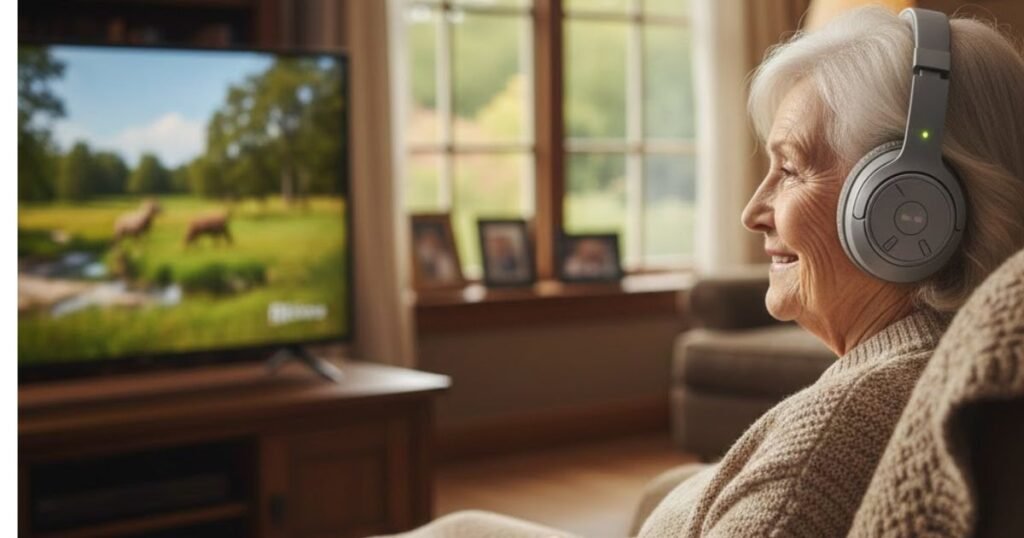
Wireless TV headphones offer a reliable solution to this common issue. By bringing crystal-clear audio directly to your ears, these specialized devices allow you to hear every spoken word at a personalized volume level while leaving the room’s television speakers at a level that is comfortable for everyone else.
This guide breaks down the best senior-friendly TV listening options available in 2026, details the specific features you should prioritize, and provides clear instructions on how to select the right device for your home setup.”Best Wireless TV Headphones for Seniors (2026) – Clear Sound & Easy Setup”
READ MORE: Best Smart TV for Seniors in 2026: Easy to Use & Large Screen Picks
Why Seniors Have Trouble Hearing Television
Understanding television audio can become difficult for older adults due to a combination of physiological changes and modern television production trends.
Age-Related Hearing Loss
The most common factor is age-related hearing loss, medically known as presbycusis. This condition typically impacts high-frequency hearing first. In human speech, consonant sounds like “s,” “f,” “t,” and “sh” are spoken at much higher frequencies than vowels. When these frequencies become harder to perceive, words tend to blend together, making dialogue sound muffled or mumbled.
Modern Sound Mixing Trends
Modern television shows and movies are mixed for multi-speaker theater environments rather than standard flat-screen TV speakers. Directors often layer loud background music, explosions, and environmental sound effects directly over the actors’ voices. For anyone experiencing a mild high-frequency hearing decline, this background audio can completely overpower spoken lines.
Flat-Screen Speaker Limitations
As televisions have grown thinner, the space available for built-in speakers has shrunk dramatically. Most modern flat-screens feature small, low-powered speakers that face downward or backward against the wall. This causes sound waves to bounce around the room, muddying the audio before it ever reaches your armchair.
Benefits of Wireless TV Headphones
Investing in a dedicated set of wireless TV headphones can noticeably improve your daily viewing experience and your home environment.
Late-Night Flexibility: You can catch up on late-night news or early-morning talk shows without waking anyone up in the next room.
Improved Speech Clarity: Many senior-focused headsets feature built-in voice enhancement technology that isolates and boosts human vocal frequencies, making conversations easy to follow.
Independent Volume Adjustments: You can set your headphones to the precise volume level you need without altering the sound output from the television itself.
Shared Viewing Experiences: Family members can watch the same program at their preferred volume level while you listen comfortably through your headset.
Reduced Household Friction: No more disagreements over a television that is “too loud.” The household stays quiet, which is especially helpful in apartments or shared living spaces.
Wireless Technology: RF vs. Bluetooth
The method your headphones use to transmit sound from the TV to your ears matters immensely. For television watching, dedicated Radio Frequency (RF) or $2.4\text{ GHz}$ wireless systems are generally preferred over standard Bluetooth.
| Feature | Dedicated RF / 2.4 GHz Systems | Standard Bluetooth Systems |
| Audio Lag (Latency) | Near zero (under $40\text{ ms}$). Lip-sync is perfectly matched. | Noticeable lag ($150\text{–}250\text{ ms}$). Audio trails behind mouth movements. |
| Setup Process | Plug-and-Play. Transmitter connects to TV; headsets pair automatically. | Requires navigating digital menus, searching for devices, and entering codes. |
| Connection Stability | Highly reliable within its direct line-of-sight range. | Prone to occasional signal drops, stuttering, or dropping connection. |
| Re-connection | Instantaneous upon lifting the headset from the dock. | Often requires manual re-pairing if another device connects first. |
| Best Choice For | Daily home television viewing for older adults. | Mobile phone use, traveling, or listening to music on a tablet. |
READ MORE: Best Wireless Earbuds for Senior Runners: Top Picks
Best Wireless TV Headphones For Seniors
1. Avantree Duet: The Ultimate Shared Wireless TV Solution
Overview: A pre-paired system that includes two independent over-ear headphones connected to a single charging and transmitter base station.
Best For: Couples who both want to use headphones while watching television together.
Wireless Technology: $2.4\text{ GHz}$ RF.
Battery Life: Up to 20 hours per headset.
Weight: $215\text{ grams}$ ($7.5\text{ oz}$) per headset.
Comfort Level: Plush over-ear cushioning that provides comfort during long multi-episode viewing sessions.
Pros:
- Both headphones come pre-paired to the base right out of the box.
- Each user can adjust their own volume independently.
- The base dock charges both headsets simultaneously.
Cons:
- The base occupies a slightly larger physical footprint on your TV console.
Approximate U.S. Price: $230
Expert Verdict: If you and your spouse often find yourselves agreeing on what to watch but disagreeing on how loud the TV should be, the Avantree Duet solves the problem completely. Each person gets their own clear audio and private volume control.

READ MORE: Best Voice Assistant for Seniors 2026 — Safe, Simple & Senior-Friendly Picks
2. Sennheiser RS 175 RF Wireless Headphone: A Premium TV Audio Experience
The Sennheiser RS 175 is an audiovisual product of high quality. It is an RF wireless headphone system that is specifically meant for the home. Unlike standard Bluetooth headphones, an RF technology enables one to enjoy zero lag in sound delivery, superior range, and consistent connectivity, being ideal for listening to music, watching television, and gaming.
Key Features of Sennheiser RS 175
- Crystal Clear Digital Sound
Bass, mids and highs bring great depth and contour to the sound, all in an immersive experience.
Bass Boost and Virtual Surround are modes for tailoring audio.
- RF Wireless Technology (No Audio Lag)
The 2.4 GHz RF transmission allows instant, lag-less audio and no delay with Bluetooth.
Up to 328 ft (100 m) range allows users to be freed up within the home.
- Effortless Setup and Many Devices Can Be Connected
The transmitter base station connects to TVs, stereos, and other audio sources via optical or AUX input.
It is possible to use some headsets with this same transmitter.
- Long Battery Life
It shines for maximum use of as much as 18 hours on a single charge.
Docked for convenience in the transmitter stand, it comes with charging.
- Comfortable Over-Ear Design
Padded ear cups and adjustable headband ensure a snug, comfortable fit for extended use.
An airy design easily relieves the ear of fatigue.
Pros & Cons Sennheiser RS 175
| Pros | Cons |
| Lag-Free RF Wireless Technology – No audio delay, ideal for TV and movies. | Not Bluetooth Compatible – Works only with the included RF transmitter. |
| Superior Sound Quality – Clear audio with Bass Boost & Virtual Surround Sound modes. | Requires Transmitter Connection – Must be plugged into TV or audio source. |
| Long Wireless Range – Up to 328 feet (100m), even through walls. | No Built-in Noise Cancellation – Does not actively block background noise. |
| Comfortable for Extended Use – Soft ear padding and adjustable headband. | Bulky Design – Larger than standard headphones. |
| Long Battery Life – Up to 18 hours per charge. | Premium Price – More expensive than basic TV headphones. |
| Easy Setup & Multi-Device Support – Works with TVs, stereos, and multiple headsets. |
Who’s gonna buy the Sennheiser RS 175?
- Seniors & TV Enthusiasts – No lag, personalized volume control, and easy setup.
- Home Theater Lovers – Bass Boost and Surround Sound enhance movie-watching.
- Users Who Need Long-Range Wireless Audio – Great for moving around the house while listening.

READ MORE: 8 Best Light Lawn Mower for Seniors: Review & Comparison
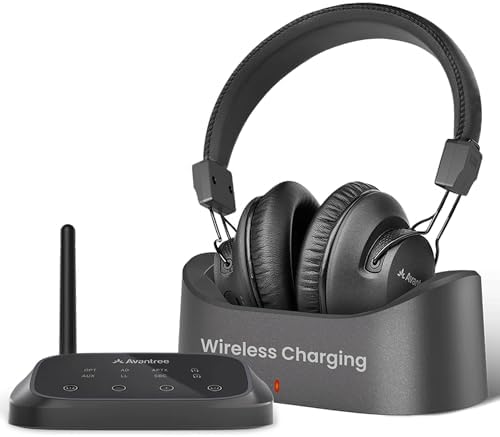
3. Avantree HT5009 Plus
The Avantree HT5009 Plus is a modernized wireless headphone system designed to offer an extraordinary TV listening experience, especially for seniors and people suffering with hearing impairment. This combined advanced features ensures clear synchronized audio without disturbing others.
Key Features of Avantree HT5009 Plus
- No Lip-Sync Delays
Uses advanced IEEE chipset technology from Qualcomm, ensuring all audio arrives in sync with what is seen.
- Clearer Louder Sound
It enhances on-screen dialogue clarity and enhances overall volumes via a clear voice mode, an essential feature for the elderly or hard of hearing.
- Long Battery Life
Providing up to 50 hours of uninterrupted playtime, you can watch TV without having to charge too often.
- Convenient Charging
Features a wireless charging dock for easy and non-selling charging.
- Pass-through Support
Allows audio through an external soundbar/speaker and the headphones simultaneously, thus enhancing shared listening experience.
- Universally Compatible
Compatible to all televisions with optical (TOSLINK), AUX (3.5mm) or built-in Bluetooth audio outputs.
- Extended Range
It’s possible to achieve a range of 100 feet (30 meters) without losing any connection at all.
- Durable
Lasts up to 8 years, which is a very long life span that makes for long-term use.
Pros & Cons of Avantree HT5009 Plus
| Pros | Cons |
| Lag-Free Audio – Advanced Qualcomm chipsets minimize audio delay, ensuring synchronized viewing. | Not Ideal for Non-TV Use – Primarily designed for TV listening, may not be suitable for other audio devices. |
| Enhanced Volume & Clarity – Clear Voice Mode and boosted volumes improve dialogue comprehension. | No Active Noise Cancellation (ANC) – Lacks ANC technology, which may be a consideration for some users. |
| Extended Battery Life – Up to 50 hours of playtime per charge. | Limited Color Options – Currently available only in black. |
| Convenient Wireless Charging – Easy-to-use charging dock simplifies recharging. | Bulky Design – Over-ear design may feel large for some users. |
| Simultaneous Audio Output – Pass-through support allows shared listening with external speakers. | Premium Price Point – Higher cost compared to basic TV headphones. |
| Wide TV Compatibility – Supports various audio output options for universal use. | |
| Long Wireless Range – Up to 100 feet (30 meters) of connectivity. | |
| Durable Build – Designed to last up to 8 years. |
Who’s gonna buy the Avantree HT5009 Plus?
- Seniors and Hearing Impaired Individuals: The elevated volume and Clear Voice Mode allow for hearing dialogue clearly without necessary elevation of TV volume as an inconvenience to others.
- TV Lovers: Those in search of an audio experience without lag for movies, shows, and sports.
- Shared Living Homes: Lets one person use headphones while others listen externally from the speakers at the same time.
READ MORE: Best Video Doorbell for Seniors: Wireless, Without Subscription, Easy & Safe
4. Avantree HT4186
The Avantree HT4186 is a wireless headphone system that has been made particularly for TV viewing. It presents high-quality audio with low latency, which makes for easy syncing of sound with video without noticeable delay. These headphones come with a Bluetooth transmitter that connects to your TV easily, giving you a very convenient and effortless experience for watching your favorite shows, movies, or playing games. The comfortable over-ear design combined with extended battery life makes the HT4186 perfect for long-time usage without sacrificing comfort or sound quality.
Key Features of Avantree HT4186
- Low Latency with aptX-LL: Having very low audio delay ensures the model’s perfect functionality for watching TV without any problem of lip-sync.
- Dual-Link Support: Allows two people to listen simultaneously, ideal for couples or families.
- Wide Compatibility: Works with most TVs, PCs, tablets, and home theater systems using Bluetooth or optical connections.
- Long Battery Life: An extended TV watching may be possible because the rechargeable battery lasts up to 20 hours.
- Comfortable Over-Ear Design: Soft ear pads for comfortable extended listening without discomfort.
- Easy Setup: Simple plug-and-play installation with minimal configuration required.
- Wireless Convenience: Freedom from tangled wires, offering flexibility in movement while watching TV.
- Range of 30 Meters: Enjoy a wide range of wireless connection, even from different rooms in the house.
Pros and Cons of The Avantree HT4186:
| Pros | Cons |
| Low Latency (aptX-LL): No noticeable audio delay, ideal for TV watching. | Not Ideal for Audiophiles: Audio quality may not satisfy high-end music lovers. |
| Dual-Link Support: Allows two headphones to connect simultaneously. | Dependence on Bluetooth Transmitter: Requires a transmitter for connection to TV, which might be inconvenient for some setups. |
| Wide Compatibility: Works with TVs, PCs, tablets, and home theater systems. | Bulkier Design: May feel heavy or uncomfortable for some users during long sessions. |
| Long Battery Life: Up to 20 hours of use on a single charge. | Limited Range: The wireless range may not be as wide as some other premium models. |
| Comfortable Over-Ear Design: Soft ear pads for comfort during long use. | Potential Setup Issues: May require some setup for optimal performance with certain devices. |
| Easy Setup: Simple plug-and-play installation. | Not Portable: Larger design makes it less suitable for on-the-go use. |
| Wireless Convenience: No tangled wires, providing more freedom while watching TV. | Requires Charging: Needs periodic recharging, which could be a hassle for some users. |
Who’s gonna buy the Avantree HT4186?
- TV watchers who want to avoid disturbing others or need enhanced audio.
- Couples or families who want to connect two headphones at once.
- Those seeking ease of use with a hassle-free setup.

READ MORE: Best Robot Lawn Mowers for Seniors Review: Comparison & Buying Guide
5. TV Ears Digital Wireless Headset System
Overview: A classic under-chin stethoset system that has been a staple in senior care and assistive listening for decades.
Best For: Open-air comfort, keeping cool, and users who dislike bulky over-ear headbands.
Wireless Technology: Proprietary Voice Clarifying technology.
Battery Life: Up to 6 hours.
Weight: $57\text{ grams}$ ($2\text{ oz}$).
Comfort Level: Minimalist design that doesn’t put pressure on your skull, though the ear tips can take a few days to get used to.
Pros:
- Extremely lightweight and will not disturb your hair or press against glasses.
- Voice Clarifying circuitry significantly sharpens hard-to-hear consonants.
- Highly visible, tactile volume dials that are very easy to turn.
Cons:
- Shorter battery runtime requires regular docking between shows.
- Under-chin style can occasionally catch on high shirt collars.
Approximate U.S. Price: $130
Expert Verdict: TV Ears remains a popular choice for a reason. If you find heavy headphones uncomfortable or find that over-ear cups make you feel too isolated from your room surroundings, this under-chin option is an excellent choice.

READ MORE: Best Health Tracking Smartwatch for Seniors 2026 — Top 8 Picks Compared
6. Own Zone by Sharper Image Over Ear TV Headphones
These headphones from Sharper Image have a perfect over-ear design. In other words, Own Zone TV Headphones are wireless and rechargeable, which means you can enjoy watching TV without disturbing someone else. The headphones are designed in such a way to lend comfort and flexibility, and they have various other features, including compatibility with all forms of TV connections, extensive wireless transmission, and excellent sound quality, making it an ideal pair of headphones for watching TV, gaming, or listening to music.
Key Features of Own Zone by Sharper Image Over Ear TV Headphones:
- Wireless & Rechargeable: There are no wires to bother and the rechargeable battery has up to 10 hours of use continuously.
- Wider Compatibility: Works great with TV, AUX, RCA, or other top connections making integration into other devices easy.
- Long-range Transmission: Up to a 100ft range to offer you that much room to walk around and listen to audio from the television.
- Over-Ear Design: Soft, comfortable ear cushions make it easy to wear for extended periods.
- Noise Isolation: block external noise for a more stimulating TV or audio experience.
- Setup: Easy setup for your television or other devices with minimum configuration.
- Adjustable Fit: The headband can adjust so it provides a nice secure fit for anyone.
Pros and Cons of the Own Zone by Sharper Image Over Ear TV Headphones:
| Pros | Cons |
| Wireless Convenience: No tangled wires, offering freedom to move while watching TV. | Limited Battery Life: 10-hour battery life may require recharging during long sessions. |
| Long Transmission Range: Transmits up to 100ft, allowing flexibility to move around. | Not Hi-Fi Sound: Audio quality may not satisfy audiophiles seeking premium sound. |
| Comfortable Over-Ear Design: Soft ear cups for extended comfort during long use. | Potential Audio Lag: Some users report slight audio delay, which can be distracting. |
| Wide Compatibility: Works with TV, AUX, RCA, and other devices, making it versatile. | Bulky Design: Over-ear design may feel bulky for some users. |
| Noise Isolation: Helps reduce background noise for a more immersive experience. | Not Ideal for On-the-Go Use: Bulky design limits portability. |
| Rechargeable Battery: Saves on replacing batteries, offering a cost-effective solution. | Setup May Require Time: Can take a bit of time to set up with certain devices. |
Who’s gonna buy the Own Zone by Sharper Image Over Ear TV Headphones?
- TV watchers who want to enjoy content without disturbing others.
- People seeking a comfortable, wireless solution for TV or audio listening.
- Those who need long-range wireless transmission for flexibility while moving around.
- Users looking for an easy-to-setup headphone option with broad compatibility across devices.

READ MORE: Best OTC Hearing Aids for Tinnitus | Affordable & Effective Picks
2026 Wireless TV Headphone Comparison
| Model | Tech / Connection | Battery Life | Included Headsets | Best For… | Key Feature |
| Avantree Duet | 2.4GHz RF | ~20 Hours | 2 Included | Couples / Shared Viewing | Independent volume for each person. |
| Sennheiser HDR 175 | 2.4GHz RF | ~18 Hours | 1 (Add-on) | Expanding an RS 175 system | Audiophile-grade sound; Bass/Surround modes. |
| Avantree HT5009 Plus | BT 5.2 (aptX-LL) | ~50 Hours | 1 | Long binge-sessions | Massive battery life & “Bypass” support. |
| Avantree HT4189 | BT 5.0 (aptX-LL) | ~40 Hours | 1 | Budget-friendly reliability | Simple “Plug & Play” with long range. |
| TV · Ears 5.8GHz | 5.8GHz RF | ~4-6 Hours | 1 (Stethoset) | Severe Hearing Loss | 120dB volume & Voice Clarifying Circuitry. |
| Sharper Image | 2.4GHz RF | ~10 Hours | 1 | Occasional/Light Use | Budget price; 2.4GHz “Own Zone” tech. |
READ MORE: Salvation Army Free Car Program (Eligibility & How to Apply)
Features Seniors Should Prioritize
When comparing different models, keep this quick checklist of essential senior-friendly features in mind:
- Dedicated Dialogue / Speech Boost: A physical button or switch that instantly filters out booming bass and enhances human voice frequencies.
- Automatic Connecting Docks: A drop-in cradle that handles charging automatically without requiring you to plug in tiny wires.
- Zero-Delay Wireless Transmission: Systems using RF or $2.4\text{ GHz}$ technology to ensure audio matches on-screen mouth movements perfectly.
- Large, Textured Controls: Prominent, physical volume buttons or sliders located directly on the headset that are easy to find by touch alone.
- Left/Right Audio Balance: The ability to adjust individual volume for each ear to balance out uneven hearing loss.
- Pass-Through (Bypass) Support: Allows your headphone transmitter to connect between the TV and an existing soundbar, letting you and your family listen simultaneously through both devices.
How to Connect Wireless TV Headphones
Setting up your new headphones is simple. Almost every senior-focused system uses a transmitter base that plugs into your TV for power and audio. Follow this clear sequence to get your system running smoothly.
The Connection Method
1.Power the Transmitter Base:Requires ~1 minute.
Plug the included power cable into the back of your transmitter dock, then plug the other end into a standard wall outlet or a surge protector.
2.Locate Your TV’s Audio Output Ports:Requires ~2 minutes.
Examine the back or sides of your television to identify your available audio output options. Look for a square port labeled Optical (TOSLINK), a small round hole labeled AUX/3.5mm, or a pair of round red and white ports labeled Audio Out.
3.Connect the Audio Cable:Requires ~2 minutes.
Connect the appropriate cable (Optical is highly recommended for modern Smart TVs) from your TV’s audio output port directly into the matching Audio In port on your transmitter base. If using an optical cable, ensure you remove the tiny plastic protective caps from both ends of the cable before plugging it in.
4.Configure Your TV Settings:Only if you hear no sound.
Turn on your TV and lift your headphones from the dock. If you don’t hear sound immediately, open your television’s settings menu using your remote control, navigate to Audio or Speaker Settings, and change the audio output from “Internal Speakers” to “Optical” or “External Audio Out.” Additionally, ensure the Digital Audio Format is set to PCM or Stereo rather than Dolby Digital.
Troubleshooting Tip: If you connect via an optical cable and hear a loud clicking or stuttering sound instead of clean audio, don’t worry. This simply means your TV is sending a multi-channel surround sound signal that the headphones cannot decode. To fix this, go to your TV’s audio settings menu and switch the digital audio format output to PCM.
Can You Wear TV Headphones with Hearing Aids?
Yes, you can absolutely use wireless TV headphones alongside your hearing aids, but your success depends heavily on the style of devices you use.
Behind-The-Ear (BTE) Hearing Aids
If you wear traditional Behind-The-Ear hearing aids, you should stick exclusively to over-ear headphones (like the Avantree Opera Plus or Sennheiser RS 195). The large, deep ear cups completely enclose your ears without pressing against the hearing aid’s external microphones. This helps prevent the annoying feedback loops and whistling sounds that can occur when objects are placed too close to a hearing aid.
In-The-Ear (ITE) or Completely-In-Canal (CIC) Aids
For individuals with small, custom-molded in-the-ear hearing aids, you have more flexibility. You can comfortably wear over-ear headphones directly over them. However, you should avoid under-chin stethoset models or earbuds, as trying to insert an earbud tip into a canal that already contains a hearing aid is physically uncomfortable and can displace your device.
An Alternative Approach
Many seniors find that a high-quality pair of speech-enhancing over-ear headphones allows them to remove their hearing aids entirely while watching television. This gives their ears a comfortable break from wearing their aids all day while still delivering excellent, targeted dialogue clarity.
Common Buying Mistakes to Avoid
To ensure you end up with a system that works perfectly for your home, try to avoid these frequent pitfalls:
- Buying Standard Bluetooth Music Headphones: Standard music headphones are designed for smartphones. When connected to a TV, they often introduce a frustrating audio delay (lip-sync lag) and lack speech-clarifying audio modes.
- Assuming All TVs Have the Same Ports: Older televisions might lack digital optical ports, while brand-new smart TVs often drop analog red-and-white RCA jacks entirely. Always check the back of your TV before purchasing to confirm compatible ports.
- Overlooking the Weight of the Device: Heavy, bulky headphones might feel fine for ten minutes, but they can cause noticeable neck fatigue or pressure points over a two-hour movie. Prioritize lightweight models.
- Choosing Complicated Screen Interfaces: Avoid systems that require navigating complex smartphone apps or touchscreen menus to adjust basic settings like volume or balance. Simple, mechanical buttons are much more reliable.
Maintenance and Care Tips
Taking proper care of your headphones keeps them operating reliably and extends their lifespan.
- Keep the Ear Cushions Clean: Wipe down the vinyl or leatherette ear pads once a week with a slightly damp microfiber cloth to remove dust and skin oils. Avoid harsh chemical cleaners, as they can cause the materials to crack over time.
- Clean Under-Chin Silicone Tips: If you use an under-chin stethoset system, remove the silicone ear tips every couple of weeks and wash them in warm, soapy water to prevent earwax buildup from blocking the sound.
- Dock the Headset Correctly: When placing your headphones back onto the charging base, make sure the gold-plated metal charging contacts on the headset line up securely with the pins on the cradle. Most docks feature a small light that turns on to confirm the device is charging properly.
- Avoid Over-Stretching the Band: When putting your headphones on or taking them off, lift them gently using both hands. Pulling them open wide with one hand can put unnecessary stress on the internal headband frame.
Final Verdict
Streaming audio from a TV into headphones are excellent for those elderly who have difficulty hearing the sound coming from a TV loudspeaker or for those who enjoy watching something without disturbing others. The headphones offer user-friendly and comfy features of better speech intelligibility, adjustable volume, and wireless convenience.
When picking the right one, special attention has to be paid to audio quality, type of connectivity, comfort, battery life, and ease of use for an appropriate fitting of individual needs. In particular, models with low latency and long-distance adjustable tone control connectivity should work wonders for older users who are hearing impaired.
FAQs
What are the best wireless TV headphones for seniors in 2026?
The best wireless TV headphones for seniors in 2026 prioritize clear dialogue, low latency, long battery life, and easy one-button controls. Look for models with large, comfortable earcups, voice-enhancing EQ modes, and reliable TV transmitters (RF or low-latency Bluetooth) to reduce lip-sync issues.
How do I choose wireless TV headphones that are easy for seniors to use?
Choose headphones with simple pairing (auto-pairing transmitters), big tactile buttons, clear voice prompts, and a lightweight, adjustable headband. A base station with labeled controls and a visual battery indicator makes day-to-day use much simpler for seniors.
Are wireless TV headphones compatible with hearing aids?
Many wireless TV headphones work with hearing aids via direct audio input (3.5mm/optical) or by using an FM/IR transmitter; some headphones offer coupling options for hearing-aid users. For best results, check for hearing-aid compatibility or consult the headphone maker about T-coil, direct audio adapters, or personalized EQ settings.
What features matter most for clear sound and low delay?
Prioritize low-latency codecs (aptX Low Latency or dedicated RF transmitters), wide frequency response focused on speech clarity, and adjustable EQ or speech-boost modes. A dedicated TV transmitter (rather than generic Bluetooth) usually gives the lowest delay and most reliable audio for TV watching.
How much should I expect to pay and which features are worth the cost?
Expect budget models around $50–$100 and premium sets $150–$400+. Spend more for proven low-latency transmission (RF or aptX LL), superior comfort, longer battery life (10+ hours), and hearing-aid compatibility — these features deliver the best experience for seniors watching TV.
READ MORE: Salvation Army Free Car Program (Eligibility & How to Apply)


Pingback: Free Government iPhone (2026): Eligibility, Providers & How to Apply - Free Senior Grants
Pingback: Free Government Phone for Seniors | Eligibility & How to Apply - Free Senior Grants