Technology has a funny way of making things more complicated than they need to be. Remember when turning on the television just meant twisting a knob and adjusting the “rabbit ears”? Today, buying a new television often feels like you need a degree in computer science just to find the evening news. Between “4K UHD,” “HDR10+,” and “OLED vs. QLED,” it’s easy to feel overwhelmed.
However, for many older adults, the goal isn’t to have a home theater that rivals a cinema. The goal is much simpler: a screen that is easy to see, speakers that are easy to hear, and a remote that doesn’t have fifty tiny, confusing buttons. Oh, and it shouldn’t cost a small fortune, either.
In this guide, we are looking specifically at the best budget TVs for older adults. We’ve sifted through the sea of options to find the gems that offer high value without the high frustration. Whether you are looking for a compact set for a bedroom or a vibrant display for the living room to watch the grandkids’ videos, we’ve got you covered. We will break down exactly what features actually matter and which ones you can safely ignore so you can get back to enjoying your favorite shows with peace of mind. Lets deep dive into “Best Budget TVs for Older Adults: 2026 Easy, Comfortable, and Senior-Friendly Picks”
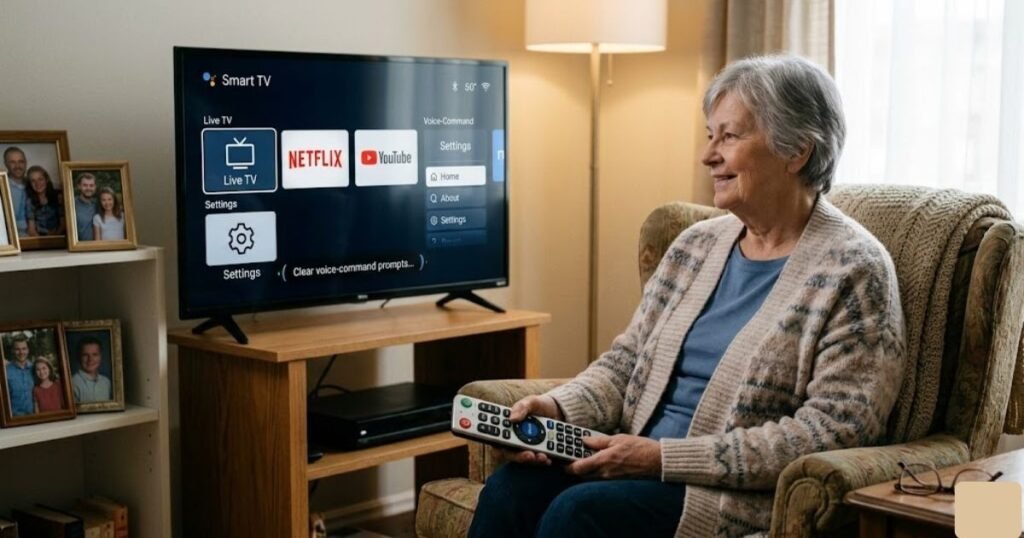
READ MORE: Best Smart TV for Seniors in 2026: Easy to Use & Large Screen Picks
What Older Adults Should Look for in a Budget TV
When shopping for a budget TVs for seniors, the “best” specs aren’t always the highest ones. A $3,000 TV might have a beautiful picture, but if the menu is a labyrinth of icons, it’s not the right choice. Here is what truly matters:
1. Screen Size and Room Fit
A common mistake is buying a TV that is too small for the distance you’re sitting. For older eyes, a slightly larger screen can reduce strain. However, in a small bedroom, a massive screen can be overwhelming. Finding that “Goldilocks” size usually between 40 and 50 inches for a standard living room is key.
2. Clear Picture Quality (Contrast over Brightness)
You don’t necessarily need 8K resolution. What you need is high contrast. As we age, our ability to distinguish between subtle colors can fade. A TV with a “high contrast ratio” makes text easier to read and faces easier to see against backgrounds.
3. Simple Menus and Remote Controls
The remote is your primary way of interacting with the world. The best TV for older adults usually features a remote with fewer, larger buttons. Smart platforms like Roku or Fire TV are popular because they use large, colorful tiles instead of complex lists.
4. Sound Clarity
Modern TVs are getting thinner, which means speakers are getting smaller. For seniors, “Clear Voice” or “Dialogue Enhancement” settings are a lifesaver. These features boost the frequencies of human speech so you don’t have to crank the volume to 100 just to hear what the actors are saying.
5. Smart Features (Without the Headache)
A simple TV for seniors should have “Smart” capabilities like built-in Netflix or YouTube but they should stay out of the way until you need them. Voice control (like talking to the remote) is also a fantastic feature for those with arthritis or vision impairment.
Must-Have Features Checklist:
- Large, backlit remote buttons (or voice control).
- High-contrast display for better visibility.
- Dialogue enhancement audio modes.
- Simple home screen with big icons.
- Sturdy stand or easy VESA wall-mount compatibility.
READ MORE: Best Wireless TV Headphones for Seniors (2026) – Clear Sound & Easy Setup
Best Budget TVs for Older Adults: Product Reviews
We have hand-picked six televisions that strike the perfect balance between price, performance, and senior-friendly usability.
Product 1: INSIGNIA 50″ Class F50 Series LED
The Insignia F50 is a standout for those who want a larger screen without the “large” price tag. At 50 inches, it provides enough screen real estate to make text and subtitles easy to read from across a standard living room. This model uses QLED technology, which is a fancy way of saying the colors are more vibrant and the picture is brighter than standard LED TVs.
What makes this a great senior-friendly TV is its Fire TV integration. If you are already comfortable using an Amazon Echo or a Kindle, you’ll find the interface very familiar. It also comes with an Alexa Voice Remote, allowing you to say, “Alexa, open Netflix,” or “Alexa, find Western movies,” which saves you the trouble of navigating menus manually.
- Best For: Living rooms where clear, bright pictures are a priority.
- Strengths: Excellent color vibrancy, Alexa voice control, affordable price for the size.
- Weaknesses: The Fire TV home screen can sometimes feel a bit cluttered with advertisements.

- 4k Ultra HD (2160p resolution): Enjoy breathtaking HDR10 4K movies and TV shows at 4 times the resolution of Full HD, an…
- High Dynamic Range: Provides a wide range of color details and sharper contrast, from the brightest whites to the deepes…
- All-in-one: Get right to your good stuff. With Fire TV, you can enjoy a world of entertainment from apps like Prime Vide…
READ MORE: Robotic Vacuum for Seniors: Best Features, Comparison, Reviews, and Buying Guide
Product 2: Amazon Fire TV 50″ Omni QLED Series
If you want a TV that feels a bit more modern but remains highly accessible, the Omni QLED Series is a fantastic upgrade. The “Omni” designation means it has built-in microphones for hands-free control. You don’t even have to hold the remote; you can simply speak to the room to turn the TV on or change the channel.
This is particularly helpful for seniors with mobility issues or those who frequently misplace the remote. The QLED screen offers a crisp, clear picture that handles glare well perfect if your living room has a lot of windows. It’s an affordable smart TV that feels much more expensive than it is.
- Best For: Seniors who want a hands-free experience and top-tier brightness.
- Strengths: Hands-free Alexa, beautiful picture quality, easy setup with Amazon account.
- Weaknesses: Slightly more expensive than “entry-level” budget models.
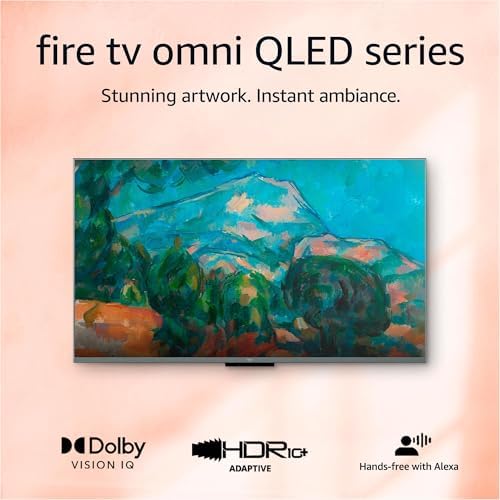
- Stunning 4K Quantum Dot Display (QLED) – Makes movies, shows, and live sports pop in brighter, richer, and more lifelike…
- Advanced HDR – Scenes leap off the screen in deep, realistic color with Dolby Vision IQ and HDR10+ Adaptive. HDR10 and H…
- Adaptive Brightness – Fire TV automatically optimizes the brightness of movies and shows through a built-in sensor that …
Product 3: Hisense 32-Inch Class A4 Series
Not everyone needs a giant screen. For a kitchen, a small craft room, or a bedside table, the Hisense 32-inch A4 is an unbeatable value. It is lightweight and incredibly easy to move around. Despite its small size, it still includes smart features, meaning you can watch your favorite streaming apps without needing extra boxes or wires.
The setup is straightforward, and the remote is simplified. It’s often cited as a best TV for elderly viewers who are moving into assisted living or smaller apartments where space is at a premium. It doesn’t try to do too much; it just provides a reliable, clear picture for local news and daily shows.
- Best For: Bedrooms, kitchens, or small apartments.
- Strengths: Very compact, extremely budget-friendly, simple setup.
- Weaknesses: Lower resolution (720p) isn’t ideal for large-scale movies, but fine for news and sitcoms.
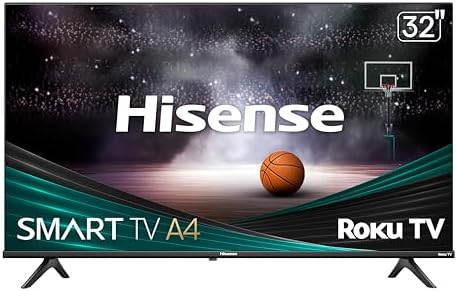
- ROKU TV: Hisense Roku TV makes it easy to watch what you love with built-in streaming. Enjoy endless free, live and tren…
- GOOGLE ASSISTANT & ALEXA COMPATIBLE: Gain access to all the latest programming and control your TV with the Google Assis…
- HD RESOLUTION: When a 720p High-Definition LCD screen meets a Full Array LED backlight, it creates an even sharper, brig…
READ MORE: Best Video Doorbell for Seniors: Wireless, Without Subscription, Easy & Safe
Product 4: INSIGNIA 40″ Class FE Series
The 40-inch FE Series is the “middle child” of the TV world, and for many seniors, it’s just right. It fits comfortably on most dressers and TV stands without dominating the room. The 1080p resolution is a step up from the 32-inch models, providing a sharper image that makes reading news tickers or sports scores much easier.
This model focuses on “everyday viewing comfort.” It’s designed to be reliable and easy to navigate. Because it uses the Fire TV platform, it integrates easily with existing Amazon services, but it remains simple enough that you can just plug it in and start watching traditional cable or antenna TV without jumping through hoops.
- Best For: Everyday viewing in mid-sized rooms.
- Strengths: Great balance of size and clarity, very easy to navigate, great value.
- Weaknesses: Audio is a bit “thin”; might benefit from a small soundbar if hearing is a concern.

- 1080p Resolution – Watch movies and TV shows in high-definition picture quality.
- LED-backlit LCD screen – With reliable and long-lasting LED lighting, this LCD screen delivers a wide range of colors an…
- Watch what you want – Stream over 1.5 million movies and TV episodes. Watch favorites with subscriptions to Netflix, Pri…
Product 5: Roku Smart TV – 40-Inch Select Series
In the world of easy-to-use technology, Roku is often the king. The Roku 40-inch Select Series is perhaps the easiest-to-use smart TV on this list. Why? Because the Roku interface is designed with giant, simple squares. There are no complicated “input” menus to get lost in. Your cable box, your DVD player, and your Netflix are all just big buttons on one screen.
The remote is also a masterpiece of simplicity. It has a directional pad, a volume rocker on the side, and a few dedicated buttons for popular apps. For a simple TV for seniors, this is often our top recommendation because it’s almost impossible to “break” the settings by accident.
- Best For: Seniors who want the simplest menu system available.
- Strengths: Best-in-class user interface, very simple remote, smooth performance.
- Weaknesses: The design is a bit “boxy” and plain, but it’s built for function over fashion.

- Seamless streaming: With fast Wi-Fi and apps that launch in a snap, Roku Select Series TVs get you to your entertainment…
- Explore a world’s worth of TV: Dive into all kinds of entertainment and easily find your favorites or soon-to-be favorit…
- A ton of entertainment at the best price—free: Your go-to streaming destination for free entertainment, Roku has 500+ TV…
READ MORE: Best Wireless Earbuds for Senior Runners: 2026 Top Picks
Product 6: TOSHIBA 32″ Class V35 Series
Toshiba is a brand that many seniors have known and trusted for decades. The V35 Series brings that classic reliability into the modern age. This 32-inch model is designed for those who want a “no-fuss” experience. It’s a great budget TV for seniors because it delivers a consistent picture and has a very small footprint.
Like the Insignia models, it uses Fire TV, but Toshiba adds its own layer of processing that helps make standard-definition channels (like old reruns) look a bit cleaner. It’s a solid, dependable choice for a secondary room or for someone who just wants a basic TV that works every time they hit the power button.
- Best For: Reliable use in secondary rooms or as a simple upgrade from an old “tube” TV.
- Strengths: Trusted brand name, compact design, good processing for older shows.
- Weaknesses: Screen is small for those with significant vision impairment.
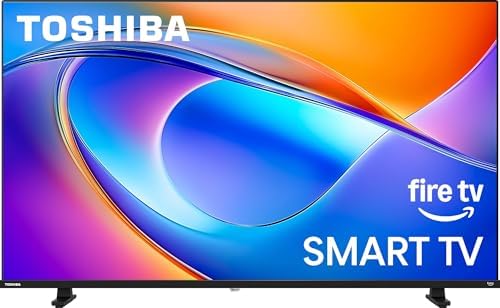
- REGZA Engine: REGZA Engine High Grade optimizes picture quality beyond HD capability no matter what content you watch, l…
- Direct LED: Compared with conventional backlight, DLED backlight provides more precise and uniform brightness on the scr…
- Essential PQ Technology: Toshiba’s Essential PQ Technology enhances picture quality with greater detail, delivering true…
Best TV Picks by Need
Choosing the best budget TVs for older adults often comes down to how you plan to use it. Here is a quick guide to help you decide:
- Best Overall Budget TV: Insignia 50″ F50. It offers the best mix of size, modern picture quality (QLED), and a price that won’t stress your retirement fund.
- Best for Simple Streaming: Roku 40″ Select Series. If you want to watch Netflix or Hulu without a headache, Roku’s interface is the gold standard for simplicity.
- Best for Small Rooms: Hisense 32″ A4. Perfect for a bedside table or a small kitchen nook. It’s light, cheap, and effective.
- Best for Larger Living Rooms: Amazon Fire TV 50″ Omni. The hands-free voice control is a game changer for living rooms where the remote always seems to vanish into the couch cushions.
- Best for the Easiest Interface: Roku 40″ Select Series. We can’t stress enough how much seniors love the “one-touch” feel of the Roku remote and home screen.
READ MORE: Best Voice Assistant for Seniors 2026 — Safe, Simple & Senior-Friendly Picks
Best Budget TVs for Older Adults Comparison Table
| Product Name | Screen Size | Best For | Smart Platform | Ease of Use | Picture Quality | Senior Friendliness |
| Insignia F50 | 50″ | Living Rooms | Fire TV | High | Excellent (QLED) | ⭐⭐⭐⭐⭐ |
| Amazon Omni | 50″ | Hands-free Use | Fire TV | High | Excellent (QLED) | ⭐⭐⭐⭐⭐ |
| Hisense A4 | 32″ | Small Spaces | Vidaa/Android | Medium | Good (720p) | ⭐⭐⭐⭐ |
| Insignia FE | 40″ | Versatile Use | Fire TV | High | Great (1080p) | ⭐⭐⭐⭐ |
| Roku Select | 40″ | Pure Simplicity | Roku TV | Highest | Great (1080p) | ⭐⭐⭐⭐⭐ |
| Toshiba V35 | 32″ | Reliability | Fire TV | High | Good (720p) | ⭐⭐⭐⭐ |
READ MORE: Best Health Tracking Smartwatch for Seniors 2026 — Top 8 Picks Compared
How to Choose the Right Budget TV for an Older Adult
Buying a TV as a senior (or for a senior) requires a different strategy than buying one for a tech-savvy teenager. Here is how to navigate the store like a pro:
Size Matters (But Distance Matters More)
Don’t just buy the biggest TV you can afford. Measure the distance from your favorite chair to the TV stand.
- 32-inch: Best if you are sitting 3–5 feet away (Bedroom/Kitchen).
- 40-inch: Best for 5–8 feet away (Small Living Room/Large Bedroom).
- 50-inch+: Best for 8 feet or more (Main Living Room).
The “Smart” Factor
Most TVs are “Smart” now, meaning they connect to the internet. If you have a favorite streaming service (like BritBox or Hallmark Movies Now), make sure the TV supports it. Roku and Fire TV are generally the most senior-friendly because they have large, legible icons.
Don’t Overlook the Remote
Before you buy, look at a picture of the remote. Is it black with tiny black buttons? Skip it. You want a remote with high-contrast buttons (white on black or vice-versa) and a logical layout.
Prioritize Sound Over Pixels
If you have a choice between a slightly better picture or a TV known for better sound, pick the sound. However, keep in mind that most budget TVs have small speakers. If hearing is a primary concern, consider setting aside $50–$100 of your budget for a simple “plug-and-play” soundbar.
Simple Tips for the Best Value:
- Avoid “OLED” for budget needs: They are beautiful but very expensive. Stick to LED or QLED.
- Check the “Return Policy”: Sometimes you don’t know if a TV is right until you try it in your own lighting.
- Look for “Voice Search”: It’s much easier to say “Channel 4” than to find the number on a remote.
READ MORE: Best Medical Alert Systems for Seniors | Top Picks & Reviews
Setup Tips for Seniors: Making Your New TV User-Friendly
Once the TV is out of the box, a few small tweaks can make a world of difference. Here is how to set things up for success:
- Eye-Level is Key: Ensure the TV is at eye level when you are sitting in your favorite chair. Looking “up” at a TV (like over a fireplace) can cause neck strain and make the picture look darker.
- Turn on “Large Text” Modes: Most modern TVs have an “Accessibility” menu. Go there and turn on “High Contrast Text” or “Enlarged Text.” This makes the menus much easier to read.
- Simplify the Home Screen: Delete or hide the apps you don’t use. If you only watch Cable TV and Netflix, hide everything else so you don’t have to scroll past thirty icons you’ll never click.
- Use Closed Captions: If you find yourself missing dialogue, turn on “Always On” captions or “Captions on Mute.” Modern TVs allow you to change the size and color of these captions to make them very readable.
- Label Your Inputs: If you have a DVD player or a Cable box, rename the “HDMI 1” input to something like “CABLE” or “MOVIES.” Most TVs allow you to change these names in the settings.
- Remote Accessibility: If the included remote is too small, you can buy “Universal Senior Remotes” for about $15 that have only six or seven giant buttons (Power, Volume, Channel).
READ MORE: Salvation Army Free Car Program (Eligibility & How to Apply)
Pros and Cons of Budget TVs for Older Adults
It’s important to be realistic about what a budget TV offers. They are excellent tools, but they do have trade-offs.
The Pros:
- Cost-Effective: You can get a high-quality 40-inch screen for under $250.
- Simplicity: Budget TVs often have fewer “bloatware” features that just end up confusing the user.
- Energy Efficient: Modern LED TVs use very little electricity compared to older “tube” or plasma sets.
- Lightweight: They are much easier to install or move during cleaning.
The Cons:
- Sound Quality: This is the biggest drawback. Budget TVs have thin speakers that can sound “tinny.”
- Viewing Angles: If you sit far to the side of the TV, the colors might look a bit washed out.
- Build Material: They are usually made of plastic, so they don’t feel as “premium” as high-end models.
Frequently Asked Questions
What size TV is best for older adults?
For most living rooms, a 50-inch TV is the sweet spot. It provides a large enough image for easy viewing without being so big that it causes eye fatigue. For bedrooms, a 32-inch or 40-inch model is usually perfect.
Which TV is easiest for seniors to use?
Generally, a Roku Smart TV (like the Roku Select Series) is considered the easiest. The interface is very visual, the remote has very few buttons, and it is very stable, meaning it doesn’t “crash” or require frequent updates as often as other brands.
Are budget TVs good enough for everyday watching?
Absolutely. For local news, sports, and standard streaming, a budget TV from a brand like Insignia, Toshiba, or Hisense is more than enough. You only need to spend more if you are a “videophile” who wants professional-grade cinema quality.
Is Roku or Fire TV better for older adults?
Roku is better if you want the absolute simplest, most “set it and forget it” experience. Fire TV is better if you already use Amazon Alexa or if you want to use your voice to control the TV frequently.
What features should seniors look for in a TV?
Focus on high contrast, voice control, dialogue enhancement audio, and a simple remote. Don’t worry about things like “120Hz refresh rates” or “Gaming modes,” as these won’t affect your daily viewing experience.
Conclusion: Finding Your Perfect Match
Choosing a television doesn’t have to be a stressful experience. At the end of the day, the best budget TVs for older adults are the ones that let you enjoy your favorite content without a struggle.
If you want the simplest possible experience, go with the Roku 40-inch Select Series. It’s the closest thing to the “turn it on and watch” experience of the past. If you want a larger, more vibrant picture for your main living room, the Insignia 50-inch F50 or the Amazon Omni are fantastic choices that bring the cinema to you without a massive price tag.