If you have ever tried switching cell phone providers or using your phone while traveling abroad, you may have encountered a frustrating hurdle: your smartphone is locked to your current network.
The good news is that under U.S. federal guidelines and industry agreements, you have the right to unlock your smartphone for free once you meet your carrier’s basic eligibility requirements. You do not need to pay expensive third-party websites or buy a brand-new device just to switch to a cheaper monthly plan.
Whether you are a senior trying to lower your monthly bill, a beginner navigating your first smartphone transfer, or simply looking to keep your trusted device while changing carriers, this guide will walk you through every step of the unlocking process clearly, safely, and completely free of charge. Lets deep dive into “How to Unlock Your Current Carrier Smartphone for Free”
READ MORE: Best Flip Phone for Seniors: 7 Easy-to-Use Picks
What Does It Mean to Unlock a Smartphone?
When you buy a smartphone from a wireless provider like AT&T, Verizon, or T-Mobile, it usually comes with a software restriction built into the operating system. This restriction is known as a carrier lock, network lock, or SIM lock.
- Locked Phone: Only accepts SIM cards from Carrier A (your current network).
- Unlocked Phone: Accepts SIM cards from Carrier A, B, C, and beyond (gives you the freedom to switch providers anytime).
A carrier lock ensures that the phone will only function on that specific carrier’s cellular network. If you remove your current SIM card and insert a SIM card from a different carrier into a locked phone, you will see an error message such as “SIM Not Supported” or “Network Locked.”
Key Clarifications: What Unlocking Is (and Is Not)
It is easy to confuse carrier unlocking with other phone settings. Let us clear up a few common misconceptions:
- Carrier Unlock vs. Factory Reset: A factory reset wipes your personal photos, contacts, and apps to restore the phone to its original out-of-the-box state. A factory reset does NOT unlock your phone from your carrier. If your phone was locked before the reset, it will remain locked afterward.
- Carrier Unlock vs. Screen Lock (Passcode): Unlocking your carrier lock has nothing to do with the 4-digit PIN, thumbprint, or facial recognition you use to open your phone screen each morning.
- Carrier Unlock vs. Bootloader Unlocking: Bootloader unlocking is a technical process used by software developers to modify a phone’s operating system (often called “rooting” on Android or “jailbreaking” on iPhone). Carrier unlocking is a completely legal, official process performed or authorized by your carrier to allow different network SIM cards.
Benefits of Unlocking Your Smartphone
Unlocking your phone gives you full ownership over the hardware you paid for. Here is why millions of Americans choose to unlock their smartphones every year:
- Switch to Cheaper Monthly Carriers: You can take your existing phone to low-cost budget providers (MVNOs) like Mint Mobile, Consumer Cellular, Cricket Wireless, or Visible without spending hundreds of dollars on a new device.
- Save Big on International Travel: When traveling overseas, locked phones force you to pay expensive daily international roaming fees. An unlocked phone allows you to buy a cheap local prepaid physical SIM or travel eSIM at your destination airport.
- Increase Your Phone’s Resale Value: Unlocked smartphones sell faster and command a 15% to 25% higher resale price on trade-in and second-hand markets compared to carrier-locked devices.
- Avoid Buying a New Phone: If your current phone works perfectly, there is no technical reason to upgrade just because you want to change wireless service providers.
- Dual-SIM Flexibility: Modern smartphones allow you to run two lines on one phone (for example, a personal line and a work line). Unlocking enables you to use lines from two entirely different carriers on a single phone.
READ MORE: How to Fix Lifeline Household Duplicate Errors
Can You Unlock Your Phone for Free?
The Short Answer: YES. Under Federal Communications Commission (FCC) policy guidelines and the CTIA Wireless Consumer Code, major U.S. carriers must unlock eligible phones for free upon request. You should never pay a third-party website or service to unlock your phone.
However, “free” does not mean “instantaneous without conditions.” To qualify for a free carrier unlock, your device must meet standard carrier eligibility rules.
Standard Eligibility Requirements
While exact rules vary slightly by carrier, almost all U.S. providers require the following baseline conditions:
- Fully Paid Off: The phone must be completely paid for. If you are on a 24-month or 36-month monthly device payment plan, all installment payments must be satisfied.
- Contract Fulfilled: If you signed a service agreement in exchange for a discount, the contract period must be complete.
- Account in Good Standing: Your monthly account balance must be paid up to date with no past-due balances.
- Clean IMEI Status: The phone must not be reported as lost, stolen, or involved in fraud. Devices flagged for theft are placed on a nationwide “blacklist” and cannot be unlocked.
- Minimum Usage Requirement: For prepaid phones, carriers typically require the phone to be active on their network for a specific minimum period (ranging from 60 days to 12 months) before unlocking.
How to Check if Your Phone Is Currently Locked
Before submitting an unlock request, it is best to confirm whether your phone is already unlocked. Many phones purchased outright or paid off months ago may already be unlocked automatically.
Method 1: Check in Settings (iPhone)
If you own an Apple iPhone running iOS 14 or newer, you can check your unlock status directly in your device settings without contacting anyone:
- Open the Settings app.
- Tap General, then tap About.
- Scroll down to find Carrier Lock (or Network Provider Lock).
- If it says “No SIM restrictions,” your iPhone is 100% unlocked!
- If it displays a carrier name or says “SIM locked,” your device is currently restricted.
Method 2: Check in Settings (Android)
Android settings menus vary depending on the manufacturer (Samsung, Google, Motorola, LG), but you can usually find the status here:
- Open Settings.
- Tap Connections or Network & Internet.
- Select Mobile Networks or SIM Status (or search for “Network Lock” in the settings search bar).
- Look for Network Unlock Status or Carrier Lock State.
Method 3: The Physical SIM Card Test (Most Reliable)
The most foolproof way to test any smartphone Android or iPhone is to perform a live SIM test:
- Power off your smartphone.
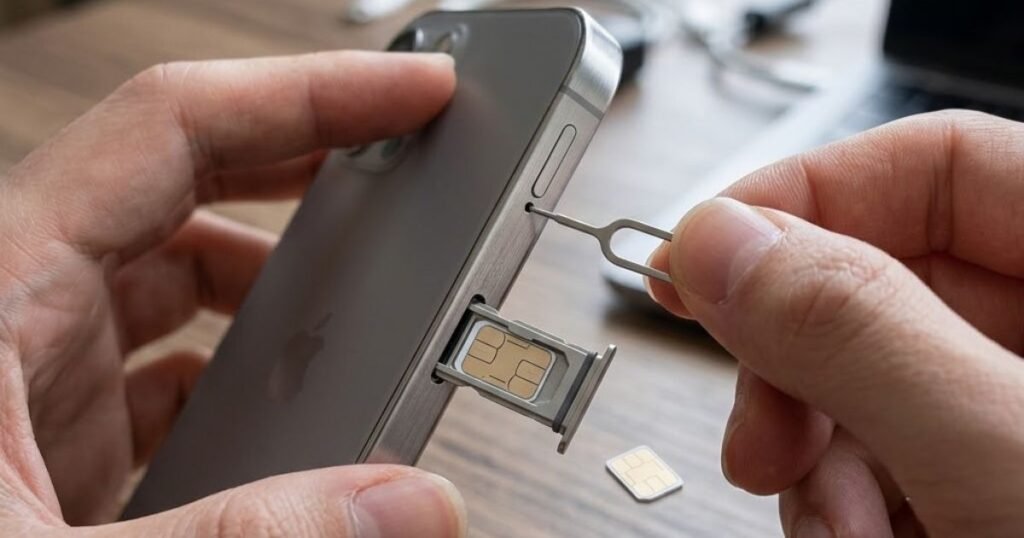
- Use a paperclip or SIM ejector tool to open the SIM tray on the side of your device.
- Remove your current SIM card and insert a active SIM card from a different network (for instance, insert a T-Mobile SIM if your current provider is AT&T).
- Power the phone back on.
- Try making a brief phone call or opening a website using cellular data.
- If the call connects or the website loads, your phone is unlocked! If a pop-up appears asking for an “Unlock Code” or stating “Invalid SIM,” your phone is locked.
REA DMORE: Best iPhones for Seniors: 7 Easy-to-Use Phones
Step-by-Step Guide to Unlock Your Carrier Smartphone for Free
If you have confirmed your phone is locked and meets eligibility requirements, follow these simple, structured steps to get it unlocked.
Step 1: Verify Your Account Status
Log into your carrier account online or view your latest statement. Confirm that your monthly bill is paid in full and your phone balance shows $0 remaining.
Step 2: Locate Your Phone’s 15-Digit IMEI Number
Your IMEI (International Mobile Equipment Identity) is your phone’s unique digital serial number. Your carrier needs this exact code to process the unlock.
- Universal Method: Dial *#06# on your phone’s keypad. The 15-digit IMEI number will pop up on your screen instantly.
- Alternative Method: Go to Settings > About Phone (Android) or Settings > General > About (iPhone) and scroll down to IMEI. Write this number down carefully.
Step 3: Back Up Your Smartphone Data
While unlocking rarely affects your personal files, it is always smart practice to back up your device photos, contacts, and messages to Apple iCloud or Google Drive before making network configuration changes.
Step 4: Submit Your Official Unlock Request
Submit your unlock request directly through your carrier’s official online portal or phone support line. (See carrier-specific web links and phone numbers in the next section).
Step 5: Wait for Processing and Confirmation
Carriers usually respond within 24 to 48 hours via email or SMS notification.
Step 6: Insert Your New Carrier SIM Card
Once approved:
- For iPhones: Simply insert the new carrier’s SIM card while connected to Wi-Fi. Apple’s servers will update the internal policy ticket automatically within seconds.
- For Androids: Insert the new SIM card. If prompted, enter the official 8-digit or 16-digit Network Unlock Code (NUC) provided by your carrier in their approval email.
Step 7: Confirm Your Active Connection
Restart your device, turn off Wi-Fi, and place a test call or load a web page to confirm your device connects to the new network seamlessly.
READ MORE: Best Smart Pill Dispensers for Medication for Seniors
Carrier-Specific Unlock Instructions (Updated Guidelines)
Each U.S. carrier maintains its own official workflow for handling free unlock requests. Here is the detailed step-by-step guidance for major national wireless providers and popular MVNOs.
1. AT&T
AT&T does not unlock phones automatically in most cases; you must request the unlock through their dedicated web portal.
- Eligibility Requirements:
- Device must be fully paid off (all installment plans finished).
- Active on AT&T service for at least 60 days (postpaid) or 6 months (prepaid).
- Account must not have an overdue balance.
- How to Request Free Unlock:
- Visit AT&T’s official portal at [att.com/deviceunlock](https://att.com/deviceunlock).
- Select “Unlock your device.”
- Choose whether you are an AT&T wireless customer or not.
- Enter your 15-digit IMEI number and account mobile phone number.
- Check your email inbox and click the confirmation link within 24 hours to finalize the request.
- Customer Support Phone: Dial 1-800-331-0500 or 611 from your AT&T phone.
2. Verizon Wireless
Important Regulatory Update (2026 FCC Waiver):
Historically, Verizon was obligated under a 2007 regulatory rule to automatically unlock all handsets 60 days after activation. However, following an FCC regulatory waiver granted in January 2026, Verizon’s unlocking rules were brought into uniform alignment with standard CTIA industry guidelines.
Under current 2026 rules, Verizon phones are no longer guaranteed to auto-unlock after 60 days if payments remain unpaid. Devices on installment financing or prepaid accounts must be fully paid off or meet active-service timelines before unlocking.
- Eligibility Requirements:
- Postpaid devices purchased outright or fully paid off are eligible for immediate unlock.
- Prepaid and TracFone-branded Verizon devices generally require 12 months (365 days) of active paid service before unlocking.
- Device must not be reported lost, stolen, or flagged for fraud.
- How to Request Free Unlock:
- Postpaid fully paid phones: Unlocked automatically or via My Verizon account portal.
- Manual Request: If your paid-off phone remains locked, log into My Verizon, navigate to Device Support > Unlock My Device, or contact support.
- Customer Support Phone: Dial 1-800-922-0204 or 611 from your Verizon phone.
3. T-Mobile
T-Mobile offers one of the most streamlined digital unlocking processes, often requiring no phone calls.
- Eligibility Requirements:
- Device financing must be paid off completely.
- Must have been active on the T-Mobile network for at least 40 days on a postpaid plan.
- Prepaid accounts require at least $100 in total refills or 365 days of active service.
- How to Request Free Unlock:
- For iPhones: Once eligible, T-Mobile unlocks iPhones remotely automatically.
- For Androids: Open Settings > Network & Internet > Mobile Network > Advanced > Network Unlock, then tap Permanent Unlock. Alternatively, use the T-Mobile App under Account > Device Details > Request Device Unlock.
- Customer Support Phone: Dial 1-800-937-8997 or 611 from your T-Mobile phone.
4. Cricket Wireless
Cricket operates as a prepaid subsidiary on AT&T’s network.
- Eligibility Requirements:
- Device must have been active on paid Cricket service for at least 6 consecutive months.
- How to Request Free Unlock:
- Log into the myCricket App on your smartphone.
- Tap Account Settings, then tap Get Unlock Code.
- Tap Unlock Phone. Once completed, restart your device.
- Customer Support Phone: Dial 1-800-274-2538.
5. Metro by T-Mobile
Metro (formerly MetroPCS) utilizes T-Mobile’s network infrastructure.
- Eligibility Requirements:
- The smartphone must be active on Metro service for at least 180 continuous days (6 months) from the original activation date.
- How to Request Free Unlock:
- For Android: Go to Settings > Connections > More Connection Settings > Network Unlock, then choose Permanent Unlock.
- For iPhone: Metro unlocks eligible iPhones automatically over Wi-Fi after 180 days.
- Customer Support Phone: Dial 1-888-863-8768.
6. UScellular
UScellular serves many regional areas across the United States.
- Eligibility Requirements:
- Postpaid devices are eligible after being paid off completely.
- Prepaid devices require 120 days of active service.
- How to Request Free Unlock:
- UScellular automatically sends unlock signals to compatible devices once financial obligations are settled. If your phone is still locked, call customer care.
- Customer Support Phone: Dial 1-888-944-9400.
7. Consumer Cellular
A favorite carrier choice among American seniors due to flexible plans and U.S.-based customer service.
- Eligibility Requirements:
- The phone must be paid for in full with no outstanding monthly account balance.
- How to Request Free Unlock:
- Call Consumer Cellular customer service directly. Their representatives will process the unlock request or email your unlock code right over the phone.
- Customer Support Phone: Dial 1-888-345-5509.
8. Straight Talk Wireless
Straight Talk is owned by TracFone Wireless (a Verizon company).
- Eligibility Requirements:
- Devices activated on or after November 23, 2021, are eligible for unlock 60 days after initial activation, provided service was paid for during that period.
- How to Request Free Unlock:
- Visit tfwunlockpolicy.com.
- Enter your phone number or IMEI.
- Follow the automated instructions to download the unlock profile or enter the generated code.
- Customer Support Phone: Dial 1-888-442-5102.
9. TracFone
- Eligibility Requirements:
- For newer devices, unlocking eligibility is available 60 days after activation. Older devices may require up to 12 months of active service.
- How to Request Free Unlock:
- Visit the TracFone Unlocking Portal at tfwunlockpolicy.com or call their automated unlocking line.
- Customer Support Phone: Dial 1-888-442-5102.
10. Boost Mobile
Boost Mobile operates under DISH Wireless / EchoStar network management.
- Eligibility Requirements:
- Device must be active on the account for at least 12 months.
- Account balance must be paid in full.
- How to Request Free Unlock:
- Contact Boost Mobile Customer Care to submit an unlock ticket.
- Customer Support Phone: Dial 1-833-502-6678.
READ MORE: LiDAR ECOVACS Goat Lawn Mowers for Seniors: Review, Comparison & Top Picks
Documents and Information You May Need
Before calling your carrier or filling out an online form, gather these simple details in advance to avoid delays:
- Account Owner’s Name: Must match official carrier records.
- Account Number: Found on the top right corner of your billing statement.
- Account PIN or Password: The 4-digit security code used when logging in or calling customer service.
- 15-Digit IMEI Number: Obtained by dialing *#06#.
- Account Phone Number: The active phone number associated with the device.
- Military Overseas Deployment Orders: (If applicable for early contract release).
How Long Does Unlocking Take?
Processing times vary depending on the carrier and method.
Here is the carrier processing time table converted into clear bullet points:
- iPhone Wi-Fi Auto-Unlock: 1 to 24 Hours
- AT&T Online Portal: 24 to 48 Hours
- T-Mobile App Request: Instant to 24 Hours
- Cricket / Metro In-App Unlock: Immediate (under 15 minutes)
- Customer Support Call Request: 24 to 72 Hours
Can You Unlock a Phone That Still Has Payments Remaining?
The General Rule: NO. Carriers will not unlock a smartphone if you still owe money on its monthly financing agreement.
Because the phone serves as collateral for your unpaid loan balance, the carrier enforces a lock until the financial agreement is settled.
- Standard User (Unpaid Balance): Unlock denied—you cannot unlock your phone while money is still owed on your financing plan.
- Pay Off Loan (Zero Balance): Become eligible for a free carrier unlock once your device balance hits $0.
- Military Duty (Active Duty Orders): Military exception granted—active-duty military personnel deployed overseas can request an immediate unlock, even with an unpaid balance.
The Only Major Exception: Military Deployment
Under the Servicemembers Civil Relief Act (SCRA) and voluntary CTIA carrier standards, active-duty U.S. military personnel deployed overseas can request an immediate phone unlock—even if the device is not fully paid off.
If you are deployed:
- Contact your carrier’s dedicated military support desk.
- Provide official copies of your military deployment orders.
- The carrier will unlock your phone so you can use local international SIM cards while serving abroad.
READ MORE: Best Smart TV for Seniors: Easy to Use & Large Screen Picks
Common Unlock Problems & Practical Troubleshooting
Sometimes, an unlock request encounters a snag. Here are solutions to the most frequent issues:
1. Error: “Device Not Eligible”
- Cause: The phone was not active long enough, or there is a remaining balance on the account.
- Solution: Log into your carrier account, verify that all installment plans show $0 owed, and confirm the active service timeframe has been met.
2. Error: “IMEI Blocked / Blacklisted”
- Cause: The IMEI was mistakenly reported lost or stolen by a previous owner or network glitch.
- Solution: Contact the carrier that placed the block with proof of original purchase/receipt to request a blacklist removal.
3. Error: “Incorrect Unlock Code Entered”
- Cause: Typing errors when entering 8-digit or 16-digit Network Unlock Codes on Android phones.
- Solution: Be extremely careful! Entering an incorrect code 3 to 10 times can permanently lock the SIM interface (known as a “hard lock”). Double-check the code provided in your official approval email before typing.
4. iPhone Still Displays “SIM Not Supported” After Carrier Approval
- Cause: The iPhone’s local settings have not synced with Apple’s activation servers.
- Solution: Connect your iPhone to a reliable Wi-Fi network, restart the device, or update iOS to the latest version. Alternatively, back up your iPhone to iCloud, perform a settings reset, and restore.
Unlock Scams to Avoid (Warning Box)
Searching online for “free phone unlock codes” will reveal hundreds of third-party websites and social media profiles claiming they can unlock any phone for a small fee. Be extremely cautious.
- Never Pay for Unlock Codes: Your original carrier is legally obligated to unlock your eligible phone for free. Third-party services charging $20 to $100 are unnecessary and often fraudulent.
- Avoid Downloading “Unlocking Software”: Never download external software programs claiming to unlock your phone when connected to a computer via USB. These downloads frequently contain malware, keyloggers, or spyware.
- Ignore Requests for Gift Cards or Crypto: Legitimate carriers will never ask for payment via gift cards, Zelle, or cryptocurrency to unlock a device.
- Protect Your IMEI Number: Never post your 15-digit IMEI number on public forums or social media groups.
Frequently Asked Questions (FAQ)
How can I unlock my carrier phone for free?
You can unlock your carrier phone for free by contacting your current wireless provider or submitting a request on their official website. As long as your phone is fully paid off, your account is in good standing, and the device has met minimum active service requirements, your carrier will process the unlock at no charge.
Can I unlock my phone before it is completely paid off?
Generally, no. Carriers require all monthly device installment balances to be paid in full before granting an unlock. The primary exception is for active-duty U.S. military personnel deployed overseas who submit official deployment orders.
How do I know if my phone is carrier locked?
On an iPhone, go to Settings > General > About and check Carrier Lock. If it says “No SIM restrictions,” it is unlocked. On any device, you can insert a SIM card from a different network; if it makes calls and uses data without showing an error, the phone is unlocked.
Will carrier unlocking my phone erase my photos or data?
No. Official carrier unlocking only changes the network policy settings inside your device. It does not erase your photos, messages, contacts, apps, or personal files.
Can I use any SIM card after unlocking my phone?
Yes, provided your smartphone hardware supports the network bands used by the new carrier. Most modern 4G LTE and 5G smartphones (such as recent Apple iPhones, Samsung Galaxy, and Google Pixel models) are universally compatible across all major U.S. networks.
Expert Tips for a Seamless Carrier Switch
- 💡 Always Back Up First: Even though unlocking does not affect your data, back up your photos and contacts to iCloud or Google Drive before switching SIM cards.
- 💡 Keep Your Account Active Until Unlocked: Do not cancel your old carrier account until your phone unlock is completely approved and confirmed! Canceling service prematurely can lead to account lockouts or processing delays.
- 💡 Check 5G Compatibility: Ensure your phone supports the primary 5G bands of your prospective new carrier for optimal download speeds.
- 💡 Save Your Approval Confirmation: Keep a digital copy or screenshot of the unlock approval email sent by your carrier for your records.
Final Verdict
Unlocking your smartphone is one of the easiest ways to take control of your monthly phone bill, avoid unnecessary hardware upgrades, and enjoy total flexibility with your wireless service.
As long as your phone is paid off, your account is in good standing, and your device has satisfied minimum usage requirements, your U.S. carrier is obligated to unlock your phone 100% free of charge. Avoid paid third-party unlock websites, gather your 15-digit IMEI number by dialing *#06#, and submit your request directly through your carrier’s official support channels today.