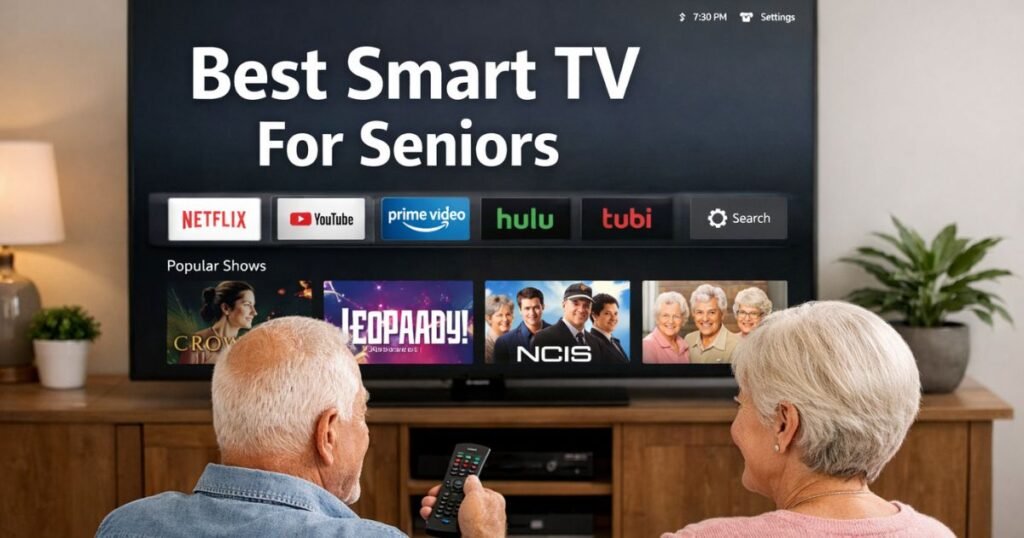
As we see technology changing each day, smart TVs are today the hub of entertainment, information, and connectivity in the modern home. However, the elderly find it sometimes overwhelming to maneuver through the complexity of the modern-day TV; hence making the right choice for a smart TV becomes imperative-something that combines easy usage, accessibility options, and good viewing experiences. Whether it be to enjoy watching shows, communicate with family via video calls, or stream a service, these smart TVs prioritize simplicity, perfectly clear pictures, and user-friendly interface features. Thus, in this article, we will introduce you to the best options for the unique needs of the elderly and ensure proper utility and enjoyment for any entertainment experience. Lets deep dive into “Best Smart TV for Seniors in 2026: Easy to Use & Large Screen Picks”
Quick TL;DR
Choose the TCL QM7 for the brightest and clearest 4K picture, the Roku Select Series for the easiest remote and menus, or the Amazon Fire TV for the best built-in hearing aid compatibility.
Top features seniors need
- Voice Control & Navigation: Hands-free operation via Alexa, Google Assistant, or Bixby allows users to change channels, search for shows, or check the weather without navigating complex menus.
- Hearing Aid & Private Listening Support: Bluetooth connectivity enables audio to stream directly to compatible hearing aids or headphones for a personalized, clear sound experience.
- Simple, High-Visibility Interfaces: Operating systems like Roku, Fire TV, and Tizen offer customizable menus with large icons, making it easy to find favorite apps like Netflix or Live TV.
- Visual Accessibility Tools: Built-in tools such as screen magnifiers and “VoiceView” screen readers assist those with visual impairments in navigating settings and content.
- Automatic Brightness Adjustment: Smart sensors that automatically adjust the screen brightness based on room lighting help reduce eye strain and eliminate the need for manual tinkering.
- Enhanced Picture Clarity: 4K UHD resolution combined with HDR (High Dynamic Range) and technologies like Mini-LED provides high contrast and sharp details, making news and movies easier to see.
- Smooth Motion Technology: Features like “Motion Xcelerator” or high refresh rates (up to 120Hz) minimize blur, which is helpful for keeping track of fast-moving action in sports or news tickers.
- Simple “Plug-and-Play” Setup: Quick 5-minute installations and intuitive remote designs with dedicated buttons for popular services ensure a frustration-free experience from day one.
READ MORE: Best Wireless TV Headphones for Seniors (2026) – Clear Sound & Easy Setup
Best Smart TV for Seniors in 2026: Easy to Use & Large Screen Picks
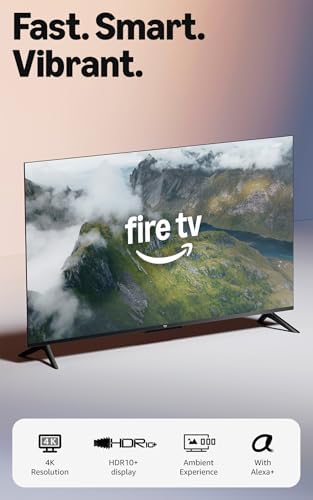
1. Amazon Fire TV 55″ 4-Series 4K UHD Smart TV
The Amazon Fire TV 55” 4-Series is a top-tier choice for seniors who want a high-quality 4K viewing experience without the technical headaches. It balances vibrant 4K UHD picture quality with an interface designed for clarity and ease of use.
Why It’s Senior-Friendly:
- Alexa Voice Control: Use the “Enhanced” remote to change channels, search for shows, or check the weather hands-free.
- Simple Interface: Features large icons and customizable menus, making it easy to find favorites like Netflix, YouTube, or Live TV without a cable box.
- Enhanced Accessibility: Includes a screen magnifier, “VoiceView” screen reader, and support for streaming audio directly to Bluetooth hearing aids.
- Crystal Clear Quality: 4K resolution and HDR 10 ensure movies and news broadcasts are sharp and easy to see.
Quick Specs:
- Screen: 55” 4K UHD (3840 x 2160)
- Audio: Two 8W speakers with Dolby Digital Plus support
- Connectivity: 4 HDMI ports and Bluetooth compatibility
- Value: One of the most affordable 4K Smart TVs on the market, offering premium features at a budget-friendly price.
Pros and Cons:
| Pros | Cons |
| Affordable 4K UHD resolution | No Dolby Vision support for advanced HDR content |
| Alexa integration for voice control | 60Hz refresh rate may not be ideal for fast-paced gaming |
| Easy setup and control with Alexa voice remote | No advanced contrast control or local dimming |
| Energy-efficient with Energy Star certification | Limited advanced picture settings |
Ready for a TV that actually listens? Upgrade to the Amazon Fire TV 55″ 4-Series today for crystal-clear 4K and hearing-aid-compatible audio. Check below-
2. Samsung 50″ DU7200 Crystal UHD 4K Smart TV
The Samsung DU7200 Series is a sleek, modern choice for those seeking a premium 4K viewing experience. It combines vibrant color technology with intelligent audio and a user-friendly smart interface, making it a perfect centerpiece for any contemporary living space.
Why It’s Senior-Friendly:
- Stunning Visuals: 4K Ultra HD resolution paired with PurColor and Mega Contrast delivers lifelike detail and vibrant tones.
- Immersive Audio: Features Object Tracking Sound Lite (OTS Lite) for sound that follows the action and Q-Symphony to sync perfectly with Samsung soundbars.
- Smooth Performance: Motion Xcelerator minimizes blur in fast-paced sports and action movies.
- Smart & Connected: Powered by Tizen OS, offering instant access to Netflix, Disney+, and Prime Video. Includes built-in voice control via Alexa, Bixby, or Google Assistant.
Quick Specifications
- Display: 50″ 4K UHD (HDR10, HLG), 60Hz Refresh Rate.
- Audio: 20W Speakers with OTS Lite.
- Connectivity: 3 HDMI, 2 USB, Wi-Fi, Bluetooth, and Ethernet.
- Design: Slim bezels with a minimalist stand.
Pros & Cons
| Pros | Cons |
| Vibrant 4K Crystal UHD picture. | 60Hz refresh rate (not ideal for pro gaming). |
| Immersive OTS Lite audio. | No support for Dolby Vision. |
| Intuitive Tizen OS & Voice Control. | Mostly plastic construction. |
Meet Your New Smart Hub: From Netflix to Alexa, the DU7200 connects your world. Check below-

READ MORE: Best Voice Assistant for Seniors 2026 — Safe, Simple & Senior-Friendly Picks
3. Roku Smart TV 55-Inch Select Series 4K HDR RokuTV
The Roku 55″ Select Series 4K HDR TV is a budget-friendly powerhouse designed for effortless streaming and family entertainment. It balances high-definition visuals with the industry-leading Roku interface for a seamless “plug-and-play” experience.
Why It’s Senior-Friendly:
- Stunning 4K HDR: Delivers sharp Ultra HD resolution with HDR10 support for enhanced color and contrast.
- Smart Automation: Built-in sensors automatically adjust screen brightness based on your room’s lighting.
- Roku OS: Access thousands of streaming apps (Netflix, Disney+, etc.) and free live TV via a customizable, user-friendly home screen.
- Enhanced Voice Remote: Control power, volume, and search for content hands-free or via dedicated voice buttons.
- Family Ready: Includes robust parental controls and a wide selection of educational and kid-friendly programming.
Quick Specifications
| Feature | Details |
| Resolution | 4K UHD (3840 x 2160) |
| HDR Support | HDR10, HLG |
| Refresh Rate | 60Hz |
| Connectivity | 3 HDMI, 1 USB, Dual-band Wi-Fi, Ethernet |
| Audio | Built-in Stereo Speakers |
Pros & Cons
Pros
- Intuitive Interface: Extremely easy to navigate for all age groups.
- Great Value: Premium 4K features at an affordable price point.
- Automatic Brightness: Saves you from manual tinkering in different lighting.
Cons
- Standard Audio: Built-in speakers are basic; a soundbar is recommended for a true cinema feel.
- No Dolby Vision: Limited to standard HDR formats.
- 60Hz Limit: Not optimized for high-end, competitive next-gen gaming.
This is the ideal “everything” TV for a living room or bedroom if you prioritize ease of use and streaming variety over high-end senior specs. Check below-

4. INSIGNIA 55-inch Class F50 Series LED 4K UHD Smart Fire TV
The INSIGNIA 55″ F50 Series is a budget-friendly 4K UHD Smart TV that punches above its weight by integrating the full Amazon Fire TV experience. It’s designed for users who want sharp visuals and voice-controlled convenience without the premium price tag.
Why It’s Senior-Friendly:
- Stunning 4K Visuals: Delivers four times the detail of standard 1080p for crisp movies and sports.
- Fire TV Built-in: Instant access to thousands of apps like Netflix, Disney+, and Prime Video.
- Alexa Voice Remote: Search for content, switch inputs, or control smart home devices using just your voice.
- Immersive Audio: Features Dolby Digital Plus for cleaner, more balanced sound.
- Modern Design: Slim bezels and a minimalist stand that fits easily into any room.
Core Specifications
| Feature | Details |
| Resolution | 4K UHD (3840×2160) |
| HDR Support | HDR10, HLG |
| Refresh Rate | 60Hz |
| Connectivity | 3 HDMI, 1 USB, Wi-Fi, Ethernet |
| Vesa Mount | 200×200mm |
Pros & Cons
| Pros | Cons |
| Unbeatable Value: Premium features for a low price. | Basic Audio: Built-in speakers are just “okay.” |
| Seamless UI: Fire TV OS is snappy and intuitive. | 60Hz Limit: Not ideal for high-end competitive gaming. |
| Smart Integration: Works perfectly with Alexa ecosystems. | Plastic Build: Feels functional rather than “luxury.” |
For the Smart Home Enthusiast: “Control your world with just your voice. Get the Alexa-powered F50 Series.” Check below-

READ MORE: Best Health Tracking Smartwatch for Seniors 2026 — Top 8 Picks Compared
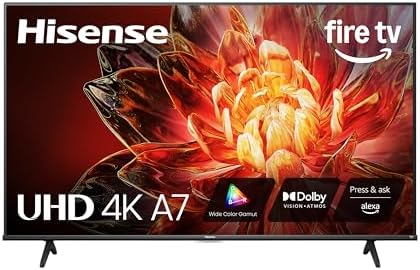
5. Hisense 55″ Class A7 Series 4K UHD Smart Fire TV
The Hisense 55″ Class A7 Series is a versatile 4K UHD Smart Fire TV designed for high-quality entertainment at an affordable price. It combines advanced HDR technology with seamless smart home integration, making it a strong contender for movie buffs, sports fans, and casual gamers alike.
Why It’s Senior-Friendly:
- Premium Visuals: 4K UHD resolution enhanced by HDR10+, Dolby Vision, and a Wide Color Gamut for vibrant, high-contrast imagery.
- Immersive Audio: Supports Dolby Atmos to create a three-dimensional soundscape.
- Specialized Modes: Includes AI Sports Mode for smooth motion and Game Mode (ALLM) to reduce input lag.
- Smart Integration: Runs on Fire TV OS with Alexa built-in, allowing for voice-controlled navigation and smart home management via the included Voice Remote.
Technical Specifications
| Feature | Details |
| Resolution | 4K Ultra HD (3840 x 2160) |
| Refresh Rate | 60Hz |
| HDR Support | Dolby Vision, HDR10+ |
| Connectivity | 3 HDMI, 1 USB, Dual-band Wi-Fi, Ethernet |
| Audio | Built-in speakers with Dolby Atmos |
| Vesa Mount | 200 x 200mm |
Pros & Cons
Pros
- Excellent color accuracy and contrast for the price.
- Seamless Alexa and Fire TV ecosystem.
- Dedicated modes for sports and gaming.
Cons
- 60Hz Refresh Rate: Not ideal for competitive, high-speed gaming.
- Build Quality: Primarily plastic construction.
- User Interface: The Fire TV home screen contains integrated advertisements
Experience Dolby Vision and Alexa integration in one sleek package. Check below-
6. TCL 55-Inch QM7 QLED 4K Smart QD-Mini LED TV (55QM751G, 2024 Model)
The TCL 55QM751G is a high-performance 4K smart TV designed for movie buffs and gamers seeking a premium home theater experience at a competitive price point.
Why It’s Senior-Friendly:
- Visuals: Combines QD-Mini LED technology and Quantum Dots for 1,500 nits peak brightness and 100% DCI-P3 color accuracy.
- Gaming: Features a native 120Hz refresh rate, HDMI 2.1 ports, VRR, and ALLM for smooth, lag-free gameplay.
- Smart Features: Powered by Google TV with built-in Google Assistant, Alexa compatibility, and support for AirPlay 2/Chromecast.
- Cinema Sound: Integrated Dolby Atmos and DTS Virtual:X (20W output).
Tech Specs at a Glance
| Feature | Specification |
| Display | 55″ 4K UHD QD-Mini LED |
| HDR | Dolby Vision IQ, HDR10+, HLG |
| Refresh Rate | 120Hz (Variable) |
| Ports | 4x HDMI 2.1, 2x USB, Ethernet |
| Design | Slim bezel with central pedestal |
Pros & Cons
Pros:
- Stunning brightness and contrast via Mini LED.
- Excellent motion handling for sports and gaming.
- Next-gen gaming ready (4K @ 120Hz).
Cons:
- Built-in 20W speakers are modest; a soundbar is recommended.
- Default picture settings may require calibration for sensitivity to brightness.
“Upgrade your setup to 1,500 nits of pure brilliance. Experience the TCL QM7 and redefine your home theater today.” Check Below-

READ MORE: Best WiFi Router for Home (2026) — Fast, Secure & Reliable
7. VIZIO 40-inch Full HD 1080p Smart TV (VFD40M-08 New)
The VIZIO VFD40M-08 is a sleek, budget-friendly 1080p TV designed for reliable performance in compact spaces. It blends essential smart features with solid audio, making it an ideal secondary screen or bedroom set.
Why It’s Senior-Friendly:
- Crisp 1080p Visuals: Vibrant Full HD LED display for everyday viewing.
- Smart Connectivity: Built-in Google Cast, Alexa compatibility, and VIZIO SmartCast for instant access to Netflix, YouTube, and Disney+.
- Enhanced Audio: DTS Virtual:X provides immersive sound without extra speakers, plus Bluetooth support for private listening.
- Versatile Ports: 3 HDMI inputs (including 1 ARC) and USB connectivity.
Quick Specs
| Feature | Detail |
| Resolution | Full HD (1920 x 1080) |
| Audio | 20W with DTS Virtual:X |
| Smart System | VIZIO SmartCast |
| Wireless | Wi-Fi & Bluetooth |
| Mounting | VESA 200 x 200 mm |
Pros & Cons
- Pros: Very affordable; easy mobile-to-TV streaming; Energy Star certified.
- Cons: No 4K/HDR support; standard 60Hz refresh rate; lacks deep blacks (no local dimming).
“Reliable, smart, and affordable. Bring home the VIZIO 40-inch Full HD TV now.” Check below-

8. Westinghouse Roku TV – 24 Inch Smart Television (720P LED HD)
Perfect for bedrooms, dorms, or kitchens, this compact 24-inch 720p LED TV delivers a high-quality streaming experience in a space-saving design. Built-in Roku TV makes it incredibly easy to access your favorite apps, while voice control compatibility adds extra convenience.
Why It’s Senior-Friendly:
- Smart Streaming: Integrated Roku TV with access to thousands of channels (Netflix, Hulu, YouTube, etc.).
- Voice Control: Compatible with Alexa, Google Assistant, and Apple HomeKit.
- Easy Connectivity: Built-in Wi-Fi and mobile app support for seamless control.
- Compact & Efficient: Ideal size for small rooms with a simple 5-minute setup.
- Versatile Ports: Includes 3 HDMI and 1 USB port.
Quick Specs
| Feature | Detail |
| Resolution | 720p HD (1366 x 768) |
| Dimensions | 22.5″ x 14.5″ x 5.2″ (with stand) |
| Weight | 7 lbs |
| Mounting | VESA Compatible (75 x 75 mm) |
Pros & Cons
- Pros: Affordable, space-saving, user-friendly, and energy-efficient.
- Cons: 720p resolution is basic; built-in speakers are best suited for smaller areas.
“Upgrade your space today—Shop the Westinghouse 24″ Roku TV now!” Check below-

READ MORE: Best Affordable Hearing Aids Review
How we chose these TVs (methodology)
To select the best televisions for seniors, we evaluated dozens of models based on three core pillars: simplicity, sensory clarity, and accessibility. Our methodology prioritized the real-world needs of older users rather than just raw technical specs.
- Ease of Use (The “Frustration-Free” Test): We prioritized TVs with intuitive operating systems like Roku and Fire TV, which feature large, legible icons and straightforward navigation. We specifically looked for remotes with minimal clutter and reliable voice-control integration to reduce the need for manual typing.
- Visual & Audio Clarity: Every model was vetted for high contrast and brightness to ensure text and images are sharp, even in well-lit rooms. For audio, we looked for features like dialogue enhancement and “private listening” capabilities via Bluetooth or mobile apps.
- Built-in Accessibility: We selected TVs that offer specific tools for those with visual or hearing impairments, such as screen readers (like Amazon’s VoiceView), screen magnifiers, and direct compatibility with Bluetooth hearing aids.
- Versatility & Reliability: Our list includes a range of sizes from compact 24-inch sets for kitchens to 55-inch centerpieces for living rooms ensuring a reliable option for every budget and space requirement.
Conclusion:
Some of the factors that you’ll need to keep in mind when searching for a smart TV for the seniors in your life will be that you will want the smart TV to be easy to use, come with many accessible features, and be affordable as well. It has to be one that is simple to navigate-your parents shouldn’t have clear-picture quality and easy voice controls so that they get to enjoy their favorite shows without getting stressed over their use. Also great big screens and are very easy to maneuver, even fitting within the category of television with voice assistants like Alexa or Google Assistant for extra convenience in modifying and looking for content. The pre-installed applications and the simplified remote controls would help eliminate the hassle of setting the TV up and using it.
What is the best smart TV for seniors in 2026?
There’s no single “best” model the best smart TV for seniors in 2026 is the one that prioritizes a simple interface, large on-screen text, a clear remote (or voice control), good sound, and accessibility features.
Which features should I look for when choosing a smart TV for an elderly person?
Prioritize: (1) simple, uncluttered OS or an “easy mode”; (2) large-button remote or voice remote; (3) adjustable text size & high-contrast menus; (4) strong, clear speakers (or good ARC/eARC for soundbars); (5) built-in accessibility (screen reader/TTS, captions); and (6) easy family-help options (remote assistance or “buddy” features).
Are there budget-friendly smart TVs that are good for seniors?
Yes — many affordable models and mainstream Roku/Fire/Google-based sets focus on simplicity and price. For strict budgets, a simple 1080p or entry-level 4K Roku TV (or attaching an inexpensive streaming stick) gives easy menus and voice control without the cost of high-end displays.
Should seniors buy 8K TVs or is 4K still the best choice in 2026?
For seniors, 4K is the sensible choice it offers excellent picture quality at far lower cost and complexity. 8K remains niche, with few benefits for typical streaming and higher price/complexity, so it’s not recommended as a priority feature for older users.
How can I set up a smart TV so it’s easiest for an elderly family member to use?
Do these steps: enable any “easy” or simplified mode; increase font and menu sizes; turn on closed captions and voice guidance; program favorite channels/apps on the home screen; use a big-button universal remote or pair a voice remote; enable remote support features (family help/buddy mode) and test audio output for clarity or hearing-assist compatibility. Many brands now include dedicated help/buddy features to simplify remote assistance.