If you receive SNAP benefits, knowing exactly how much money is left on your EBT card can make grocery shopping a lot less stressful. Nobody wants to find out their card was declined at the checkout line because they weren’t sure how much they had left to spend.
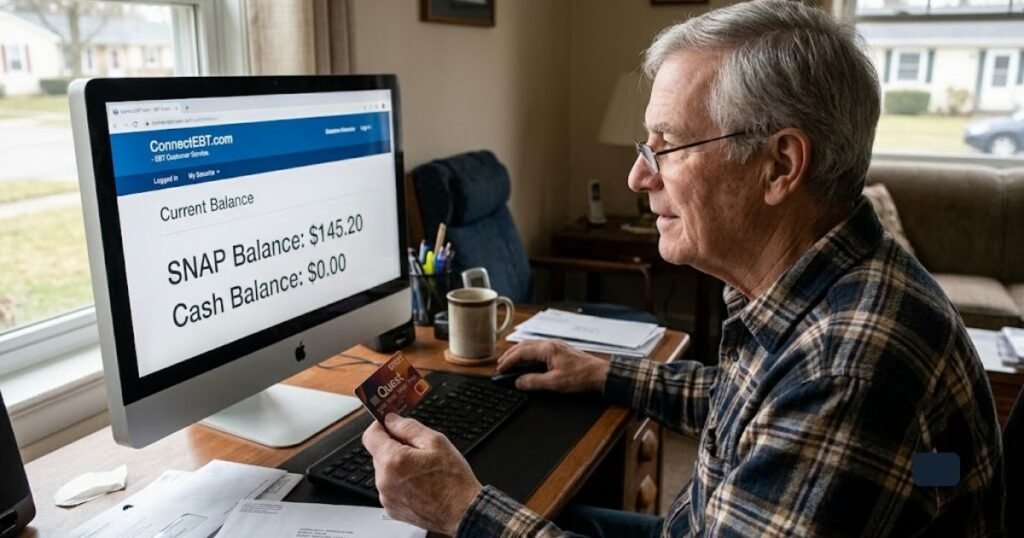
The good news is that you don’t have to guess, and you don’t have to wait on hold with a customer service line to find out. In most states, you can check your EBT balance online in just a few minutes, from a computer, tablet, or smartphone. It’s free, it’s secure, and it’s available any time of day or night.
In this guide, you’ll learn exactly how to check your EBT balance online, what information you’ll need to get started, and what to do if you run into a login problem. We’ll also cover a few alternative ways to check your balance if you don’t have reliable internet access, along with simple tips to keep your account safe from fraud, especially helpful if you’re new to SNAP or helping an older family member manage their benefits. Lets deep dive into “Learn How to Check Your EBT Card Balance Online Step by Step”
Key Takeaways
- Checking your SNAP EBT balance online is 100% free, secure, and available 24/7.
- Official state portals vary by location—most states use platforms like ebtEDGE, ConnectEBT, or state-run portals.
- Always check your balance before grocery shopping to ensure sufficient funds and prevent declined transactions.
- Protect your card from skimming and fraud by monitoring your EBT transaction history regularly.
- Seniors and low-income households can use simple mobile apps or official phone lines if internet access is limited.
READ MORE: How to Apply for SNAP Benefits as a Low-Income Older Adult
What Is an EBT Card?
EBT stands for Electronic Benefits Transfer. It’s the system that state and federal agencies use to deliver public assistance benefits electronically instead of through paper coupons, which is how food stamps used to be distributed decades ago.
Your EBT card may carry one or both of these types of benefits:
- SNAP benefits – food assistance funds that can only be used to buy eligible groceries at approved retailers
- Cash benefits – in some states, funds from programs like TANF (Temporary Assistance for Needy Families), which can often be withdrawn as cash
How EBT Systems Function
While SNAP is a federal program overseen by the USDA Food and Nutrition Service (FNS), individual U.S. states are responsible for administering their own local EBT networks. This means that while federal guidelines govern what you can buy, the specific web portal or mobile app you use to check your EBT card account balance depends entirely on the state in which you live.
One important thing to understand is that EBT is not run by a single national website or app. Every state administers its own EBT program, which means the exact website, app, or phone system you use depends on where you live. The steps are similar everywhere, but the specific portal will have your state’s name attached to it.
Why You Should Check Your EBT Balance Regularly
Checking your balance isn’t just a nice habit it genuinely makes life easier. Here’s why it matters:
- Budgeting your groceries. Knowing your exact balance helps you plan meals and shopping trips around what you actually have, rather than guessing.
- Avoiding declined transactions. Few things are more embarrassing or stressful than having your card declined in a checkout line with a full cart. A quick balance check before you shop prevents that.
- Tracking monthly deposits. Benefits are usually loaded on a set schedule. Checking online lets you confirm your deposit arrived on time.
- Monitoring for suspicious activity. If your balance is lower than expected, it could be a sign that someone accessed your card without permission.
- Preventing fraud. EBT card skimming, where criminals steal card and PIN information, has become more common in recent years. Regular balance checks help you catch fraud early, when it’s easier to report and resolve.
READ MORE: Senior Farmers Market Vouchers: Eligibility, Benefits, and How to Apply
Can You Check Your EBT Balance Online?
Yes in nearly every state, you can check your EBT balance online, and it’s completely free. You don’t need a bank account or a credit check to use it; you simply need your EBT card number and a way to verify your identity.
Most states rely on one of two major platforms to power their online EBT portals:
- ebtEDGE – used by a large number of states for balance checks, transaction history, and account management
- ConnectEBT – another widely used platform offering similar balance and transaction features
A handful of states run their own independent websites or apps instead of using one of these shared platforms. Regardless of which system your state uses, the core experience is the same: log in, view your balance, and review your recent purchases.
Tip: Your card issuer’s name is usually printed on the back of your EBT card, along with a customer service number. That’s a reliable starting point if you’re not sure which portal your state uses.
Step-by-Step Guide to Check Your EBT Balance Online
Follow these steps to check your balance from a computer or smartphone browser:
- Visit your state’s official EBT website. Search for “[your state] EBT balance” or check the number on the back of your card, which often lists the correct web address.
- Create an account, if you’re a new user. You’ll typically need your card number, date of birth, and possibly your case number from your SNAP approval letter.
- Enter your card information securely. Only enter your card number on a page that begins with “https://” and shows a lock icon in the browser bar.
- Verify your identity. This may involve answering a security question or confirming a one-time code sent to your phone or email.
- Sign in to your account. Use the username and password you created, or the temporary credentials provided in your welcome materials.
- View your current balance. Your available SNAP (and cash, if applicable) balance will be displayed on your account dashboard.
- Check for pending deposits. Many portals show your next scheduled deposit date and amount.
- Review your transaction history. This lets you confirm every purchase was made by you and catch anything unfamiliar.
- Log out securely. Especially important if you’re using a shared or public computer.
Practical tip: Bookmark your state’s official EBT page after your first successful login. This helps you avoid accidentally landing on a look-alike scam website in the future.
READ MORE: Home Equity Line of Credit vs Reverse Mortgage: A Guide for U.S. Senior Homeowners
How to Find Your Official State EBT Website
Because every state runs its own system, it’s worth taking a moment to confirm you’re on the right site before entering any personal information.
- Start with USDA and state resources. The USDA Food and Nutrition Service and your state’s SNAP or Department of Human Services website will link to the correct, official EBT portal.
- Search using your state’s SNAP office name, not just generic terms like “EBT balance,” which can return unofficial or ad-heavy results.
- Avoid unofficial websites. Some sites are designed to look like official EBT portals but exist only to collect your personal information.
- Never enter your PIN on an unfamiliar site. Your PIN should only ever be entered on your official state portal or at a point-of-sale terminal.
- Always verify the site is secure. Look for “https://” (not just “http://”) and a padlock icon in your browser’s address bar before logging in.
How to Check Your EBT Balance Using the Mobile App
If you’d rather check your balance from your phone, many states offer a dedicated mobile app instead of (or in addition to) their website.
- ebtEDGE app – available for states that use the ebtEDGE platform, offering balance checks and transaction history in a mobile-friendly format
- ConnectEBT app – the mobile counterpart to the ConnectEBT web portal
- State-specific apps – some states publish their own branded app through the Apple App Store or Google Play
Once logged in, most apps let you:
- View your current balance in real time
- Review recent transactions
- Get notifications when a new deposit lands
- Lock or freeze your card if it’s lost or you suspect fraud (a feature not available in every state, but increasingly common)
Practical tip: Only download EBT apps from the official Apple App Store or Google Play Store, and double-check that the developer name matches your state’s benefits agency before entering any personal information.
READ MORE: Best Robot Lawn Mowers for Seniors Review: Comparison & Buying Guide
Other Ways to Check Your EBT Balance
If you don’t have internet access, or you simply prefer not to go online, you have several other reliable options.
- Call customer service. Every EBT card has a toll-free number printed on the back. Calling connects you to an automated system where you can check your balance using your card number and PIN, no representative required.
- Check your grocery receipt. After every EBT purchase, your remaining balance is typically printed at the bottom of your receipt. Keeping receipts is a simple, no-extra-steps way to stay updated.
- Visit your local SNAP office. Staff can help you check your balance in person, which can be especially helpful if you’re having trouble with your online account.
- Check an ATM (cash benefits only). If your state issues cash assistance benefits on your EBT card, you can often check that portion of your balance at an ATM. Keep in mind this generally applies only to cash benefits, not SNAP food benefits, since SNAP balances aren’t accessible through ATMs.
What Information You’ll Need
Before you get started, it helps to have the following on hand:
- Your EBT card
- Your 16-digit card number
- Your 4-digit PIN
- A username (for portal or app login)
- A password
- A valid email address
- A phone number for verification or alerts
READ MORE: Best Health Tracking Smartwatch for Seniors — Top 8 Picks Compared
Common Problems When Checking Your EBT Balance
Running into a snag is normal, especially the first time. Here are common issues and how to handle them:
- Forgot password. Use the “Forgot Password” link on your state’s portal to reset it through your email or phone.
- Locked account. Too many incorrect login attempts can temporarily lock your account. Wait the specified time period or contact customer service to unlock it.
- Website unavailable. State systems occasionally go down for maintenance. Try again later, or use the phone number on your card in the meantime.
- Incorrect PIN. If you’ve forgotten your PIN, most states let you reset it by phone or through your online account.
- Card expired. Contact your state EBT customer service line to request a replacement card before your current one stops working.
- Lost card. Report a lost or stolen card immediately to freeze it and request a replacement.
- Mobile app errors. Try updating the app, restarting your phone, or logging in through the website instead as a backup.
How to Protect Your EBT Account from Fraud
Because EBT cards are a frequent target for scammers, a few simple habits go a long way toward keeping your benefits safe:
- Never share your PIN with anyone, including someone claiming to be from a SNAP office
- Only enter your information on official, verified websites and apps
- Be cautious of phishing texts or emails claiming there’s a problem with your benefits
- Enable card lock or freeze features if your state offers them
- Change your PIN periodically, especially if you suspect it’s been compromised
- Monitor your transaction history often, not just when you’re about to shop
- Report any suspicious activity to your state EBT customer service line right away
Tips for Seniors Using EBT Online
Managing benefits online can feel unfamiliar at first, especially for those who are less used to navigating websites and apps. These tips can help:
- Save your login credentials somewhere secure and easy to find, like a written note kept in a safe place
- Adjust your device’s text size settings for easier reading
- Ask a trusted family member or caregiver for help setting up your account the first time
- Avoid checking your balance over public Wi-Fi, such as at a library or coffee shop
- Bookmark your official state EBT website so you don’t have to search for it each time
- Be extra cautious of phone calls, texts, or emails claiming to be from “EBT services” asking for your PIN or card number — legitimate agencies will not ask for this information unprompted
READ MORE: How Much Do Elder Law Attorneys Charge? Complete USA Cost Guide
EBT Balance Checking Methods: Comparison
| Method | Speed | Free? | Available 24/7? | Best Suited For |
| Online Portal | Instant | Yes | Yes | Comprehensive view, transaction history, printing statements |
| Mobile App | Instant | Yes | Yes | Fast checks while shopping, transaction alerts, card locking |
| Phone Line | 2–3 Mins | Yes | Yes | Individuals without internet or smartphone access |
| Store Receipt | Immediate | Yes | Store Hours | Quick physical reference immediately after purchase |
| SNAP Office | Varies | Yes | Business Hours | Resolving complex eligibility issues or card replacements |
Frequent Mistakes to Avoid
- Using unofficial third-party apps that aren’t affiliated with your state
- Forgetting to log out on a shared or public computer
- Sharing your login details or PIN with others
- Ignoring small, unfamiliar transactions instead of reporting them
- Saving your password on a public or shared computer
Frequently Asked Questions
How do I check my EBT card balance online?
Visit your state’s official EBT website or app, log in (or create an account if you’re new), and your current balance will be displayed on your account dashboard along with recent transactions.
Can I check my SNAP balance on my phone?
Yes. Most states offer a mobile app, such as ebtEDGE or ConnectEBT, or you can simply visit your state’s EBT website through your phone’s browser.
What app is used to check my EBT balance?
It depends on your state. Many states use ebtEDGE or ConnectEBT, while others offer their own branded app. Check the back of your card or your state’s SNAP website to confirm which one applies to you.
Why can’t I log into my EBT account?
Common causes include an incorrect password, a temporarily locked account after too many failed attempts, or a site that’s down for maintenance. Try resetting your password, waiting a few minutes, or calling the customer service number on your card.
Is checking my EBT balance online free?
Yes. Checking your balance online, through the mobile app, or by phone is always free of charge.
Safety Tips Checklist
- [ ] Only use official state or USDA-linked websites and apps
- [ ] Confirm “https://” and a padlock icon before logging in
- [ ] Never share your PIN with anyone
- [ ] Avoid checking your balance over public Wi-Fi
- [ ] Log out after every session, especially on shared devices
- [ ] Review your transaction history regularly
- [ ] Report suspicious activity immediately
Final Thoughts
Staying on top of your EBT balance doesn’t have to be complicated or time-consuming. Whether you check online, through an app, by phone, or by reviewing your grocery receipt, the goal is the same: knowing what you have so you can shop with confidence and avoid surprises at the register.
Make it a habit to check your balance before each shopping trip, keep your login details and PIN private, and always use your state’s official website or app. A few minutes of checking today can save you a stressful moment at checkout tomorrow and help you catch any unauthorized activity before it becomes a bigger problem.
For the most accurate, up-to-date information about your specific state’s EBT program, visit your state’s SNAP or Department of Human Services website, or refer to the USDA Food and Nutrition Service for official program guidance.