A trustworthy router takes center stage in ensuring that you enjoy seamless connection, whether you are streaming, gaming, working from home, or integrating with a smart home. In considering the router, it can be the area that needs to be covered, the internet speed, number of devices, and specific features of the router. Here are some of the best Wi-Fi routers for home use in the USA, 2025.
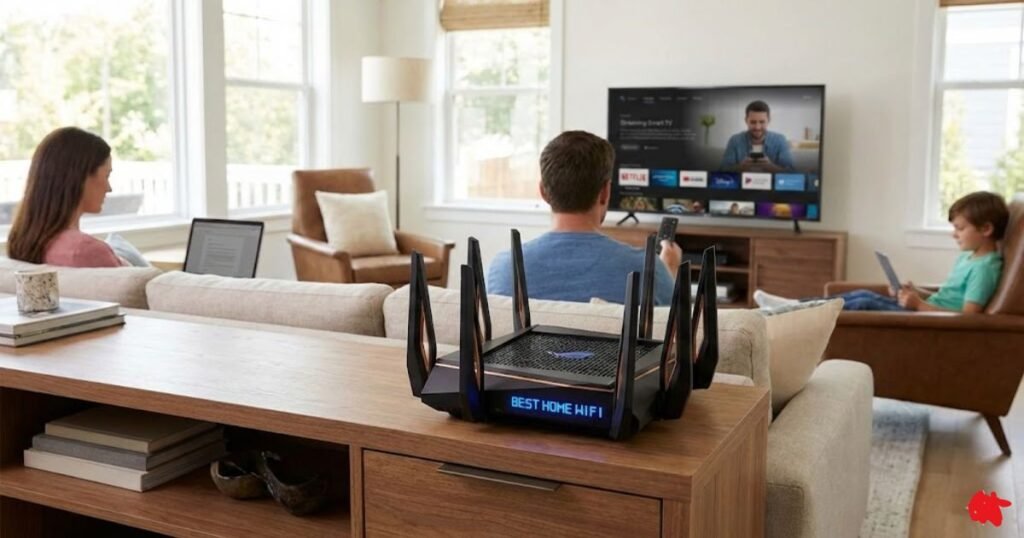
How to Choose the Right WiFi Router for Your House
1. Match the Wi-Fi standard to your needs (Wi-Fi 6 / 6E / 7)
Newer standards deliver higher speeds, better capacity, and lower latency. Choose Wi-Fi 6E/7 if you want future-proofing and have many modern devices; Wi-Fi 6 is great value for most homes.
2. Decide single router vs. mesh system
Use a single powerful router for apartments or small homes; pick a mesh system (multiple nodes) for large homes, many floors, or persistent dead zones.
3. Consider bands: dual-band vs tri-band
Dual-band (2.4 + 5 GHz) works for typical use; tri-band adds an extra 5 GHz (or 6 GHz) radio to reduce congestion and improve performance in busy networks or mesh setups.
4. Check coverage and placement, not just specs
Manufacturer’s “coverage” claims are optimistic—plan for placement (central, elevated) and consider mesh nodes for real-world coverage through walls and floors.
5. Count devices and required speeds
Pick a router that can handle your simultaneous device count (phones, TVs, smart home) and your internet plan speed—no need for multi-gig routers if your ISP speed is low.
6. Look for low-latency tech if you game or stream
Features like QoS, low-latency firmware, and MU-MIMO/OFDMA help reduce lag for gaming and live-streaming; these matter more than raw max speed.
7. Wired ports & multi-gig support
Ensure the router has enough LAN ports for wired devices; multi-gig WAN/LAN is useful if you have a multi-gig internet plan or plan to connect NAS/PC directly.
8. Security & ongoing updates
Prioritize routers with WPA3 support, automatic firmware updates, and a track record of vendor security patches to keep your home network safe.
9. Ease of setup and management
If you or family members prefer simplicity, choose routers with user-friendly apps, clear controls, and helpful support (or an “easy” mode for guests and parental controls).
10. Advanced features: parental controls, VPN, QoS
Consider these if you need content filtering, remote secure access, or traffic prioritization — useful for families and home offices.
11. Budget vs. longevity
Balance upfront cost with features you’ll actually use: spend more for stronger coverage, better security, and future standards if you plan to keep the router several years.
12. Check compatibility with ISP & modem
Verify the router works with your ISP and existing modem (some ISPs require specific modem/router combos or bridge mode).
Quick checklist you can copy: Wi-Fi standard → coverage type (single/mesh) → bands → device count & speeds → wired ports → security/updates → ease of use → budget.
READ MORE: Best Internet Service for Seniors Citizen | Affordable & Reliable Plans
High-Speed Wifi Router for Home
1. Amazon eero Mesh WiFi Router
It is also suitable for most of the homes and small offices unwilling to compromise on fantastic wireless connectivity. It does not work like traditional routers, but through mesh networking, it extends seamless reliable internet access to every room or floor. It removes dead spots, minimizes the lag, and powers your whole place with a good signal.
Specifications:
| Feature | Details |
| WiFi Standard | Wi-Fi 6 / Wi-Fi 6E (depending on model) |
| Speed | Up to 500 Mbps (eero 6), 1 Gbps (eero 6+), 2.3 Gbps (eero Pro 6E) |
| Coverage | 1,500 – 6,000+ sq. ft. (expandable with additional units) |
| Frequency Bands | Dual-band (Wi-Fi 6 models), Tri-band (Wi-Fi 6E models) |
| Ethernet Ports | 2 Gigabit Ethernet ports per unit |
| Processor | Quad-core processor (varies by model) |
| Security Features | WPA3 encryption, automatic updates, eero Secure (optional) |
| Parental Controls | Content filtering, scheduled access, ad blocking (via eero Secure) |
| Smart Home Integration | Built-in Zigbee hub, works with Amazon Alexa |
| Setup & Management | eero app (iOS & Android) |
| Power Supply | USB-C or standard power adapter (varies by model) |
| Mesh Compatibility | Works with all eero models |
Key Features
- Mesh Networking: This means it can provide seamless coverage in the whole house, eliminating dead zones.
- Fast and reliable WiFi: Supports Wi-Fi 6/6E which provides high-speed communication with low latency.
- Easy installation and management: Straightforward eero app for quick installation and control.
- Parental controls and security: Content filtering, ad blocking, and malware protection.
- Compatible with the smart home: Integration with Amazon Alexa and an inbuilt Zigbee hub.
- Expandable coverage: Add more eero units for greater coverage.
Popular Models
| Model | Wi-Fi Standard | Speed | Best For |
| eero 6 | Wi-Fi 6 | Up to 500 Mbps | Medium homes |
| eero 6+ | Wi-Fi 6 | Up to 1 Gbps | High-speed plans |
| eero Pro 6E | Wi-Fi 6E | Up to 2.3 Gbps | Large homes, advanced users |
Pros & Cons of Amazon eero Mesh WiFi Router
| Pros | Cons |
| Easy setup & management via eero app | Some features require a paid subscription (eero Secure) |
| Seamless whole-home WiFi coverage | Limited advanced settings for tech-savvy users |
| Supports Wi-Fi 6/6E for faster speeds | Higher cost compared to basic routers |
| Smart home integration with Alexa & Zigbee | May require multiple units for large spaces |
| Strong security features with parental controls | No built-in USB ports for external storage |
READ MORE: Widex Hearing Aids Reviews
2. TP-Link Dual-Band AX3000 Wi-Fi 6 Router (Archer AX55)
Designed for fast, stable, and efficient wireless connectivity, the TP-Link Archer AX55 is a dual-band Wi-Fi 6 router. With AX3000 speeds, it is optimized for seamless streaming, gaming, and smart home devices, providing improved performance, lower latency, and greater capacity than its predecessors.
Key Features
- Wi-Fi 6 (802.11ax) provides faster speed and greater efficiency with reduced network congestion.
- Dual Band Technology for best performance: 5 GHz (2402 Mbps) + 2.4 GHz (574 Mbps).
- OFDMA & MU-MIMO technology connect multiple devices simultaneously with very little lag.
- 4 External High-Gain Antennas for strong and reliable coverage.
- Gigabit Ethernet: 1× WAN + 4× LAN for wired connections.
- TP-Link HomeShield for advanced security and parental control features for safe browsing.
- Beamforming Technology directs the WiFi signals to the connected devices for better reception.
- USB 3.0 – Supports external storage for media sharing and file access.
- Energy Efficiency: TWT (Target Wake Time) helps reduce power consumption for connected devices.
- Fast Setup & Management: The TP-Link Tether app makes setup and management a lot easier.
Specifications
| Feature | Details |
| WiFi Standard | Wi-Fi 6 (802.11ax) |
| Speed | AX3000 (2.4 GHz: 574 Mbps, 5 GHz: 2402 Mbps) |
| Frequency Bands | Dual-Band (2.4 GHz & 5 GHz) |
| Antennas | 4× High-Gain External Antennas |
| Ethernet Ports | 1× Gigabit WAN, 4× Gigabit LAN |
| USB Port | 1× USB 3.0 |
| Security Features | WPA3, TP-Link HomeShield, Parental Controls |
| Processor | Quad-Core CPU |
| Beamforming | Yes |
| OFDMA & MU-MIMO | Yes |
| Setup & Management | TP-Link Tether App |
Pros & Cons of TP-Link:
| Pros | Cons |
| High-speed Wi-Fi 6 for faster and more efficient connectivity | No support for 6 GHz band (Wi-Fi 6E) |
| Dual-band with strong signal coverage | Limited advanced customization for power users |
| OFDMA & MU-MIMO for improved multi-device performance | Lacks built-in modem |
| Advanced security with TP-Link HomeShield | Subscription required for full HomeShield features |
| USB 3.0 for external storage | No multi-gig Ethernet ports |
| Easy setup with TP-Link Tether app |
READ MORE: Best Smart TV for Seniors in 2026: Easy to Use & Large Screen Picks
3. NETGEAR Nighthawk 6-Stream Dual-Band WiFi 6 Router (RAX54S)
The NETGEAR Nighthawk RAX54S is a high-speed dual-band Wi-Fi 6 router developed for a better speed, coverage, and smooth multi-user connectivity. Thanks to its 6-stream technology, it adds more bandwidth with lower latency and more security for gaming, 4K streaming, and smart home networking.
Key Features
- Improved Connections From Crowded Areas: This is the New Wi-Fi 6 (802.11ax) Standard.
- Maximum Optimization Through Dual-Band: 2.4GHz (600Mbps) and 5GHz (2400Mbps).
- Stream smoothly as if gaming on 6 streams simultaneously.
- Keep devices fully working at once with less lag through OFDMA and MU-MIMO.
- 4 High External Antennas- ensure solid and reliable coverage.
- Gigabit WAN 1 4 LAN Ethernet Ports-the complete solution for wired connections.
- NETGEAR Armor™ – cyber security beyond ordinary (free trial included).
- Beamforming+ – Wi-Fi directs signals towards connected devices for good reception.
- USB 3.0 Media Sharing and Access to External Storage.
- The Nighthawk Application makes it seamless to set up, oversees, and controls.
Specifications:
| Feature | Details |
| WiFi Standard | Wi-Fi 6 (802.11ax) |
| Speed | AX3000 (2.4 GHz: 600 Mbps, 5 GHz: 2400 Mbps) |
| Frequency Bands | Dual-Band (2.4 GHz & 5 GHz) |
| Antennas | 4× High-Performance External Antennas |
| Ethernet Ports | 1× Gigabit WAN, 4× Gigabit LAN |
| USB Port | 1× USB 3.0 |
| Security Features | WPA3, NETGEAR Armor™ (trial included), Parental Controls |
| Processor | Quad-Core CPU |
| Beamforming | Yes (Beamforming+) |
| OFDMA & MU-MIMO | Yes |
| Setup & Management | Nighthawk App |
Pros & Cons of NETGEAR Nighthawk
| Pros | Cons |
| High-speed Wi-Fi 6 for better performance | No support for Wi-Fi 6E (6 GHz band) |
| Strong 6-stream connectivity for multiple devices | Some features require a NETGEAR Armor subscription |
| OFDMA & MU-MIMO for smoother streaming and gaming | Higher price compared to basic routers |
| Advanced security with NETGEAR Armor™ | Lacks multi-gig Ethernet ports |
| USB 3.0 for external storage & media sharing | No built-in modem |
| Easy setup & control with Nighthawk App |
READ MORE: Cell Phones For Seniors With Dementia
4. ASUS ROG Rapture GT-AC2900 WiFi Gaming Router
The ASUS ROG Rapture GT-AC2900 is a dual-band, high-performance gaming router specially designed to cater to gamer needs such as low-lag gaming, high-speed streaming, and more complex network optimizations. It offers support for advanced features like ROG gaming capabilities, triple level game acceleration, and AiMesh for seamless, lag-free connectivity for intense environment conditions like competitive gamers and power users.
Key Features of ASUS ROG
- Gaming-Optimized Performance – Triple-level game acceleration for lower ping and reduced lag.
- Dual-Band Wi-Fi – 2.4 GHz (750 Mbps) + 5 GHz (2167 Mbps) for high-speed connectivity.
- NVIDIA GeForce NOW – Optimized for cloud gaming using GeForce NOW.
- AiMesh Support – Allows integration with ASUS AiMesh for whole home Wi-Fi coverage.
- Game Boost & QoS – Prioritizes gaming traffic for better immersion.
- 4 Gigabit Ethernet Ports – Stable connections for gaming consoles and PC.
- USB 3.1 Port – To connect external storage, printers, or any USB-enabled devices.
- Aura RGB Lighting – Customize your gaming aesthetics via lighting effects.
- WTFast Gamers Private Network (GPN) – Minimizes latency and packet loss when gaming online.
- AiProtection Pro – Advanced security for your network and parental controls, powered by Trend Micro.
- VPN Fusion – Use VPN while keeping the normal internet connection open for gaming.
Specifications:
| Feature | Details |
| WiFi Standard | Wi-Fi 5 (802.11ac) |
| Speed | AC2900 (2.4 GHz: 750 Mbps, 5 GHz: 2167 Mbps) |
| Frequency Bands | Dual-Band (2.4 GHz & 5 GHz) |
| Antennas | 3× External High-Gain Antennas + Internal Antenna |
| Ethernet Ports | 1× Gigabit WAN, 4× Gigabit LAN |
| USB Ports | 1× USB 3.1, 1× USB 2.0 |
| Security Features | WPA3, AiProtection Pro (Trend Micro), VPN Fusion |
| Gaming Optimization | Triple-Level Game Acceleration, QoS, WTFast GPN |
| Beamforming | Yes |
| AiMesh Support | Yes |
| RGB Lighting | ASUS Aura Sync RGB |
| Setup & Management | ASUS Router App & Web Interface |
Pros & Cons of ASUS ROG:
| Pros | Cons |
| Triple-Level Game Acceleration for smoother gameplay | No Wi-Fi 6 support (Wi-Fi 5 only) |
| NVIDIA GeForce NOW Recommended for cloud gaming | Some advanced gaming features require a WTFast subscription |
| AiProtection Pro for enhanced security | Higher price compared to standard routers |
| AiMesh compatibility for whole-home coverage | Large size may not suit all setups |
| Customizable RGB lighting with Aura Sync | RGB lighting is optional but may not appeal to everyone |
| VPN Fusion for running VPN + regular internet together |
READ MORE: Best Affordable Hearing Aids Review
5. Synology WRX560 Wi-Fi 6 Router
The Synology WRX560 is a brilliant Wi-Fi 6 router best suited for fast speeds, enhanced security features, and easier network management. It is perfect for home use or small office environments, with advanced parental control and VPN support, in addition to mesh networking that can be expanded via Synology’s SRM (Synology Router Manager).
Key Features of Synology WRX560
- Faster speeds, more efficient operation, and reduced network latency is what Wi-Fi 6 (802.11ax) stands for.
- Dual-Band Wi-Fi means very speedy and reliable wireless connectivity using 2.4 GHz (600Mbps) + 5GHz (2400 Mbps).
- Mesh support allows for a Synology mesh networking system to extenuate coverage.
- 2.5G WAN Port allows future-proofing with the ability to take full advantage of high-speed Internet plans.
- Gigabit Ethernet Ports-4×LAN +1×2.5G WAN for steadied wired connections with Advanced Security-Featuring Threat Prevention, WPA3, and VPN support-allows good.
- Management of Parental Controls & Traffic-Filtering options, usage tracking, and scheduling-all customizable.
- Synology Router Manager (SRM)-Web-based and App-based Management with a RAM.
- VPN Server & Client-supports OpenVPN, WireGuard, and IPSec VPN for secure remote access. Smart Connect-automatically shifting devices from 2.4 GHz to 5 GHz for the best performance.
Specifications of Synology WRX560:
| Feature | Details |
| WiFi Standard | Wi-Fi 6 (802.11ax) |
| Speed | AX3000 (2.4 GHz: 600 Mbps, 5 GHz: 2400 Mbps) |
| Frequency Bands | Dual-Band (2.4 GHz & 5 GHz) |
| Ethernet Ports | 1× 2.5G WAN, 4× Gigabit LAN |
| Processor | Quad-Core 1.4 GHz CPU |
| Memory | 512MB RAM |
| USB Port | No USB ports |
| Security Features | WPA3, Synology Threat Prevention, VPN Server |
| Mesh Compatibility | Yes (Synology Mesh System) |
| Parental Controls | Yes (Filtering, Scheduling, Monitoring) |
| Setup & Management | Synology Router Manager (SRM) |
Pros & Cons of Synology WRX560:
| Pros | Cons |
| Wi-Fi 6 with AX3000 speeds for fast and stable connections | No USB port for external storage or printer sharing |
| 2.5G WAN port for high-speed internet plans | Higher price compared to basic routers |
| Mesh networking support for seamless whole-home WiFi | Lacks dedicated gaming features |
| Advanced security with built-in threat prevention | SRM interface may have a learning curve for beginners |
| Powerful parental controls and traffic management | |
| VPN support (OpenVPN, WireGuard, IPSec) for secure remote access |
READ MORE: Best Vacations For Seniors With Limited Mobility
6. Asus ZenWiFi AX XT8
The Asus ZenWiFi AX XT8 is a tri-band mesh Wi-Fi 6 system to give seamless coverage, high speeds, and advanced features in large homes and multi-story buildings. With AiMesh technology, the system offers ultra-reliable coverage and performance optimization for multiple devices and different activities, including gaming, streaming, and remote work.
Key Features:
- Wi-Fi 6 (802.11ax) – Staying compatible with the latest Wi-Fi 6 technology for speed, a capacity boost, and less congestion.
- Tri-Band System – 1× 2.4 GHz (574 Mbps)+ 1× 5 GHz (1201 Mbps) + 1× 5 GHz (4804 Mbps) for linkages with very fast connections and much better traffic distribution.
- AiMesh Technology – Seamless roaming and wider coverage into regard with your whole home when several ZenWiFi are used.
- Up to 5,500 sq. ft. Coverage – Can extend up to an area of 5,500 square feet when two units are positioned properly.
- 2.5G WAN Port – Future-ready connectivity with any fast internet plan.
- Gigabit Ethernet Ports – Each having 3× Gigabit LAN ports for all wired connections to gaming consoles, PCs, and more.
- Advanced Security with AiProtection Pro – WPA3 encryption, malware protection, and parental controls are powered by Trend Micro.
- Easy Setup & Management – Easy initial setup through the Asus Router app and then can manage simply over the web interface.
- VPN Support – OpenVPN, PPTP, and L2TP support remote access.
- Smart Connect – Automatically designated on your devices to the most suitable band available for optimum performance.
Specifications:
| Feature | Details |
| WiFi Standard | Wi-Fi 6 (802.11ax) |
| Speed | AX6600 (2.4 GHz: 574 Mbps, 5 GHz: 1201 Mbps, 5 GHz: 4804 Mbps) |
| Frequency Bands | Tri-Band (2.4 GHz & 2× 5 GHz) |
| Ethernet Ports | 1× 2.5G WAN, 3× Gigabit LAN per unit |
| Antennas | 6× High-Gain External Antennas |
| Security Features | WPA3, AiProtection Pro (Trend Micro), Parental Controls |
| AiMesh Compatibility | Yes |
| USB Ports | No USB ports |
| Processor | Quad-Core 1.5 GHz CPU |
| Memory | 512MB RAM |
| Setup & Management | Asus Router App, Web Interface |
Pros & Cons of Asus ZenWiFi:
| Pros | Cons |
| Wi-Fi 6 with tri-band for faster speeds and more devices | No USB ports for file sharing or printer connectivity |
| AiMesh technology for seamless whole-home coverage | Higher price compared to single-router solutions |
| 2.5G WAN port for ultra-fast internet plans | No dedicated gaming features like QoS |
| Advanced security with AiProtection Pro (Trend Micro) | May require more units for very large homes |
| 5,500 sq. ft. coverage for large homes and multi-story setups | No support for Wi-Fi 6E (6 GHz band) |
| Easy setup and management via the Asus Router app |
Final Verdict:
Of course, routers can be chosen according to individual requirements. However, if you’re looking for complete coverage all around your house, then perhaps the Asus ZenWiFi AX XT8 or TP-Link Deco X20 will fit into your needs well. For power-users and gamers, a router like the Asus RT-AX86U Pro is ideal, and for the user of Smart Home devices, Eero 6 is quite handy. The Eero Pro 7 is one of the recommendable future-proof devices for users who want the latest in technology.
So shell out dollars for that top-notch Wi-Fi router, and what you’ll have is an internet connection that is stable, fast, and secured really will increase wherever home sweet home is.
FAQs
What is the best type of Wi-Fi router for home in 2026?
For most homes in 2026, a tri-band Wi-Fi 7 router or a Wi-Fi-7 mesh system gives the best mix of speed, low latency, and device capacity — but a well-configured Wi-Fi 6E router or mesh can still be excellent value for smaller budgets.
Do I need a Wi-Fi 7 router or will Wi-Fi 6E/6 work fine?
Match the router to your needs: Wi-Fi 7 delivers higher top speeds, lower latency and Multi-Link Operation (MLO) for heavy streaming/gaming and many simultaneous devices, while Wi-Fi 6/6E is still a great, cheaper choice if you don’t have multi-gig internet or many Wi-Fi-7 devices yet.
Mesh system or single powerful router — which should I choose?
Choose a mesh system if you have a large home, multiple floors, or Wi-Fi dead zones (mesh nodes spread coverage). A single high-quality router can be better for small apartments or when you prefer fewer devices and direct advanced settings.
Which features matter most for speed, security, and reliability?
Prioritize: the Wi-Fi standard (Wi-Fi 6E/7), low-latency tech (MLO/aptX LL equivalents for wireless), multi-gig WAN/LAN ports, WPA3 security, automatic firmware updates, parental/QoS controls, and good vendor support. These give the best real-world improvements.
How much should I expect to pay and what’s worth the extra cost?
Budget routers can start under $100; solid midrange Wi-Fi 6E/7 routers are commonly $150–$300, and premium mesh Wi-Fi-7 systems often run $300+. Spend more for proven mesh coverage, multi-gig ports, low latency for gaming/streaming, and strong security/updates.