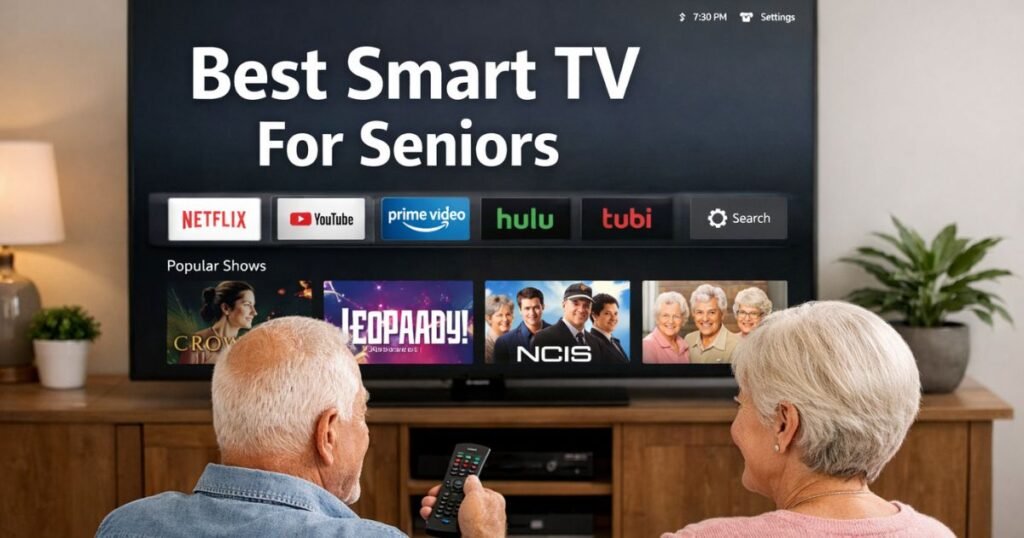
As we see technology changing each day, smart TVs are today the hub of entertainment, information, and connectivity in the modern home. However, the elderly find it sometimes overwhelming to maneuver through the complexity of the modern-day TV; hence making the right choice for a smart TV becomes imperative-something that combines easy usage, accessibility options, and good viewing experiences.
Whether it be to enjoy watching shows, communicate with family via video calls, or stream a service, these smart TVs prioritize simplicity, perfectly clear pictures, and user-friendly interface features. Thus, in this article, we will introduce you to the best options for the unique needs of the elderly and ensure proper utility and enjoyment for any entertainment experience. Lets deep dive into “Best Smart TV for Seniors in 2026: Easy to Use & Large Screen Picks”
READ MORE: Robotic Vacuum for Seniors: Best Features, Comparison, Reviews, and Buying Guide
What Makes a Smart TV Good for Seniors?
Before shopping for the best television for seniors, it helps to know exactly which features translate to real-world ease of use. A stunning 8K picture resolution means absolutely nothing if you cannot figure out how to launch your favorite evening news program. When evaluating models, look past the retail storefront displays and focus heavily on these ten specific features:
- Large, Highly Readable Menus: The software must allow users to scale font sizes upward. High-contrast color choices (such as white text on a dark blue or black background) prevent icons from blurring together.
- A Simple, Uncluttered Home Screen: The ideal interface uses a clean grid system. When you turn on the machine, your primary options—like live cable TV, Netflix, or an over-the-air antenna—should be immediately visible without requiring deep scrolling.
- Dependable Voice Control: For individuals dealing with arthritis or tremors, typing out search terms letter-by-letter on an on-screen keyboard is an absolute nightmare. A remote with a reliable microphone allows you to say “Play Wheel of Fortune” or “Switch to Channel 7” to get instant results.
- Loud, Front-Facing or Dialogue-Enhanced Speakers: Built-in television speakers have gotten notoriously thin as screens have become slimmer. Look for brands that include a dedicated “Dialogue Boost” or “Clear Voice” mode that separates spoken words from loud background music and explosions.
- Quick-Access Closed Captions: Captions should never be buried deep inside a hidden settings menu. An easy-to-use smart TV allows users to toggle subtitles on and off with a single button press or a swift voice request.
- An Ergonomic, Minimalist Remote: The best remotes feature fewer than twenty total buttons. Buttons should have distinct tactile shapes, high-contrast text markings, and sufficient spacing so that fingers don’t accidentally strike two keys simultaneously.
- Fast, Stutter-Free Performance: Cheap televisions frequently skimp on internal computer processing chips. This causes a noticeable delay between pressing a button and the TV reacting, which often tricks seniors into pressing the button multiple times, accidentally compounding the error.
- Straightforward Streaming App Installation: Accessing popular services like Prime Video, YouTube, or BritBox should be an intuitive, one-time setup process rather than a recurring authentication loop requiring secondary smartphones or computers.
- Minimal or Blockable Advertisements: Some modern smart platforms plaster giant, animated ads across half the screen. A platform that minimizes promotional clutter helps older adults stay focused on the choices they actually want to make.
- Accessible Customer Support Options: Look for brands that offer robust U.S.-based support, clear printed manuals, and easy-to-read troubleshooting screens built directly into the operating system.
READ MORE: Best Wireless TV Headphones for Seniors (2026) – Clear Sound & Easy Setup
What Screen Size Should Seniors Buy?
A very common mistake when purchasing a smart TV for older adults is defaulting to a small screen size out of an old-fashioned belief that “a big TV will overwhelm the room.” In the era of high-definition 4K displays, old rules about large screens causing eye strain no longer apply. In fact, a larger screen size dramatically reduces eye strain by making text, faces, and small details naturally bigger and easier to track.
Here is a quick breakdown of common sizes and how they match up to real-world senior living scenarios:
- 32-inch to 40-inch sets: Best kept strictly for small kitchen corners, sewing rooms, or tight assisted-living bedrooms where physical space is at an absolute premium. At this size, reading small text configurations or closed captions from a distance remains quite difficult.
- 43-inch to 50-inch sets: A wonderful middle-ground solution for compact living rooms, den spaces, or primary bedrooms. They offer a highly legible screen area without requiring a massive, heavy piece of furniture to support them.
- 55-inch sets: This is the universal “sweet spot” for the average American living room. A best 55-inch TV for seniors selection provides an expansive, immersive image that makes subtitles perfectly readable from a standard couch distance without breaking the bank.
- 65-inch and larger sets: Strongly recommended if the viewer has moderate visual impairments like macular degeneration or cataracts. A massive screen allows the user to sit at a comfortable distance while still clearly discerning fine sports action, facial expressions, and onscreen details.
To ensure your eyes remain comfortable, use this simple 2026 viewing distance recommendation chart built specifically for older adults who prioritize readability:
| TV Screen Size | Ideal Senior Viewing Distance Range | Vision Assistance Benefit |
| 43 Inches | 4.5 to 6 feet away | Good for small dens; crisp text at close range. |
| 50 Inches | 5.5 to 7.5 feet away | Balances room layout with clear menu readability. |
| 55 Inches | 6 to 8.5 feet away | Perfect for reading captions without squinting. |
| 65 Inches | 7.5 to 10 feet away | Best for moderate vision loss; maximum detail visibility. |
Best Smart TV for Seniors in 2026: Easy to Use & Large Screen Picks
1. Amazon Fire TV 55″ 4-Series 4K UHD Smart TV
The Amazon Fire TV 55” 4-Series is a top-tier choice for seniors who want a high-quality 4K viewing experience without the technical headaches. It balances vibrant 4K UHD picture quality with an interface designed for clarity and ease of use.
Why It’s Senior-Friendly:
- Alexa Voice Control: Use the “Enhanced” remote to change channels, search for shows, or check the weather hands-free.
- Simple Interface: Features large icons and customizable menus, making it easy to find favorites like Netflix, YouTube, or Live TV without a cable box.
- Enhanced Accessibility: Includes a screen magnifier, “VoiceView” screen reader, and support for streaming audio directly to Bluetooth hearing aids.
- Crystal Clear Quality: 4K resolution and HDR 10 ensure movies and news broadcasts are sharp and easy to see.
Quick Specs:
- Screen: 55” 4K UHD (3840 x 2160)
- Audio: Two 8W speakers with Dolby Digital Plus support
- Connectivity: 4 HDMI ports and Bluetooth compatibility
- Value: One of the most affordable 4K Smart TVs on the market, offering premium features at a budget-friendly price.
Pros and Cons:
| Pros | Cons |
| Affordable 4K UHD resolution | No Dolby Vision support for advanced HDR content |
| Alexa integration for voice control | 60Hz refresh rate may not be ideal for fast-paced gaming |
| Easy setup and control with Alexa voice remote | No advanced contrast control or local dimming |
| Energy-efficient with Energy Star certification | Limited advanced picture settings |
Ready for a TV that actually listens? Upgrade to the Amazon Fire TV 55″ 4-Series today for crystal-clear 4K and hearing-aid-compatible audio. Check below-

READ MORE: Best Budget TVs for Older Adults: 2026 Easy, Comfortable, and Senior-Friendly Picks
2. Samsung 50″ DU7200 Crystal UHD 4K Smart TV
The Samsung DU7200 Series is a sleek, modern choice for those seeking a premium 4K viewing experience. It combines vibrant color technology with intelligent audio and a user-friendly smart interface, making it a perfect centerpiece for any contemporary living space.
Why It’s Senior-Friendly:
- Stunning Visuals: 4K Ultra HD resolution paired with PurColor and Mega Contrast delivers lifelike detail and vibrant tones.
- Immersive Audio: Features Object Tracking Sound Lite (OTS Lite) for sound that follows the action and Q-Symphony to sync perfectly with Samsung soundbars.
- Smooth Performance: Motion Xcelerator minimizes blur in fast-paced sports and action movies.
- Smart & Connected: Powered by Tizen OS, offering instant access to Netflix, Disney+, and Prime Video. Includes built-in voice control via Alexa, Bixby, or Google Assistant.
Quick Specifications
- Display: 50″ 4K UHD (HDR10, HLG), 60Hz Refresh Rate.
- Audio: 20W Speakers with OTS Lite.
- Connectivity: 3 HDMI, 2 USB, Wi-Fi, Bluetooth, and Ethernet.
- Design: Slim bezels with a minimalist stand.
Pros & Cons
| Pros | Cons |
| Vibrant 4K Crystal UHD picture. | 60Hz refresh rate (not ideal for pro gaming). |
| Immersive OTS Lite audio. | No support for Dolby Vision. |
| Intuitive Tizen OS & Voice Control. | Mostly plastic construction. |
Meet Your New Smart Hub: From Netflix to Alexa, the DU7200 connects your world. Check below-

READ MORE: Best Voice Assistant for Seniors 2026 — Safe, Simple & Senior-Friendly Picks
3. Roku Smart TV 55-Inch Select Series 4K HDR RokuTV
The Roku 55″ Select Series 4K HDR TV is a budget-friendly powerhouse designed for effortless streaming and family entertainment. It balances high-definition visuals with the industry-leading Roku interface for a seamless “plug-and-play” experience.
Why It’s Senior-Friendly:
- Stunning 4K HDR: Delivers sharp Ultra HD resolution with HDR10 support for enhanced color and contrast.
- Smart Automation: Built-in sensors automatically adjust screen brightness based on your room’s lighting.
- Roku OS: Access thousands of streaming apps (Netflix, Disney+, etc.) and free live TV via a customizable, user-friendly home screen.
- Enhanced Voice Remote: Control power, volume, and search for content hands-free or via dedicated voice buttons.
- Family Ready: Includes robust parental controls and a wide selection of educational and kid-friendly programming.
Quick Specifications
| Feature | Details |
| Resolution | 4K UHD (3840 x 2160) |
| HDR Support | HDR10, HLG |
| Refresh Rate | 60Hz |
| Connectivity | 3 HDMI, 1 USB, Dual-band Wi-Fi, Ethernet |
| Audio | Built-in Stereo Speakers |
Pros & Cons
Pros
- Intuitive Interface: Extremely easy to navigate for all age groups.
- Great Value: Premium 4K features at an affordable price point.
- Automatic Brightness: Saves you from manual tinkering in different lighting.
Cons
- Standard Audio: Built-in speakers are basic; a soundbar is recommended for a true cinema feel.
- No Dolby Vision: Limited to standard HDR formats.
- 60Hz Limit: Not optimized for high-end, competitive next-gen gaming.
This is the ideal “everything” TV for a living room or bedroom if you prioritize ease of use and streaming variety over high-end senior specs. Check below-

4. INSIGNIA 55-inch Class F50 Series LED 4K UHD Smart Fire TV
The INSIGNIA 55″ F50 Series is a budget-friendly 4K UHD Smart TV that punches above its weight by integrating the full Amazon Fire TV experience. It’s designed for users who want sharp visuals and voice-controlled convenience without the premium price tag.
Why It’s Senior-Friendly:
- Stunning 4K Visuals: Delivers four times the detail of standard 1080p for crisp movies and sports.
- Fire TV Built-in: Instant access to thousands of apps like Netflix, Disney+, and Prime Video.
- Alexa Voice Remote: Search for content, switch inputs, or control smart home devices using just your voice.
- Immersive Audio: Features Dolby Digital Plus for cleaner, more balanced sound.
- Modern Design: Slim bezels and a minimalist stand that fits easily into any room.
Core Specifications
| Feature | Details |
| Resolution | 4K UHD (3840×2160) |
| HDR Support | HDR10, HLG |
| Refresh Rate | 60Hz |
| Connectivity | 3 HDMI, 1 USB, Wi-Fi, Ethernet |
| Vesa Mount | 200×200mm |
Pros & Cons
| Pros | Cons |
| Unbeatable Value: Premium features for a low price. | Basic Audio: Built-in speakers are just “okay.” |
| Seamless UI: Fire TV OS is snappy and intuitive. | 60Hz Limit: Not ideal for high-end competitive gaming. |
| Smart Integration: Works perfectly with Alexa ecosystems. | Plastic Build: Feels functional rather than “luxury.” |
For the Smart Home Enthusiast: “Control your world with just your voice. Get the Alexa-powered F50 Series.” Check below-

READ MORE: Best Health Tracking Smartwatch for Seniors 2026 — Top 8 Picks Compared
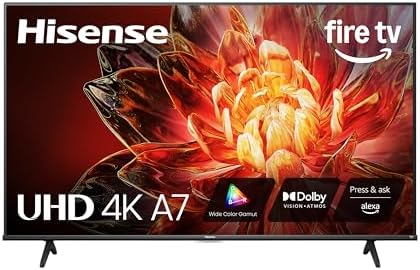
5. Hisense 55″ Class A7 Series 4K UHD Smart Fire TV
The Hisense 55″ Class A7 Series is a versatile 4K UHD Smart Fire TV designed for high-quality entertainment at an affordable price. It combines advanced HDR technology with seamless smart home integration, making it a strong contender for movie buffs, sports fans, and casual gamers alike.
Why It’s Senior-Friendly:
- Premium Visuals: 4K UHD resolution enhanced by HDR10+, Dolby Vision, and a Wide Color Gamut for vibrant, high-contrast imagery.
- Immersive Audio: Supports Dolby Atmos to create a three-dimensional soundscape.
- Specialized Modes: Includes AI Sports Mode for smooth motion and Game Mode (ALLM) to reduce input lag.
- Smart Integration: Runs on Fire TV OS with Alexa built-in, allowing for voice-controlled navigation and smart home management via the included Voice Remote.
Technical Specifications
| Feature | Details |
| Resolution | 4K Ultra HD (3840 x 2160) |
| Refresh Rate | 60Hz |
| HDR Support | Dolby Vision, HDR10+ |
| Connectivity | 3 HDMI, 1 USB, Dual-band Wi-Fi, Ethernet |
| Audio | Built-in speakers with Dolby Atmos |
| Vesa Mount | 200 x 200mm |
Pros & Cons
Pros
- Excellent color accuracy and contrast for the price.
- Seamless Alexa and Fire TV ecosystem.
- Dedicated modes for sports and gaming.
Cons
- 60Hz Refresh Rate: Not ideal for competitive, high-speed gaming.
- Build Quality: Primarily plastic construction.
- User Interface: The Fire TV home screen contains integrated advertisements
Experience Dolby Vision and Alexa integration in one sleek package. Check below-
6. TCL 55-Inch QM7 QLED 4K Smart QD-Mini LED TV (55QM751G, 2024 Model)
The TCL 55QM751G is a high-performance 4K smart TV designed for movie buffs and gamers seeking a premium home theater experience at a competitive price point.
Why It’s Senior-Friendly:
- Visuals: Combines QD-Mini LED technology and Quantum Dots for 1,500 nits peak brightness and 100% DCI-P3 color accuracy.
- Gaming: Features a native 120Hz refresh rate, HDMI 2.1 ports, VRR, and ALLM for smooth, lag-free gameplay.
- Smart Features: Powered by Google TV with built-in Google Assistant, Alexa compatibility, and support for AirPlay 2/Chromecast.
- Cinema Sound: Integrated Dolby Atmos and DTS Virtual:X (20W output).
Tech Specs at a Glance
| Feature | Specification |
| Display | 55″ 4K UHD QD-Mini LED |
| HDR | Dolby Vision IQ, HDR10+, HLG |
| Refresh Rate | 120Hz (Variable) |
| Ports | 4x HDMI 2.1, 2x USB, Ethernet |
| Design | Slim bezel with central pedestal |
Pros & Cons
Pros:
- Stunning brightness and contrast via Mini LED.
- Excellent motion handling for sports and gaming.
- Next-gen gaming ready (4K @ 120Hz).
Cons:
- Built-in 20W speakers are modest; a soundbar is recommended.
- Default picture settings may require calibration for sensitivity to brightness.
“Upgrade your setup to 1,500 nits of pure brilliance. Experience the TCL QM7 and redefine your home theater today.” Check Below-

READ MORE: 8 Best Smartwatch for Hiking With GPS and Heart Rate
7. VIZIO 40-inch Full HD 1080p Smart TV (VFD40M-08 New)
The VIZIO VFD40M-08 is a sleek, budget-friendly 1080p TV designed for reliable performance in compact spaces. It blends essential smart features with solid audio, making it an ideal secondary screen or bedroom set.
Why It’s Senior-Friendly:
- Crisp 1080p Visuals: Vibrant Full HD LED display for everyday viewing.
- Smart Connectivity: Built-in Google Cast, Alexa compatibility, and VIZIO SmartCast for instant access to Netflix, YouTube, and Disney+.
- Enhanced Audio: DTS Virtual:X provides immersive sound without extra speakers, plus Bluetooth support for private listening.
- Versatile Ports: 3 HDMI inputs (including 1 ARC) and USB connectivity.
Quick Specs
| Feature | Detail |
| Resolution | Full HD (1920 x 1080) |
| Audio | 20W with DTS Virtual:X |
| Smart System | VIZIO SmartCast |
| Wireless | Wi-Fi & Bluetooth |
| Mounting | VESA 200 x 200 mm |
Pros & Cons
- Pros: Very affordable; easy mobile-to-TV streaming; Energy Star certified.
- Cons: No 4K/HDR support; standard 60Hz refresh rate; lacks deep blacks (no local dimming).
“Reliable, smart, and affordable. Bring home the VIZIO 40-inch Full HD TV now.” Check below-

8. Westinghouse Roku TV – 24 Inch Smart Television (720P LED HD)
Perfect for bedrooms, dorms, or kitchens, this compact 24-inch 720p LED TV delivers a high-quality streaming experience in a space-saving design. Built-in Roku TV makes it incredibly easy to access your favorite apps, while voice control compatibility adds extra convenience.
Why It’s Senior-Friendly:
- Smart Streaming: Integrated Roku TV with access to thousands of channels (Netflix, Hulu, YouTube, etc.).
- Voice Control: Compatible with Alexa, Google Assistant, and Apple HomeKit.
- Easy Connectivity: Built-in Wi-Fi and mobile app support for seamless control.
- Compact & Efficient: Ideal size for small rooms with a simple 5-minute setup.
- Versatile Ports: Includes 3 HDMI and 1 USB port.
Quick Specs
| Feature | Detail |
| Resolution | 720p HD (1366 x 768) |
| Dimensions | 22.5″ x 14.5″ x 5.2″ (with stand) |
| Weight | 7 lbs |
| Mounting | VESA Compatible (75 x 75 mm) |
Pros & Cons
- Pros: Affordable, space-saving, user-friendly, and energy-efficient.
- Cons: 720p resolution is basic; built-in speakers are best suited for smaller areas.
“Upgrade your space today—Shop the Westinghouse 24″ Roku TV now!” Check below-

READ MORE: 8 Best Light Lawn Mower for Seniors: Review & Comparison
Smart TV Comparison for Seniors
| Model & Size | Resolution & Audio | Smart Platform & Voice | Standout Senior Feature | Key Pro & Con |
| Amazon Fire TV 4-Series (55″) | 4K UHD Two 8W Speakers (Dolby Digital+) | Fire TV OS Alexa Voice Remote | Hearing Aid Support: Streams audio directly to Bluetooth hearing aids; screen magnifier tool. | Pro: Great budget 4K clarity. Con: No Dolby Vision support. |
| Samsung DU7200 (50″) | 4K Crystal UHD 20W Speakers (OTS Lite) | Tizen OS Alexa, Bixby, & Google Assistant | Sound Tracking: Object Tracking Sound Lite makes audio mimic on-screen action for better clarity. | Pro: Vibrant color tech. Con: Mostly plastic build. |
| Roku Select Series (55″) | 4K HDR10 / HLG Built-in Stereo Speakers | Roku OS Enhanced Voice Remote | Auto-Brightness: Built-in sensors automatically adjust the screen brightness based on room lighting. | Pro: Easiest interface to navigate. Con: Basic built-in speakers. |
| INSIGNIA F50 Series (55″) | 4K UHD Dolby Digital Plus | Fire TV OS Alexa Voice Remote | Snappy Navigation: Very straightforward, responsive Fire TV interface paired with hands-free voice search. | Pro: Unbeatable value for a 55″. Con: Basic “okay” sound quality. |
| Hisense A7 Series (55″) | 4K UHD (Dolby Vision) Dolby Atmos Sound | Fire TV OS Alexa Built-in | Visual Contrast: Dolby Vision and Wide Color Gamut make text and faces much easier to distinguish. | Pro: Excellent color accuracy. Con: Home screen contains ads. |
| TCL QM7 Mini-LED (55″) | 4K QD-Mini LED (120Hz) 20W (Dolby Atmos / DTS:X) | Google TV Google Assistant & Alexa | Ultra-Bright Screen: 1,500 nits peak brightness ensures the screen is easily readable even in bright daylit rooms. | Pro: High-end brightness & contrast. Con: Complex menus may need setup. |
| VIZIO VFD40M-08 (40″) | 1080p Full HD 20W (DTS Virtual:X) | VIZIO SmartCast Alexa & Google Cast | Private Listening: Built-in Bluetooth allows headphones for private listening without waking others. | Pro: Highly affordable, compact fit. Con: No 4K or HDR support. |
| Westinghouse Roku TV (24″) | 720p HD Basic Built-in Speakers | Roku OS Alexa, Google, & HomeKit | Space-Saving Simplicity: Tiny footprint with a quick 5-minute setup—ideal for a bedside table or kitchen counter. | Pro: Cheap and very easy to use. Con: 720p resolution is basic. |
READ MORE: Best Robot Lawn Mowers for Seniors Review: Comparison & Buying Guide
Accessibility Features Seniors Should Look For
Modern smart televisions are packed with incredibly powerful accessibility tools, but they are often completely ignored because they are hidden under generic names. When configuring a new television for a senior or care recipient, make sure to seek out and adjust these critical options:
Hearing and Speech Adjustments
- Dialogue Clarity Enhancement: Look for settings labeled “Clear Voice,” “Night Mode,” or “Speech Booster.” This feature automatically uses internal software adjustments to lower bass frequencies (like explosions or thumping music) and lift mid-range audio frequencies where human speech lives.
- Bluetooth Hearing Aid Pairing: Many modern televisions from Samsung, Sony, and LG allow users to beam audio directly via Bluetooth to compatible wireless hearing aids or over-ear headphones. This allows a hearing-impaired individual to crank up their personal volume level without making the living room uncomfortably loud for anyone else in the house.
Vision and Menu Adjustments
- High-Contrast Text Modes: This converts pale, gray, or transparent menus into solid, bold black backgrounds with bright white or yellow text lettering, making it far easier to read app titles.
- Screen Magnification and Text-to-Speech: Systems powered by Google TV or Apple TV can read menu names out loud as you highlight them with the remote control cursor, providing a vital safety net for individuals with severe vision loss.
How we chose these TVs (methodology)
To select the best televisions for seniors, we evaluated dozens of models based on three core pillars: simplicity, sensory clarity, and accessibility. Our methodology prioritized the real-world needs of older users rather than just raw technical specs.
- Ease of Use (The “Frustration-Free” Test): We prioritized TVs with intuitive operating systems like Roku and Fire TV, which feature large, legible icons and straightforward navigation. We specifically looked for remotes with minimal clutter and reliable voice-control integration to reduce the need for manual typing.
- Visual & Audio Clarity: Every model was vetted for high contrast and brightness to ensure text and images are sharp, even in well-lit rooms. For audio, we looked for features like dialogue enhancement and “private listening” capabilities via Bluetooth or mobile apps.
- Built-in Accessibility: We selected TVs that offer specific tools for those with visual or hearing impairments, such as screen readers (like Amazon’s VoiceView), screen magnifiers, and direct compatibility with Bluetooth hearing aids.
- Versatility & Reliability: Our list includes a range of sizes from compact 24-inch sets for kitchens to 55-inch centerpieces for living rooms ensuring a reliable option for every budget and space requirement.
READ MORE: Best Smart Pill Dispensers for Medication for Seniors
How to Make Any Smart TV Easier for Seniors
Whether you have just purchased a brand-new display or are trying to tame an existing system, you can use this simple step-by-step optimization sequence to strip away modern technical clutter and create a completely stress-free viewing experience:
1.Declutter the Home Screen:Takes about 10 minutes.
Go into the system application settings and delete or hide every single app the senior does not explicitly watch. If they only use Netflix, Prime Video, and live TV, remove everything else (like sports packages or gaming apps) so they never accidentally click them.
2.Reorder and Lock the Primary Inputs:Prevents the ‘No Signal’ black screen.
Move the primary viewing source—whether it’s a cable box, a digital over-the-air antenna, or a favorite streaming app—to the very first slot on the main home menu. On Roku systems, you can set the TV to boot up directly into live cable or antenna TV the instant it turns on, bypassing the smart menu entirely.
3.Configure Voice Assistance and Shortcuts:Saves finger strain.
Walk the senior through holding down the remote’s microphone button. Practice simple, explicit commands like “Go to CBS” or “Open Netflix” until they feel confident that the machine will listen to them.
4.Scale Up Text and Subtitles Permanently:Improves basic visual comfort.
Dive into the Accessibility sub-menu. Turn on high-contrast text backgrounds, bump the menu font size to ‘Large’ or ‘Extra Large,’ and configure the closed captions to display as large yellow text over a solid black bar for perfect legibility.
5.Disable Automatic Video Previews and Pop-up Ads:Reduces daily anxiety and confusion.
Turn off features labeled ‘Autoplay’ or ‘Video Previews’ within apps like Netflix and Prime Video. This stops the TV from suddenly blaring loud movie trailers while you are simply trying to read a summary or browse choices.
Common Mistakes to Avoid
When shopping for an older relative or setting up your own retirement entertainment system, watch out for these six incredibly common pitfalls:
- Buying an Overly Complex Remote Control: Avoid televisions that ship with high-tech, touch-sensitive pads or remotes packed with fifty tiny, identical buttons. If the remote looks like a scientific calculator, it will inevitably lead to frustration.
- Ignoring the Quality of the Built-In Speakers: Never assume a beautiful picture means beautiful sound. If a sleek TV has awful, downward-firing speakers, you will end up spending extra money on a separate soundbar just to hear basic conversation.
- Choosing a Screen Size That is Way Too Small: Don’t let old layout habits dictate your purchase. A 32-inch television belongs in a kitchen or a small bedroom; a main senior living space almost always requires a 50-inch or 55-inch display for safe, comfortable viewing.
- Forgetting to Test the Remote’s Button Tactility: If possible, handle the remote control in a store before buying. Buttons should make a clear, physical “click” when pressed so the user has immediate physical confirmation that the TV registered their input.
- Overlooking Home Wi-Fi Strengths: High-definition 4K streaming and voice-recognition services require a steady, reliable home internet connection. If the senior’s living room is far away from their internet router, consider purchasing a simple Wi-Fi range extender to prevent annoying video buffering circles.
- Ignoring Simple Return Windows: Keep all the original box packaging and store receipts intact for at least two to three weeks. Give the older adult a true trial run to ensure they feel entirely comfortable operating the new platform independently.
Conclusion:
Some of the factors that you’ll need to keep in mind when searching for a smart TV for the seniors in your life will be that you will want the smart TV to be easy to use, come with many accessible features, and be affordable as well. It has to be one that is simple to navigate-your parents shouldn’t have clear-picture quality and easy voice controls so that they get to enjoy their favorite shows without getting stressed over their use. Also great big screens and are very easy to maneuver, even fitting within the category of television with voice assistants like Alexa or Google Assistant for extra convenience in modifying and looking for content. The pre-installed applications and the simplified remote controls would help eliminate the hassle of setting the TV up and using it.
What is the best smart TV for seniors in 2026?
There’s no single “best” model the best smart TV for seniors in 2026 is the one that prioritizes a simple interface, large on-screen text, a clear remote (or voice control), good sound, and accessibility features.
Which features should I look for when choosing a smart TV for an elderly person?
Prioritize: (1) simple, uncluttered OS or an “easy mode”; (2) large-button remote or voice remote; (3) adjustable text size & high-contrast menus; (4) strong, clear speakers (or good ARC/eARC for soundbars); (5) built-in accessibility (screen reader/TTS, captions); and (6) easy family-help options (remote assistance or “buddy” features).
Are there budget-friendly smart TVs that are good for seniors?
Yes — many affordable models and mainstream Roku/Fire/Google-based sets focus on simplicity and price. For strict budgets, a simple 1080p or entry-level 4K Roku TV (or attaching an inexpensive streaming stick) gives easy menus and voice control without the cost of high-end displays.
Should seniors buy 8K TVs or is 4K still the best choice in 2026?
For seniors, 4K is the sensible choice it offers excellent picture quality at far lower cost and complexity. 8K remains niche, with few benefits for typical streaming and higher price/complexity, so it’s not recommended as a priority feature for older users.
How can I set up a smart TV so it’s easiest for an elderly family member to use?
Do these steps: enable any “easy” or simplified mode; increase font and menu sizes; turn on closed captions and voice guidance; program favorite channels/apps on the home screen; use a big-button universal remote or pair a voice remote; enable remote support features (family help/buddy mode) and test audio output for clarity or hearing-assist compatibility. Many brands now include dedicated help/buddy features to simplify remote assistance.