In the rapidly growing virtual world of today, technology is not a luxury, it is a lifeline. Seniors in particular are well rewarded by staying online, from video conferencing with grandchildren to arranging health care appointments, to being able to shop at home undisturbed. However, many seniors still find themselves excluded from the digital age due to cost barriers or lack of access to the right devices. This creates what’s often referred to as the digital divide, a gap between those who have access to modern technology and those who don’t.
For seniors, this divide can feel especially isolating. Want to live with your family, but you can’t do it because you do not have a computer. Or remembering telehealth appointments because you cannot log in. It is not only about convenience and it is about freedom and is to be connected in a world that expects you to be online rapidly.
Thankfully, there are many initiatives government programs, nonprofits, libraries, and community centers that are stepping up to bridge this gap. These efforts are aimed at providing free computers for seniors so that no one feels left behind in today’s digital-first society.
This article dives deep into how seniors can access free computers, what organizations are offering them, and how to make the most of these opportunities.
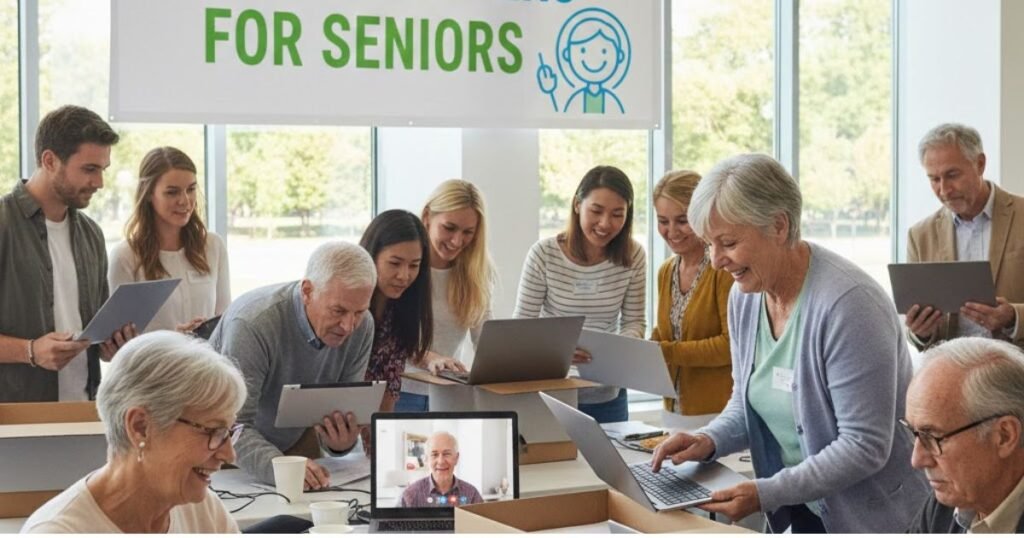
Why Seniors Need Computers
Seniors aren’t looking for computers just for the sake of owning a gadget. For them, a computer can open doors to a better quality of life. Here’s why:
- Staying Connected: Perhaps the most important reason is staying connected with loved ones. Through video calls, emails, and social media, seniors can stay connected with loved ones despite physical distance.
- Healthcare Access: With telemedicine becoming increasingly common, many doctors now expect patients to check in online or review medical results through portals. Seniors with access to computers can schedule appointments, refill prescriptions, and even meet their doctors virtually.
- Entertainment and Learning: Computers offer countless forms of entertainment from streaming movies to playing brain games. Many seniors also take up online classes, whether it’s learning photography, cooking, or even a new language.
- Financial Management: Banking, paying bills, and even checking Social Security benefits are easier online. Without a computer, seniors may need to rely on others or spend unnecessary time in lines.
When you break it down, a computer for a senior isn’t just a machine it’s a tool for empowerment. It reduces feelings of isolation, helps them stay healthy, and keeps their minds active and engaged.
Challenges Seniors Face in Accessing Computers
If computers are so important, why don’t all seniors have them? The truth is, many older adults face several hurdles:
- Financial Barriers: Many seniors live on fixed incomes, and the cost of purchasing a new computer can be overwhelming. With rising living expenses, spending hundreds of dollars on technology simply isn’t realistic.
- Lack of Technical Knowledge: Some may not grow up with senior computers and feel frightened by modern technology. They may worry about some “break” or falling victims for online scams.
- Physical and Cognitive Limitations: Vision problems, arthritis, and memory challenges can make using a computer more difficult. These barriers can discourage seniors from even attempting to learn.
On top of that, many seniors feel embarrassed about asking for help, which can deepen the divide. This is why programs that offer free computers often also provide training and support to help seniors gain confidence in using them.
READ MORE: Free Laptop for Seniors
Government Programs Offering Free Computers for Seniors
Governments at both federal and local levels understand the importance of access to technology, especially for weak groups such as seniors. Many programs either provide free computers or provide subsidies to make them more economical.
- Federal Programs: In the U.S., programs like Lifeline and the Affordable Connectivity Program (ACP) often focus on low-cost internet, but some initiatives include partnerships with computer providers for free or discounted devices.
- Local Government Initiatives: Many states and counties run their own digital inclusion projects. These might involve distributing refurbished computers to low-income seniors or setting up community centers with free access.
- Public Health Partnerships: Some healthcare systems also partner with government agencies to provide seniors with devices that help them access telehealth services more easily.
The key is knowing where to look. Seniors should check with their local Department of Aging, city hall, or community centers to see what programs are currently available.
Nonprofit Organizations That Provide Free Computers
Nonprofit organizations have become one of the strongest advocates for bridging the digital divide. Many focus specifically on seniors and low-income groups.
- National Nonprofits: Organizations like EveryoneOn and PCs for People are known for providing free or low-cost computers to families and seniors.
- Faith-Based Charities: Churches and religious groups often run donation drives where old but working computers are refurbished and given to seniors.
- Technology Donation Programs: Companies often donate older computers to nonprofits, which then refurbish and distribute them. For seniors, this can be a reliable way to get a device without any cost.
Nonprofits don’t just stop at giving devices. They also provide training sessions, hotlines, and volunteer support, making sure seniors aren’t left to figure things out on their own. This holistic approach ensures that seniors not only receive a computer but also feel confident using it.
READ MORE: Free Tablets For Seniors
Senior Centers and Community Colleges Programs
Senior Centers and Community College play a huge role in bridging digital divide. These institutions often serve as collecting places where senior people can add, learn and use the necessary resources. Many of them now offer computer access and training specifically designed for older adults.
- Free Computer Labs: Most senior centers and community colleges have computer labs where seniors can use devices for free. These labs are equipped with user-friendly setups and often include adaptive technologies like large-print keyboards and screen magnifiers to help those with vision challenges.
- Workshops and Classes: Community colleges often provide early-friendly courses such as “introduction of computers” or “how to use email”. Many of these classes are free or available at very low cost. They provide a supporting environment where senior decisions can ask questions without fear.
- Device Lending Programs: Some institutions have lending programs that allow seniors to borrow laptops or tablets, much like checking out a book from a library. This helps seniors practice at home before committing to owning their own device.
These programs are valuable as they combine access to education. It is not about handing over a computer to anyone; This is about to ensure that they know how to use it effectively and safely.
Libraries and Public Institutions as Resources
Public libraries have long been champions of free information access, and in the digital age, that includes technology. Seniors can find a wealth of resources at their local library.
- Free Computer Use: Almost every public library provides free access to computers and internet. If they are still in the workforce, seniors can use them for browsing, video calls, or even job discovery.
- Digital Literacy Programs: Many libraries run free workshops focused on seniors. These programs cover basics like setting up email, navigating the internet, and avoiding online scams. The sessions are usually small and interactive, making it easier for seniors to learn at their own pace.
- Borrowing Devices: Some libraries now lend laptops, tablets, or even Wi-Fi hotspots. Seniors who can’t afford to buy devices can temporarily borrow them to stay connected.
- One-on-One Tech Help: Many libraries offer personalized help sessions where seniors can bring in their devices or use library computers while getting guidance from a tech-savvy librarian or volunteer.
For many seniors, libraries are less intimidating than other tech spaces. They provide a welcoming environment where older adults can learn without pressure and at no cost.
READ MORE: Free Government Phone for Seniors | Eligibility & How to Apply
Refurbished Computer Programs for Seniors
Another excellent option for seniors is refurbished computer programs. These programs take used but still functional computers, repair them, and distribute them at little to no cost.
- Where to Find Them: Organizations like PCs for People, Computer Reach, and local recycling programs often distribute refurbished devices. Many of these programs are specifically geared toward low-income families and seniors.
- Benefits of Refurbished Computers: Aside from being free or low-cost, refurbished computers are environmentally friendly. Instead of ending up in a landfill, older devices get a second life. They’re also usually updated with essential software and security features, so seniors don’t have to worry about technical setup.
- Eligibility Requirements: To qualify, seniors may need to show proof of low income, government assistance (like Medicaid or SNAP), or enrollment in certain community programs. Some initiatives, however, simply give devices on a first-come, first-served basis.
Refurbished programs are a win-win; they provide seniors with much-needed access to technology while also promoting sustainability by recycling old devices.
Internet Service Providers and Free Computer Offers
Some internet service providers (ISPs) also run programs to help close the digital gap. Since internet access and computers go hand in hand, ISPs sometimes offer free or heavily discounted computers to customers who qualify for low-cost internet.
- Low-Cost Internet Programs: Programs like Internet Essentials by Comcast or Access from AT&T not only provide affordable monthly internet but also include options for free or discounted laptops. Seniors who sign up for these plans often get access to both the internet and a device.
- Bundled Deals: Some ISPs create special promotions where new customers get a free computer or tablet when they subscribe to an internet plan. These can be great opportunities for seniors who are new to internet use.
- Eligibility Criteria: Typically, eligibility is based on income, government aid participation or senior-specific programs. For example, if a senior already qualifies for programs such as Medicaid or Snap, they can automatically qualify for these offers.
These ISP initiatives are particularly useful because they solve two problems at once: providing the device and the connectivity needed to use it.
Tech Companies and Corporate Social Responsibility Programs
Large tech companies also play an important role in helping seniors get free computers. Through corporate social responsibility (CSR) programs, many donate devices or support nonprofits that distribute them.
- Donations from Major Tech Brands: Companies like Microsoft, Dell, HP, and Lenovo frequently donate refurbished or surplus equipment to charities that serve seniors.
- Employee Donation Drives: Some companies encourage employees to donate old but working laptops, which are then refurbished and distributed to seniors in need.
- Partnerships with Senior Organizations: Tech companies often collaborate with nonprofits and senior centers to ensure the devices reach the right people. These partnerships sometimes also include free training sessions on how to use the devices.
The CSR programs are not only about handing over free equipment – they are often bundled with training workshops, technical assistance and community programs that empower seniors to use technology confidently.
READ MORE: Can I Get Free Air Conditioners for Senior Citizens?
Local Community and Church-Based Initiatives
Local communities and churches have long been pillars of support for seniors, and many now extend that support into the digital space. These grassroots initiatives often provide free or donated computers directly to seniors who need them the most.
- Faith-Based Donations: Church often drives a donation drive, collecting laptops and desktops used from its members. Volunteers then renew these devices and give them to those seniors who cannot tolerate them.
- Volunteer Tech Programs: Many community groups organize technical-support volunteers, often young students or members of the tech-service community who not only provide free equipment, but also teach seniors how to use them. This colleague-to-cum-personnel approach makes an inter-state relationship when solving digital literacy intervals.
- Neighborhood Digital Inclusion Projects: Some communities set up small-scale digital inclusion projects, creating computer labs inside churches, community centers, or even mobile tech vans that travel to underserved neighborhoods.
These programs tend to be more personal and less bureaucratic than larger initiatives. Seniors often feel more comfortable receiving help from their local church or community than from a government office or large organization.
Training and Support for Seniors
Giving seniors free computers is only half the battle teaching them how to use those computers is just as important. That’s where training and support programs come in.
- Free Digital Literacy Workshops: Many nonprofits, libraries, and community colleges offer free workshops that cover basic skills, such as using a mouse, setting up email, browsing the internet, and video chatting with family.
- Tech-Support Hotlines: Some organizations run free helplines where seniors can call if they run into trouble with their devices. These hotlines provide step-by-step guidance, helping seniors troubleshoot issues without feeling lost.
- Peer-to-Peer Learning: Peer groups are very effective because seniors often feel more comfortable learning from people their own age who share similar challenges. Many senior centers encourage group learning where participants support each other.
By combining free equipment with education and ongoing support on hands, these programs ensure that senior not only achieve access to technology, but also create confidence to use it independently.
How Seniors Can Apply for Free Computers
Knowing where to look is half the journey. The process of applying for free computers usually depends on the organization providing them, but there are some common steps seniors can follow:
- Research Available Programs: Seniors should start by checking with local libraries, senior centers, nonprofits like EveryoneOn, or government resources like the Department of Aging.
- Prepare Documents: Most programs require proof of eligibility, such as income statements, participation in government assistance (Medicaid, SNAP, SSI), or proof of age (usually 60+).
- Complete Applications: Applications may be online or paper-based. Many nonprofits also accept phone applications for seniors who aren’t yet comfortable using the internet.
- Follow Up: Some programs receive more applications than they can handle, so persistence matters. Seniors should follow up with the organization to ensure their application is being processed.
- Ask for Assistance: If the application feels overwhelming, seniors can ask for help from family members, social workers, or staff at local senior centers.
The most important tip is not to give up. Many seniors qualify but never apply because they assume the process is too complicated. With the right support, it becomes much easier.
READ MORE: Free Financial Assistance for the Seniors & Elderly
Alternative Options If Free Computers Aren’t Available
Sometimes, despite the best efforts, free programs may not have enough resources or availability. In such cases, seniors still have several alternative ways to get affordable computers:
- Affordable Refurbished Computers: Organizations like PCs for People sell refurbished computers at very low prices—sometimes as little as $50.
- Low-Cost Tablets or Chromebooks: Tablets and Chromebooks are often cheaper than full laptops and can handle everyday tasks like video calls, email, and browsing.
- Payment Plans and Subsidies: Some retailers and internet providers offer financing options or subsidies that let seniors pay for devices in small monthly installments.
- Local Buy Nothing or Freecycle Groups: Seniors can often find free computers through community sharing networks where people give away items they no longer use.
These options may not always provide devices for free, but they make computers far more accessible and affordable than buying brand-new models.
Conclusion
Access to computers is no longer optional; it’s essential for seniors to stay connected, healthy, and engaged in modern life. Free computer programs, whether run by governments, nonprofits, churches, or libraries, are doing a tremendous job of bridging the digital divide. But the real magic happens when those free devices are paired with training, support, and encouragement.
Seniors who embrace technology gain more than just a device; they gain independence, confidence, and a sense of belonging in today’s digital world. If you are a senior, do not hesitate to detect these programs. And if you know a senior who can benefit, guide them to these opportunities. The right computer can change their life.
FAQs
Q1: How can a senior apply for a free computer?
Seniors can apply through local nonprofits, government programs, libraries, or senior centers. Most require proof of income, age, or government assistance participation.
Q2: Are there free laptops available for seniors?
Yes. Many programs distribute refurbished laptops specifically for seniors, either for free or at a very low cost.
Q3: Do seniors get free internet along with computers?
Some programs, especially those run by internet service providers, include both low-cost internet and free computers for eligible seniors.
Q4: Can low-income seniors qualify for refurbished devices?
Absolutely. Many refurbished computer programs are designed for low-income individuals, with seniors often given priority.
Q5: Where should seniors look first for free computer programs?
The best starting points are local libraries, senior centers, and nonprofits like EveryoneOn or PCs for People.