For millions of older adults, smartphones have become overly complicated, fragile, and unnecessarily expensive. Touchscreens can be hypersensitive or difficult to navigate, glass displays crack easily, and hidden app updates consume data rapidly. That is why so many older Americans are returning to classical simplicity: free flip phones for seniors.
Flip phones offer physical keypads, long-lasting battery life, loud audio, and straightforward navigation. More importantly, eligible older adults, caregivers, and low-income households can obtain a free flip phone for seniors through participating providers in the federal Lifeline phone program.
This complete guide covers everything you need to know about getting a free government flip phone, including federal eligibility rules, required documentation, top Lifeline providers, phone models, and step-by-step application instructions. Lets deep dive into “Free Flip Phones for Seniors: How to Qualify, Apply & Get One in 2026”
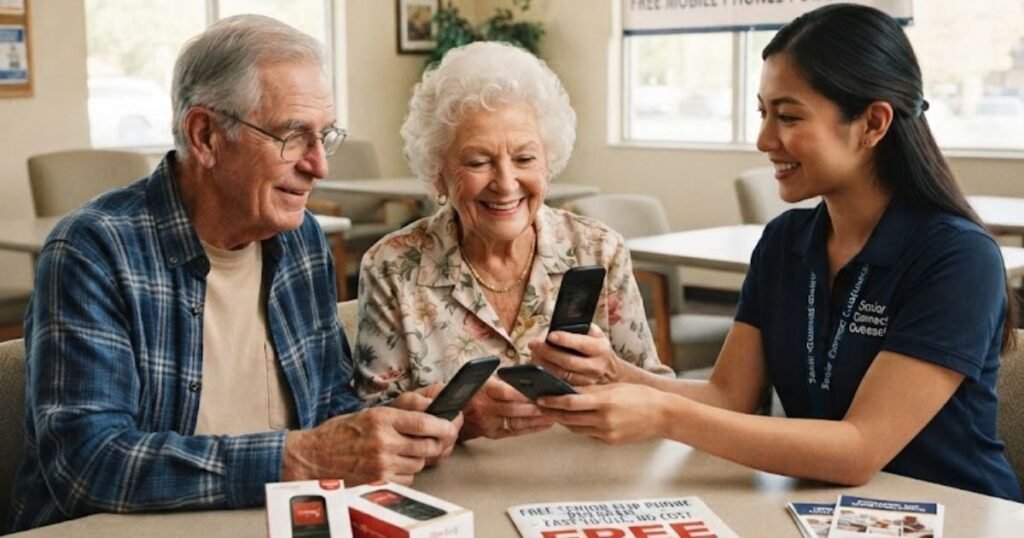
Key Benefits of Flip Phones for Older Adults:
Smartphones can do a lot, but “a lot” isn’t always what people want from a phone. For many older adults, a flip phone hits the sweet spot between staying connected and staying sane.
- Large, physical buttons that are easy to feel and press, even with arthritis or reduced dexterity
- Loud, clear speakers built for people with mild hearing loss
- Simple menus with no app stores, pop-ups, or confusing settings to accidentally change
- Long battery life, often lasting several days on a single charge instead of hours
- Durable, pocket-friendly design that folds shut to protect the screen and buttons
- Lower chance of confusion, since there’s no touchscreen to misread a tap or swipe
- Fast access to emergency calling, often with a dedicated SOS button
- Lower monthly costs compared to smartphone data plans
For a lot of seniors, a flip phone isn’t a downgrade. It’s the right tool for the job: staying in touch with family, calling for help, and not paying for features that never get used.
READ MORE: Can I Get a Free iPhone With Food Stamps? Complete Guide
Can Seniors Really Get a Free Flip Phone?
Yes—qualifying seniors can receive a free phone for seniors, but availability depends on specific eligibility criteria and participating wireless carriers.
It is important to understand how the system works:
- The Federal Lifeline Discount: The U.S. government (via the FCC and USAC) administers Lifeline, providing a monthly service discount (typically $9.25/month, or up to $34.25/month on qualifying Tribal lands).
Federal Communications Commission - Participating Wireless Providers: Independent Lifeline service providers receive this subsidy and decide how to package their service plans.
Federal Communications Commission - Free Device Offers: To attract customers, many Lifeline phone providers provide a free government flip phone or entry-level device alongside their free monthly voice, text, and basic data plans.
TruConnect
Important Note: The federal government funds the service subsidy, but individual participating carriers determine device inventory. A Lifeline free flip phone application guarantees your discounted or free monthly plan; physical phone hardware availability varies by provider, state, and stock level.
What Is the Lifeline Program?
Lifeline is a federal benefit program that has helped low-income households afford phone and internet service since 1985. It’s overseen by the Federal Communications Commission (FCC) and administered day-to-day by the Universal Service Administrative Company (USAC).
- Purpose: Make basic communication service affordable for low-income households, including many seniors living on fixed incomes
- Monthly benefit: Up to $9.25 per month off phone, internet, or bundled service for most subscribers
- Tribal lands benefit: Eligible subscribers on qualifying Tribal lands can receive a larger monthly discount
- Who administers it: The FCC sets the rules; USAC runs the National Verifier system that confirms who qualifies
- Phone vs. internet: The discount can be applied to wireless phone service, home internet, or a bundle, depending on the provider
- One benefit per household: Only one Lifeline discount is allowed per household, not per person
- State add-ons: A number of states layer additional discounts on top of the federal benefit, which can make service even more affordable
Because the benefit is a discount rather than a guaranteed free device, many providers structure their plans so the monthly service cost lands at $0 for eligible customers but a device is a separate matter tied to that provider’s current promotions.
READ MORE: Free Government iPhone: Eligibility, Providers & How to Apply
Who Qualifies for a Free Government Flip Phone?
You can qualify for Lifeline one of two ways: by participating in a qualifying assistance program, or by household income.
Program-based eligibility. You automatically qualify if you or someone in your household participates in a program such as:
- SNAP (food stamps)
- Medicaid
- Supplemental Security Income (SSI)
- Veterans Pension or Survivors Pension benefits
- Federal Public Housing Assistance
- Certain other federal assistance programs, depending on your state
Income-based eligibility. You may also qualify if your total household income falls at or below 135% of the Federal Poverty Guidelines. The exact dollar threshold depends on household size and is updated every year, so it’s worth checking the current figure for your state rather than relying on last year’s number.
| Household Size | Maximum Annual Income (48 States & DC)* | Tribal Lands / CA Guidelines* |
| 1 Person | ~$20,235 | ~$24,600 |
| 2 Persons | ~$27,405 | ~$33,300 |
| 3 Persons | ~$34,575 | ~$42,100 |
| 4 Persons | ~$41,745 | ~$50,800 |
| Each Add’l Person | +$7,170 | +$8,700 |
*Note: Income limits update annually. Figures are estimates based on standard 135%-150% poverty thresholds.
A helpful note for seniors specifically: being on Medicare alone does not automatically qualify you, since Medicare isn’t one of the listed qualifying programs. However, many seniors qualify anyway through SSI, Medicaid, SNAP, a Veterans Pension, or simply through household income — so it’s worth checking even if you’re not sure.
READ MORE: Free Phones for Seniors on Medicare
Documents Needed — Eligibility Checklist
Before you apply, gather the paperwork so the process goes smoothly. Depending on how you qualify, you may need:
- [ ] A valid government-issued photo ID
- [ ] Proof of current address (utility bill, lease, or official mail)
- [ ] Proof of income (pay stubs, tax return, or benefits statement) if applying by income
- [ ] A benefit award letter from a qualifying program
- [ ] Medicaid card or official Medicaid documentation
- [ ] SNAP approval letter or EBT card information
- [ ] Social Security or SSI award letter, if applicable
- [ ] Veterans Pension documentation, if applicable
You typically don’t need every item on this list — just documentation that supports the specific way you’re qualifying (income or program participation).
How to Apply Step-by-Step
- Check your eligibility. Confirm you qualify through income or a qualifying program before you apply.
- Gather your documents. Pull together your ID, proof of address, and proof of income or program participation.
- Complete the application. Apply online through the National Verifier system, by mail, or directly through a participating provider’s application.
- Choose a participating provider. Compare companies serving your ZIP code and ask directly about current flip phone availability.
- Go through the approval process. The provider submits your information for verification; approval can take anywhere from a few minutes to a couple of weeks.
- Receive your SIM card or device. If a phone is included in your plan, it typically ships within a week or two of approval.
- Activate your phone. Follow the provider’s activation instructions, or call their customer service line for help — most offer senior-friendly phone support.
- Recertify annually. Every 12 months you’ll need to confirm you still qualify. Watch for a notice by mail or email, and respond promptly to avoid losing your benefit.
READ MORE: Best Wireless TV Headphones for Seniors
Best Lifeline Providers That May Offer Flip Phones
Coverage, plan features, and physical phone hardware vary depending on where you live. Below are top-rated nationwide Lifeline carriers known for serving seniors:
1. SafeLink Wireless
- Coverage: Operates on major national networks (Verizon).
- Availability: Nationwide across most U.S. states.
- Device Options: Offers free SIM kits (BYOP) and free entry-level devices, including flip phones subject to local inventory.
- Pros: Outstanding nationwide signal reach and dependable customer service.
- Cons: Flip phone stock sells out fast in high-demand areas.
2. AirTalk Wireless
- Coverage: Major 4G LTE / 5G nationwide networks.
- Availability: Broad nationwide availability.
- Device Options: Popular for offering free hardware options, including classic and senior-friendly basic devices.
- Pros: User-friendly online application portal with clear device previews.
- Cons: Phone models depend heavily on local distribution centers.
3. Assurance Wireless
- Coverage: T-Mobile Nationwide Network.
- Availability: 40+ states.
- Device Options: Free phone with unlimited talk, text, and monthly data.
Assurance Wireless - Pros: Excellent voice clarity and robust T-Mobile coverage.
- Cons: Device type is auto-assigned based on current stock.
4. TruConnect
- Coverage: Major nationwide carriers.
- Availability: Active in over 30 states.
- Device Options: Free monthly service with international calling benefits; supplies basic phones or smartphones.
TruConnect - Pros: Free calls to over 200 international destinations included.
TruConnect - Cons: Limited availability in rural northern states.
5. StandUp Wireless
- Coverage: Nationwide 4G/5G coverage.
- Availability: Highly accessible across suburban and rural areas.
- Device Options: SIM card kits and discounted or free basic devices.
- Pros: Fast application approval and easy phone setup.
- Cons: Data caps on standard Lifeline plans without add-ons.
6. Access Wireless
- Coverage: Major national network infrastructure.
- Availability: Select states nationwide.
- Device Options: Free monthly allotments and entry-level phones.
- Pros: Great local support in participating regions.
- Cons: Website navigation can feel slightly dated.
READ MORE: AARP Landline Phone Service For Seniors
Best Flip Phones Seniors May Receive
Here’s how some of the flip phone models seniors commonly encounter through Lifeline providers or retail compare on the features that matter most:
| Phone | Screen Size | Battery Life | SOS Button | Hearing Aid Compatible | Large Keypad |
| Nokia 2760 Flip | 2.8″ | Multi-day | Yes | Yes | Yes |
| TCL Flip | 2.8″ | Multi-day | Yes | Yes | Yes |
| Alcatel Go Flip | 2.8″ | 1–2 days | Yes | Yes | Yes |
| Jitterbug Flip2 | 3.2″ | Multi-day | Yes (dedicated button) | Yes | Yes, extra-large |
| IRIS Easy Flip | 2.4″ | Multi-day | Yes | Varies | Yes |
Exact specs can vary by carrier and model year, so double-check details for the specific unit a provider offers you.
Features Seniors Should Look For
When comparing flip phone options, prioritize:
- Large, tactile buttons that are easy to press by feel
- A bright, high-contrast display with large text
- Hearing aid compatibility (look for an “M3/T3” or higher rating)
- A loud, adjustable ringtone
- A dedicated emergency SOS button
- Speed dial for family members or caregivers
- Voice dialing for hands-free calling
- Long battery life measured in days, not hours
- USB-C charging, which is easier to plug in than older micro-USB ports
- Lightweight, pocket-friendly design
Flip Phone vs. Smartphone
| Feature | Flip Phone | Smartphone |
| Simplicity | Very simple | More complex |
| Battery Life | Several days | Usually one day |
| Durability | Very durable | More fragile |
| Calling | Excellent, dedicated buttons | Good, touchscreen dialing |
| Texting | Basic, T9 or simple keypad | Full keyboard, easier for long texts |
| Apps | Little to none | Full app ecosystem |
| Cost | Lower | Higher |
| Learning Curve | Minimal | Steeper |
RAED MORE: Cell Phones For Seniors With Dementia
Pros and Cons of Free Flip Phones for Seniors
Pros of a Lifeline flip phone:
- Lower or no monthly cost for eligible households
- Simple to learn and use
- Long battery life and durability
- Emergency calling features built in
Cons to keep in mind:
- A free device isn’t guaranteed — it depends on the provider and inventory
- Fewer features than a smartphone (no apps, limited photos/video)
- Data and texting capabilities are more limited
- Provider coverage and phone models vary significantly by state
Tips for Choosing the Best Flip Phone
Before you commit to a provider, check coverage in your specific area rather than relying on a national coverage map. Ask whether the phone includes a physical SOS button versus a menu-based emergency feature, since a physical button is easier to use under stress. If you or a family member wears hearing aids, confirm the phone’s hearing aid compatibility rating before enrolling. Finally, ask about the return or exchange policy in case the device doesn’t feel comfortable to use once it arrives.
Common Mistakes to Avoid
- Applying with outdated or expired documents, which can delay approval
- Multiple people in the same household applying separately, which violates the one-benefit-per-household rule
- Choosing a provider without checking coverage in your specific area first
- Missing the annual recertification deadline, which can cause your benefit to lapse
- Assuming every provider automatically supplies a free phone — always confirm current device offers directly
Beware of Scams
Unfortunately, programs that help seniors are also magnets for scammers. Protect yourself by remembering:
- Never pay an application fee. Legitimate Lifeline applications and enrollment are free.
- Avoid unfamiliar websites that ask for sensitive information before confirming they’re an official participating provider.
- Verify the provider is an FCC-approved Eligible Telecommunications Carrier before sharing any documents.
- Protect your personal information, including your Social Security number — only share it through a verified provider’s official application.
If someone calls or emails asking for payment or gift cards to “activate” your free phone, hang up. That’s not how the program works.
Frequently Asked Questions
Can seniors get a free flip phone through the government?
Yes, qualifying seniors can obtain a free flip phone through participating Lifeline providers. The federal government funds the Lifeline monthly service discount, while independent wireless carriers provide free or low-cost flip phones to eligible applicants based on current device inventory.
What is the best free flip phone for seniors?
The Nokia 2760 Flip and TCL Flip 2 are widely considered top choices for seniors. Both feature large physical keypads, bright displays, emergency SOS features, hearing aid compatibility, and simple menus.
Do Medicare recipients qualify for free flip phones?
Medicare alone does not automatically qualify you for Lifeline benefits. However, many Medicare recipients also participate in Medicaid, SSI, or SNAP, or meet the federal income limit (at or below 135% of Federal Poverty Guidelines), which renders them fully eligible.
Can I get a free flip phone with SNAP benefits?
Yes! Participation in the Supplemental Nutrition Assistance Program (SNAP) automatically satisfies Lifeline program eligibility requirements nationwide. You simply need to provide an official SNAP award letter or card during application.
Which Lifeline providers still offer flip phones?
Carriers including SafeLink Wireless, AirTalk Wireless, Assurance Wireless, TruConnect, and StandUp Wireless frequently offer basic devices and flip phones. Because stock varies by ZIP code, check availability directly on the provider’s website during sign-up.
Conclusion
For millions of seniors, a flip phone isn’t a step backward — it’s the right amount of technology: simple, durable, and built for real-world calling and texting rather than apps you’ll never open. Through the federal Lifeline program, eligible seniors on SNAP, Medicaid, SSI, Veterans Pension, or with qualifying household income can get meaningful help with their monthly phone bill, and depending on the provider, that may include a free flip phone.
The key is setting realistic expectations: the discount is guaranteed if you qualify, but the specific device is up to the provider and their current inventory. Take time to compare a few participating carriers in your ZIP code, gather your documents ahead of time, and watch out for anyone asking for payment to “activate” your benefit — that’s always a red flag.
If you think you might qualify, the best next step is simple: check your eligibility through the National Verifier or a trusted participating provider, and ask directly about flip phone availability in your area. A simpler, more reliable way to stay in touch with the people who matter most could be closer than you think.