Staying connected with loved ones should feel simple, safe, and stress-free. Yet, with dozens of smartphones on the market, choosing a device can quickly feel overwhelming. That is why millions of older adults in the United States turn to Apple. If you are searching for the best iPhones for seniors, you have come to the right place. iPhones are famous for their clean displays, intuitive menus, and long-lasting durability.
Whether you want to make clear FaceTime calls with family, read text messages without straining your eyes, or feel secure with safety tools like Face ID and Emergency SOS, Apple offers standard-setting features for older adults. In this 2026 guide, we compare the top senior-friendly iPhones to help you or your family member make an informed choice. Lets deep dive into “Best iPhones for Seniors (2026): 7 Easy-to-Use Phones”
Why Many Seniors Choose an iPhone
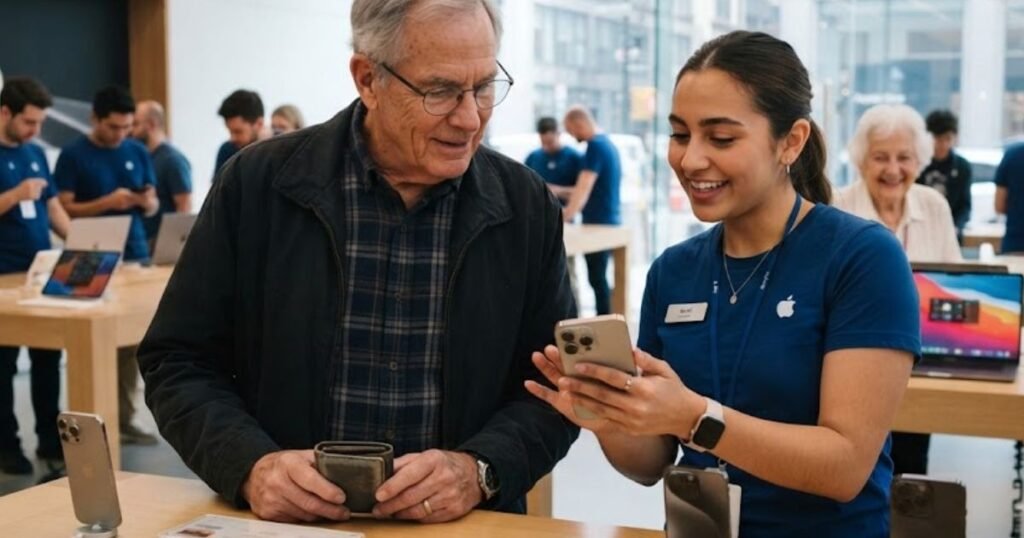
Smartphones have transformed into health monitors, communication centers, and essential everyday tools. While Android devices offer many choices, Apple’s iPhone lineup remains the top recommendation for older adults across America for several practical reasons:
- Simple Interface: The home screen uses straightforward square icons. You tap an app to open it and swipe up to close it. There are no complicated sub-menus or hidden drawers.
- Long Software Support: Apple provides system and security updates for up to 6 to 7 years. You do not need to buy a new phone every two years to stay safe online.
- Top-Tier Security: Apple strictly vets every application in the App Store, drastically reducing the chance of malware or malicious pop-ups that target vulnerable users.
- Clear Cameras: Taking sharp photos of grandchildren, pets, or family events requires zero technical skill—just open the camera app and tap the shutter button.
- Reliable Performance: iPhones run smoothly without freezing, ensuring you can quickly place phone calls or look up information when needed.
- Face ID: Instead of remembering complex numeric passcodes, Face ID safely unlocks your device simply by looking at the front camera screen.
- Siri Voice Assistant: You can place calls, send texts, set pill reminders, or ask about the weather using simple voice commands.
- Family Sharing & Find My: Family members can help locate a misplaced phone, share subscriptions, or assist remotely.
- Built-in Safety & Emergency SOS: Features like Emergency SOS allow you to notify local emergency services and designated family contacts with a quick button combination.
- Medical ID: First responders can view your allergies, medications, blood type, and emergency contacts directly from your lock screen without needing your passcode.
- Fall Detection Integration: Pairing an iPhone with an Apple Watch provides automatic fall detection that alerts emergency services if you take a hard fall and cannot respond.
- Comprehensive Accessibility Ecosystem: iOS leads the industry in built-in tools for hearing, vision, speech, and physical dexterity needs.
READ MORE: Can I Get a Free iPhone With Food Stamps?
What Seniors Should Look for Before Buying an iPhone
Not every iPhone fits every individual. Before picking a model, consider how these physical and technical factors affect daily usability:
- Screen Size & Readability: Larger displays (such as 6.7 inches) fit bigger text fonts and larger buttons without cluttering the screen.
- Weight & Ergonomics: A phone that is too heavy can cause wrist fatigue during long calls. Aluminum models are noticeably lighter than stainless steel or heavy titanium models.
- Battery Life: Look for models with strong battery endurance so you do not have to worry about constantly finding a wall outlet throughout the day.
- Ease of Use: Models with clear displays and responsive touch screens make typing and navigating easier.
- Loud Speakers: Stereo speakers with clear vocal frequency response help users hear speakerphone calls and incoming ringtones clearly.
- Hearing Aid Compatibility: All modern iPhones meet FCC requirements for Hearing Aid Compatibility (HAC) and pair via Bluetooth with MFi (Made for iPhone) hearing aids.
- Storage Options: Most seniors do great with 128GB of base storage. This offers plenty of space for thousands of family photos and dozens of apps without overpaying.
- Durability: Look for Ceramic Shield front glass and IP68 water resistance to protect the device against accidental drops or kitchen spills.
- AppleCare+ Coverage: Adding AppleCare+ covers hardware repairs and accidental damage for a low deductible, bringing peace of mind to budget-conscious retirees.
- Budget: Setting a sensible spending target prevents paying for high-end features (like 120Hz screens or cinema-grade recording) that you may never use.
READ MORE: Free Phones for Seniors on Medicare
Best iPhones for Seniors (Detailed Reviews)
1. iPhone 16e (Best Overall Value)
The iPhone 16e represents Apple’s sweetest spot for price, efficiency, and core features. Designed to bring modern 6.1-inch OLED display tech, Face ID, and speedy A18 processing power to an accessible price point, it provides everything a senior needs without extra clutter. It omits unnecessary luxury camera controls while delivering clear call audio and long-lasting battery life.
Key Specifications
- Display: 6.1-inch Super Retina XDR OLED
- Processor: Apple A18 Chip (3nm)
- Rear Camera: 48MP Fusion Camera with Optical Image Stabilization
- Weight: 5.89 oz (167 grams)
- Connector: USB-C
Pros
- Exceptionally lightweight and easy to hold single-handed.
- Crisp 48MP main camera makes family photos look vibrant and sharp.
- Modern A18 chip guarantees software updates for years to come.
- Outstanding overall value for money.
Cons
- Does not include a secondary ultra-wide rear camera lens.
- Lacks MagSafe magnetic snap charging (uses standard Qi wireless charging).
Best For
Retirees and older adults who want a modern, fast, and easy-to-use iPhone without paying for top-tier camera extras.
Approximate U.S. Price
$599 (128GB Base Model)
Real-Life Use Case
Margaret, 72, wants a reliable device to check weather forecasts, call her children on FaceTime, and take clear photos of her garden. The lightweight iPhone 16e fits comfortably in her hands, fits into her purse, and costs hundreds less than Pro models.
Overall Rating: 9.5 / 10

2. iPhone 16 (Best Everyday Performance)
The standard iPhone 16 balances cutting-edge performance with everyday convenience. Featuring the standard dual-camera layout with an Ultra Wide lens, a physical Action Button for custom shortcuts, and full MagSafe support, it is built to perform smoothly for any task.
Key Specifications
- Display: 6.1-inch Super Retina XDR OLED
- Processor: Apple A18 Chip
- Rear Cameras: 48MP Fusion + 12MP Ultra Wide
- Weight: 6.00 oz (170 grams)
- Connector: USB-C
Pros
- Action Button can be programmed to instantly turn on the Flashlight or open the Magnifier app.
- Bright 2,000-nit outdoor screen makes reading under direct sunlight effortless.
- Ultra Wide lens lets you capture broad family group photos in tight indoor rooms.
Cons
- Priced higher than the budget-focused 16e.
- Screen size may still feel modest if you suffer from significant vision impairment.
Best For
Active seniors who take frequent photos and want versatile accessories like MagSafe magnetic car mounts or chargers.
Approximate U.S. Price
$799 (128GB)
Real-Life Use Case
Robert, 68, uses his iPhone while traveling across North America in his RV. He uses the programmable Action Button to immediately turn his phone into a bright flashlight at night without fumbling through menus.
Overall Rating: 9.2 / 10

READ MORE: Best Wireless TV Headphones for Seniors
3. iPhone 16 Plus (Best Large Screen & Battery)
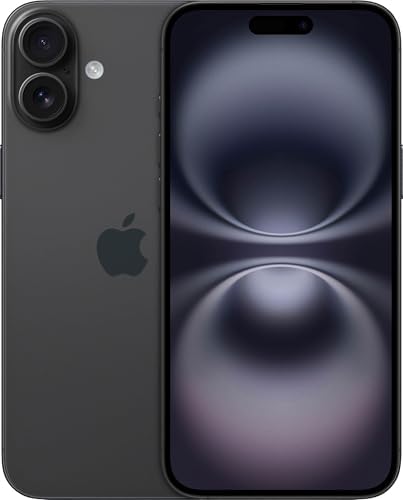
If reading small print causes eye strain, the iPhone 16 Plus is the ideal solution. Featuring a spacious 6.7-inch OLED panel, this model allows text size to be turned up significantly while leaving plenty of room for pictures and video. It also boasts a large battery capacity that easily lasts up to two days under light usage.
Key Specifications
- Display: 6.7-inch Super Retina XDR OLED
- Processor: Apple A18 Chip
- Rear Cameras: 48MP Fusion + 12MP Ultra Wide
- Weight: 7.02 oz (199 grams)
- Connector: USB-C
Pros
- Giant 6.7-inch display makes reading news articles, books, and text messages comfortable.
- Extended battery endurance reduces the need for frequent charging.
- Lightweight aluminum chassis keeps weight lower than heavy stainless steel devices.
Cons
- Requires two hands to operate comfortably for smaller hands.
- May feel slightly bulky in small shirt pockets.
Best For
Older adults with poor eyesight, arthritis, or dexterity issues who benefit from larger touch targets and bigger fonts.
Approximate U.S. Price
$899 (128GB)
Real-Life Use Case
Eleanor, 78, has macular degeneration. Switching to the 6.7-inch display on the iPhone 16 Plus lets her increase font sizes dramatically so she can read text messages and see photos of her grandchildren clearly without squinting.
Overall Rating: 9.6 / 10
READ MORE: Free Government iPhone: Eligibility, Providers & How to Apply
4. iPhone 15 (Best Mid-Range Balance)
The iPhone 15 remains an appealing option in Apple’s active lineup. It offers the modern Dynamic Island top display, an upgraded 48MP camera, and a USB-C charging port. It provides modern Apple software benefits at a discounted price point compared to newer releases.
Key Specifications
- Display: 6.1-inch OLED Super Retina XDR
- Processor: A16 Bionic Chip
- Rear Cameras: 48MP Main + 12MP Ultra Wide
- Weight: 6.03 oz (171 grams)
- Connector: USB-C
Pros
- Features modern USB-C charging—no need for older Lightning cables.
- Dynamic Island presents clear, animated alerts for timers and incoming calls.
- Excellent build quality with soft-textured back glass.
Cons
- Uses the A16 chip instead of the newer A18 generation.
- Battery life is good, but shorter than Plus-sized models.
Best For
Seniors seeking modern features like USB-C and sharp displays while saving $100 compared to flagship pricing.
Approximate U.S. Price
$699 (128GB)
Real-Life Use Case
Frank, 69, upgraded from an old iPhone 8. The iPhone 15’s USB-C port lets him use the exact same cable he uses for his tablet, keeping his nightstand free of cord clutter.
Overall Rating: 9.0 / 10

RAED MORE: AARP Landline Phone Service For Seniors
5. iPhone 15 Plus (Best Value Large Screen)
The iPhone 15 Plus pairs a 6.7-inch display with all-day battery life at a lower price point than the latest flagship models. It is a smart choice for budget-conscious buyers who want maximum screen area.
Key Specifications
- Display: 6.7-inch Super Retina XDR OLED
- Processor: A16 Bionic Chip
- Rear Cameras: 48MP Main + 12MP Ultra Wide
- Weight: 7.09 oz (201 grams)
- Connector: USB-C
Pros
- Expansive display area makes reading easy on the eyes.
- Exceptional multi-day battery life for moderate users.
- High contrast OLED colors make text stand out clearly.
Cons
- Lacks the newer physical Action Button found on the 16 series.
- Slightly heavier than standard 6.1-inch devices.
Best For
Caregivers buying a large-screen smartphone for an elderly parent on a moderate budget.
Approximate U.S. Price
$799 (128GB)
Real-Life Use Case
Susan bought an iPhone 15 Plus for her 81-year-old father, Arthur. Arthur forgets to charge his phone every night, but because the 15 Plus battery lasts so long, his phone stays powered on when she calls.
Overall Rating: 9.3 / 10
6. iPhone 14 (Best Budget Refurbished / Value Option)
For seniors looking for basic cellular functions, texting, and photo sharing without spending over $500, a new or Apple-certified refurbished iPhone 14 remains a practical entry path. It includes safety features like Crash Detection and Emergency SOS via satellite.
Key Specifications
- Display: 6.1-inch Super Retina XDR OLED
- Processor: A15 Bionic Chip
- Rear Cameras: Dual 12MP System
- Weight: 6.07 oz (172 grams)
- Connector: Lightning Port
Pros
- Lowest entry price point for a reliable, modern Face ID iPhone.
- Includes satellite safety features and automatic Crash Detection.
- Compact and sturdy construction.
Cons
- Uses the older Lightning cable charging port instead of standard USB-C.
- Will reach end-of-life iOS software support sooner than 16 series models.
Best For
First-time smartphone owners on a strict budget who primarily make phone calls, text, and view photos.
Approximate U.S. Price
~$499 (New / Certified Carrier Refurbished)
Real-Life Use Case
Betty, 83, transitioned from a simple flip phone to stay in touch via family group chats. The iPhone 14 gives her a clear screen and simple navigation without breaking her fixed retirement income.
Overall Rating: 8.6 / 10

7. iPhone 16 Pro (Best Premium Camera & Display)
While Pro models are often more phone than the average retiree requires, the iPhone 16 Pro offers specific hardware advantages for seniors who want high-end camera performance. Its titanium build reduces weight compared to older Pro models, while its ProMotion 120Hz display reduces screen motion flicker.
Key Specifications
- Display: 6.3-inch ProMotion OLED (120Hz)
- Processor: Apple A18 Pro Chip
- Rear Cameras: Triple System (48MP Main, 48MP Ultra Wide, 5x Telephoto Optical Zoom)
- Weight: 7.03 oz (199 grams)
- Connector: USB-C (Fast USB 3 speeds)
Pros
- 5x optical telephoto lens lets users zoom in clearly without losing image detail.
- Smoother 120Hz screen movement reduces visual fatigue for sensitive eyes.
- Premium titanium build offers structural strength.
Cons
- Premium pricing makes it an expensive purchase.
- Advanced camera software settings can feel unnecessary for non-hobbyists.
Best For
Senior photography enthusiasts, bird watchers, or travelers who want optical camera zoom without carrying heavy DSLR camera equipment.
Approximate U.S. Price
$999 (128GB)
Real-Life Use Case
David, 74, is an avid nature traveler. He uses the 5x optical zoom on his iPhone 16 Pro to take crisp photos of wildlife on hikes without carrying heavy camera lenses.
Overall Rating: 8.8 / 10

READ MORE: Best Landline Phone Service for Seniors | Plans, Costs & Reviews
Quick Comparison Table
| iPhone Model | Display Size | Battery Life | Weight | Camera System | Best For | Approx. U.S. Price | Overall Rating |
| iPhone 16e | 6.1-inch OLED | Up to 26 hrs video | 5.89 oz (167g) | 48MP Fusion | Overall Senior Value | $599 | 9.5 / 10 |
| iPhone 16 | 6.1-inch OLED | Up to 22 hrs video | 6.00 oz (170g) | 48MP + Ultra Wide | Modern Features | $799 | 9.2 / 10 |
| iPhone 16 Plus | 6.7-inch OLED | Up to 27 hrs video | 7.02 oz (199g) | 48MP + Ultra Wide | Poor Eyesight & Battery | $899 | 9.6 / 10 |
| iPhone 15 | 6.1-inch OLED | Up to 20 hrs video | 6.03 oz (171g) | 48MP + Ultra Wide | Value Upgrade | $699 | 9.0 / 10 |
| iPhone 15 Plus | 6.7-inch OLED | Up to 26 hrs video | 7.09 oz (201g) | 48MP + Ultra Wide | Budget Big Display | $799 | 9.3 / 10 |
| iPhone 14 | 6.1-inch OLED | Up to 20 hrs video | 6.07 oz (172g) | 12MP Dual | Ultra Budget / Carrier | ~$499–$599 | 8.6 / 10 |
| iPhone 16 Pro | 6.3-inch OLED | Up to 27 hrs video | 7.03 oz (199g) | Triple Pro System | Enthusiasts & Zoom | $999 | 8.8 / 10 |
Best iPhone by Senior Need
To simplify your purchasing decision, here are top recommendations tailored to specific daily needs:
- Best Overall: iPhone 16e — Delivers modern speed, clear call audio, lightweight design, and long software life at a fair price.
- Best Budget Pick: iPhone 14 — The most affordable path into the iOS ecosystem for essential calls, texts, and photo sharing.
- Best Large Screen: iPhone 16 Plus — The 6.7-inch display makes reading comfortable and typing easy.
- Best Battery Life: iPhone 16 Plus — Extended battery endurance ensures the phone stays charged through multi-day outings.
- Best Camera: iPhone 16 Pro — Features a 5x optical telephoto lens for high-detail zoom photos.
- Best Lightweight: iPhone 16e — Weighs just 5.89 oz, making it comfortable for arthritic hands.
- Best for Beginners: iPhone 16e — Combines a simple interface with long-term software support.
- Best for Caregivers Buying for Parents: iPhone 15 Plus or 16 Plus — High visibility, easy remote management via Find My, and dependable battery life.
Accessibility Features That Make iPhones Great for Seniors
Apple leads the industry in built-in accessibility tools. You do not need to download third-party tools; these options are built right into iOS settings:
- Assistive Access: A simplified interface mode that reduces iOS to big, high-contrast buttons, simple layouts, and larger touch targets for core apps like Phone, Messages, and Camera.
- Larger Text & Dynamic Type: Scales up font sizes across system menus, email, and websites so text is easy to read without glasses.
- Display Zoom: Enlarges on-screen controls, app icons, and buttons across the entire device interface.
- Voice Control: Allows full voice navigation of your phone without touching the screen.
- Live Speech: Type text to have your iPhone speak aloud during phone calls or face-to-face conversations.
- Personal Voice: Creates a synthesized voice replica for individuals at risk of speech degradation.
- Magnifier Tool: Turns your iPhone camera into a digital magnifying glass with custom light filters, ideal for reading restaurant menus or pill bottle labels in low light.
- Hearing Device Support: Connects directly with Made for iPhone (MFi) hearing aids and select Bluetooth auditory devices for crystal-clear phone call audio.
- Sound Recognition: Listens for environmental sounds—such as doorbells, smoke alarms, or running water—and sends visual alerts to the screen.
- Siri Voice Commands: Lets you dictate text messages, place phone calls, create calendar events, and set reminders hands-free.
- Emergency SOS: Automatically dials local emergency services (911) and shares your location with designated family contacts when triggered.
- Medical ID: Provides first responders with instant access to your health records, blood type, and emergency contacts directly from the lock screen.
- Live Captions: Displays real-time auto-generated text captions for spoken dialogue during video calls, audio streams, or videos.
- Face ID: Secures your device using facial recognition, eliminating the need to memorize or type complex passwords.
- VoiceOver: A built-in screen reader that speaks aloud everything happening on your screen for blind or low-vision users.
- Guided Access: Locks the phone into a single app, preventing accidental swipes or menu changes.
How to Set Up an iPhone for an Older Adult
Setting up a new iPhone for a senior takes just a few minutes. Follow these simple steps to ensure the phone is easy to use:
- Increase Text Size: Go to Settings > Display & Brightness > Text Size and adjust the slider to your preferred size.
- Enable Bold Text: In Settings > Display & Brightness, toggle on Bold Text to make lettering pop clearly against light backgrounds.
- Set Up Medical ID: Open the Health app, tap your profile icon, select Medical ID, and enter medical conditions, allergies, and emergency contacts. Ensure Show on Lock Screen is toggled on.
- Configure Emergency Contacts: In Settings > Emergency SOS, verify that your emergency contacts are linked to your Medical ID.
- Turn On Assistive Access (Optional): If the user prefers a simplified layout, go to Settings > Accessibility > Assistive Access to configure a streamlined home screen with big buttons.
- Increase Ringtone & Speaker Volume: Go to Settings > Sounds & Haptics and drag the volume slider up. Toggle Change with Buttons to prevent accidental volume reductions.
- Enable Hearing Accommodations: Under Settings > Accessibility > Audio & Visual, customize audio settings or pair MFi hearing aids.
- Simplify the Home Screen: Remove unused app icons from the primary screen, keeping only essential icons like Phone, Messages, Photos, and Camera visible.
- Configure Face ID: Set up Face ID in Settings > Face ID & Passcode so the user can unlock the phone effortlessly.
- Install Useful Everyday Apps: Download necessary banking, transportation, health, and family communication apps to complete the initial setup.
Best Apps for Seniors on iPhone
Expand your iPhone’s day-to-day usefulness with these simple, senior-friendly applications:
- Medication Reminders: Medisafe or the built-in Apple Health Medications tool track daily prescriptions and alert you when it is time for a dose.
- Video Calling: FaceTime (pre-installed) and Zoom keep long-distance family connections strong with single-tap video calls.
- Health & Fitness Tracking: Apple Health tracks daily steps, heart rates, and sleep patterns automatically.
- Navigation & Travel: Google Maps or Apple Maps offer large-font visual turn-by-turn directions and voice-guided guidance.
- Weather Updates: CARROT Weather or Apple Weather deliver high-contrast daily forecasts and precipitation warnings.
- Grocery Delivery: Instacart or Walmart allow easy grocery ordering directly to your home.
- News & Current Events: NPR, BBC News, or local news outlets keep you informed without pop-up clutter.
- Books & Reading: Libby connects to your local public library card for free audiobooks and large-font e-books.
- Brain Exercise: Lumosity or Wordscapes provide fun, interactive daily cognitive puzzles.
- Personal Safety: Noonlight or Life360 offer additional peace-of-mind safety tracking for caregivers and family members.
Common Mistakes Seniors Make When Buying an iPhone
Avoid these frequent buying missteps when selecting your next device:
- Buying Excessive Storage: Paying for 512GB or 1TB models is rarely necessary. Base 128GB models offer plenty of room for photos, video clips, and apps without overspending.
- Selecting Pro Models Unnecessarily: High-end Pro models cost significantly more, yet most users rarely use advanced features like 4K ProRes video capture.
- Ignoring Screen Size Preferences: Choosing a smaller screen to save a few dollars can lead to eye strain if you have difficulty reading fine print.
- Skipping Accessibility Configurations: Leaving default small text turned on can make a great phone feel frustrating to use.
- Forgetting AppleCare+: Skipping protective coverage can turn an accidental kitchen tile drop into an expensive out-of-pocket repair.
- Overpaying Through Carrier Plans: Buying directly from Apple or comparing unlocked carrier deals often saves money compared to high-interest monthly financing plans.
Tips to Make an iPhone Easier for Seniors to Use
- Use Siri Frequently: Say “Hey Siri, call my son” or “Hey Siri, set a timer for 20 minutes” to perform everyday tasks hands-free.
- Turn On LED Flash for Alerts: Go to Settings > Accessibility > Audio & Visual and toggle LED Flash for Alerts to see a bright flashing light whenever your phone rings.
- Add Important Contacts to Favorites: Place frequent family members into your Favorites tab inside the Phone app for single-tap dialing.
- Enable Reachability: Go to Settings > Accessibility > Touch and turn on Reachability. Swiping down on the bottom edge lowers the top of the screen within easy reach.
- Keep Software Updated: Turn on Automatic Updates under Settings > General > Software Update to ensure you always have the latest safety patches.
Frequently Asked Questions
Which iPhone is easiest for seniors to use?
The iPhone 16e is widely considered the easiest iPhone model for most seniors. It pairs a comfortable 6.1-inch OLED screen with a lightweight design that is easy to hold. By enabling iOS Assistive Access in the settings menu, you can convert the user interface into large, simple buttons for calling, messaging, and taking photos, making it ideal for non-tech-savvy users or first-time smartphone owners.
What is the best budget iPhone for seniors?
The best new budget iPhone is the iPhone 16e, priced starting at $599. It features Apple’s modern A18 chip, an incredible 48MP main camera, USB-C charging, and long software update support. If you want an even lower price point, an Apple-Certified Refurbished iPhone 14 (~$499) offers fantastic value for basic call, text, and web browsing needs.
Is the iPhone good for older adults who have never used a smartphone?
Yes, iPhones are ideal for first-time smartphone users. Unlike systems with complex menu structures, iOS uses a clear home screen with square app icons. Features like Face ID remove the need to enter passcodes, while Siri allows users to make phone calls and send text messages using simple voice commands. Apple’s built-in accessibility features ensure that text and buttons can be enlarged for effortless navigation.
Which iPhone has the biggest screen for seniors?
The iPhone 16 Plus features a large 6.7-inch Super Retina XDR OLED display. This larger display makes text significantly easier to read when enlarged. The screen size also provides larger touch targets for fingers, reducing typing mistakes while offering extraordinary battery endurance.
What accessibility features does Apple offer for seniors?
Apple offers a comprehensive suite of accessibility options built into iOS. Highlights include Assistive Access (a simplified high-contrast UI), Dynamic Type (enlarged text sizes), Magnifier (digital reading glass with lighting controls), Live Captions (real-time captions for video and audio calls), and direct Hearing Device Support for MFi hearing aids. It also features Emergency SOS and Medical ID for personal safety.
Final Verdict
Choosing the right iPhone comes down to matching individual physical comfort, vision needs, and personal budget:
No matter which model you select, Apple’s focus on software longevity, health monitoring, and safety features ensures that your choice will serve you or your loved one reliably.
Disclaimer: Prices, specifications, and availability mentioned in this guide reflect U.S. market conditions at publication and may vary over time or across individual cellular carriers.